



Linking an image from SharePoint online (OneDrive sync)
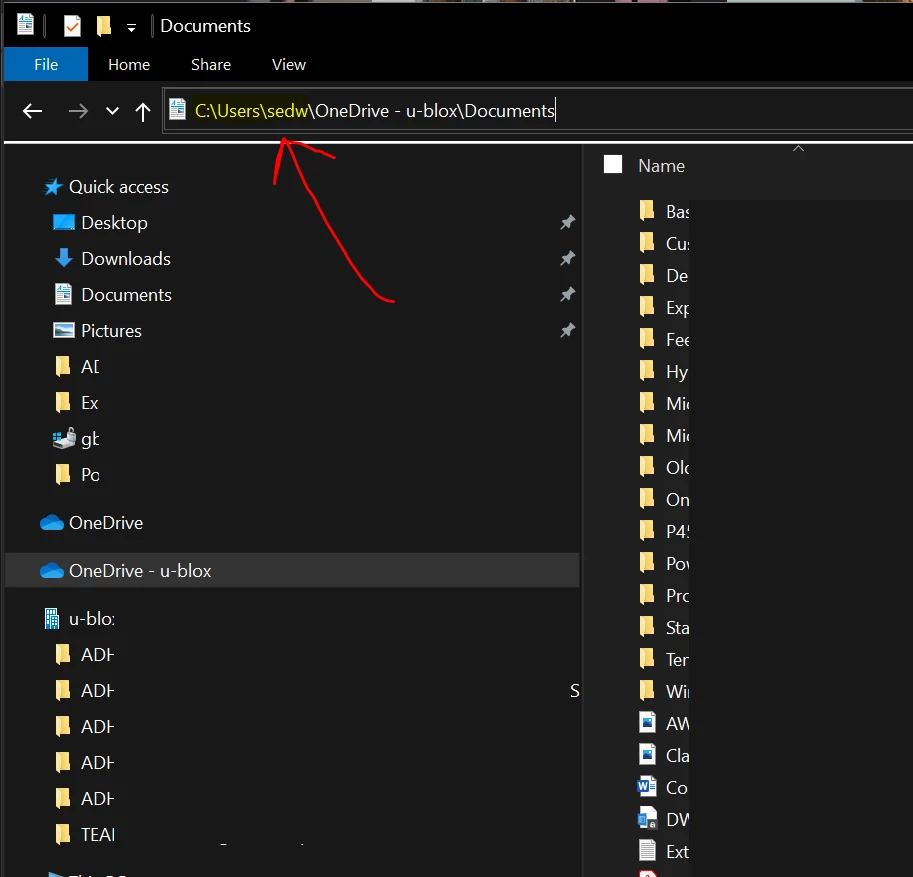
*** UPDATE *** This does work, but it's very important to ensure both devices sync the SharePoint Online document library in EXACTLY the same way. The relative paths need to match and then InDesign will be able to work with files in SharePoint Online. For example on one device if you sync the doc library from top Documents level so the InDesign file is in Documents\Folder 1\Folder 2, then on the other devices, they must sync from the Documents level so that their paths match. I would advise not using "Shortcut to OneDrive" as that causes issues, just use the "Sync" function and this should all work. If it doesn't, check the paths to the file and see if they match, it's likely that someone has clicked the Sync button from a different folder level. Ignore the fact that InDesign shows the link as C:\Users\USERNAME as this will update on the other device to their user profile location. (presuming they're both using the same default location)
Original question:
Hi all!
We have an issue with linking images from SharePoint Online document libraries. All the info I can find online points towards using OneDrive sync, but that doesn't work. As per the below screenshot, you can see that the path for the image is still local. Anyone else who wants to edit this file, won't be able to see this image. Is there a way to link via URL or directly from a SharePoint Online library?

 AdChoices