First of all, let’s look under the hood to see what happens when we make cross-references in InDesign.
Here I posted the sample files and scripts used in the testing described below.
I created a new document Test-1.indd and added three anchor points using the default names offered by InDesign: Anchor 1, Anchor 2 and Anchor 3. Then I created three cross-references pointing to them.
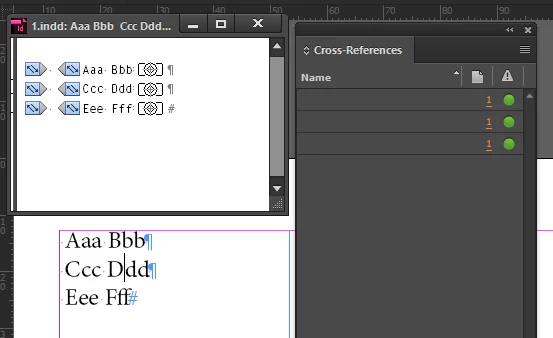
Finally, I duplicated resaved the file as Test-2.indd
From the scripting point of view, cross-reference (which we see in the cross-references panel) is a variety of the hyperlink object. Hyperlink contains two other objects: destination and source. All the three have names which are generated by InDesign.
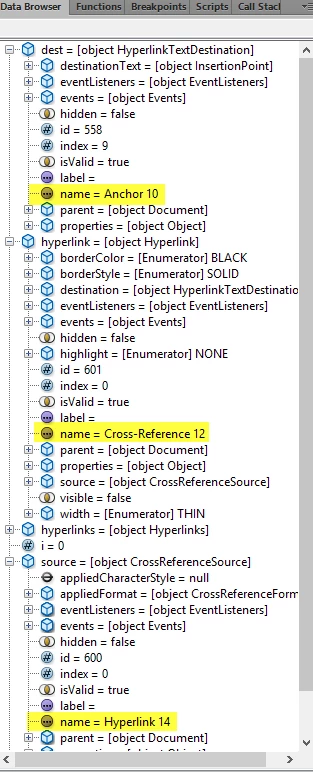
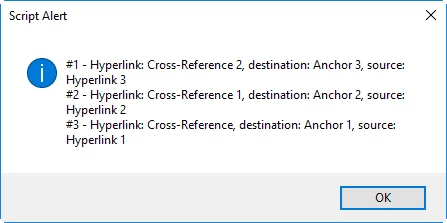
Let’s open Test-1.indd and run this script. (List hyperlink names.jsx)
Main();
function Main() {
var hyperlink,
str ="",
doc = app.activeDocument,
hyperlinks = doc.hyperlinks;
for (var i = 0; i < hyperlinks.length; i++) {
hyperlink = hyperlinks;
str += "#" + (i + 1) + " - Hyperlink: " + hyperlink.name + ", destination: " + hyperlink.destination.name + ", source: " + hyperlink.source.name + "\r";
}
alert(str);
}
We see that InDesign uses some default base names adding incrementing numbers at the end.
Now let’s cut the text frame from Test-1.indd, paste it into Test-2.indd (note it has six cross-references now) and run the script again.
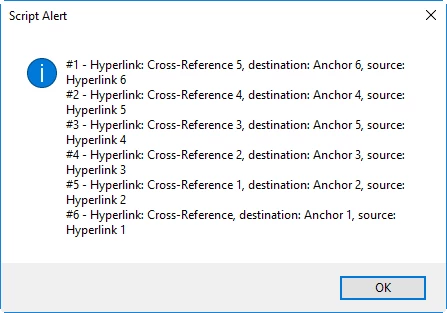
Note that InDesign automatically resolved the conflict – both documents had the same set of cross-references using exactly the same names – by adding next available order numbers.
Here’s the root of the problem: when we move text/pages to another document, cut/copy-paste text, rename files, etc. the names can be changed and in turn destinations can be lost.
My idea of solving it is as follows:
Before making any manipulations, which can break cross-references – e.g. moving pages to another document – we run a script which generates a unique name (13-14 digits) and renames each cross-reference (in scripting terms: hyperlink, destination and source).
When cross-references get broken, we open all the documents and run another script which loops through them fixing broken cross-references which it finds by unique names.
Let’s illustrate this with an example:
I created a test file -- Starting Point.indd -- with 15 cross-references. Note the default names

Now I run the Rename cross-references script: all names are unique numbers (Renamed xRefs.indd)
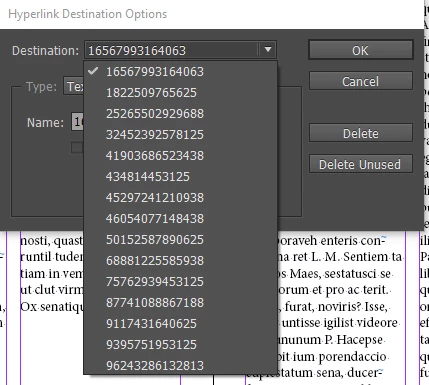
Now I move each page to another document and open them all, all cross-references are OK (green circle) so far.
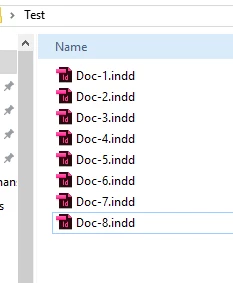
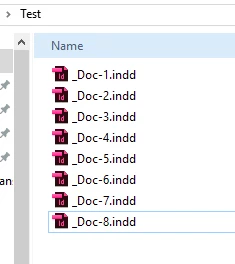
But if I close and rename the files, or move them to other folders, they become corrupted.
Finally, I run the Fix cross-references script and all the cross-references become normal again.
Of course, this doesn't handle a situation when a few cross-references point to the same destination, but this also can be handled by script: off the top of my head: the first script may create a txt/csv file listing the pairs cross-reference—destination, the second one may read it to restore broken cross-references.
Regards,
Kas




 AdChoices