superbloom421
Known Participant
February 21, 2025
Question

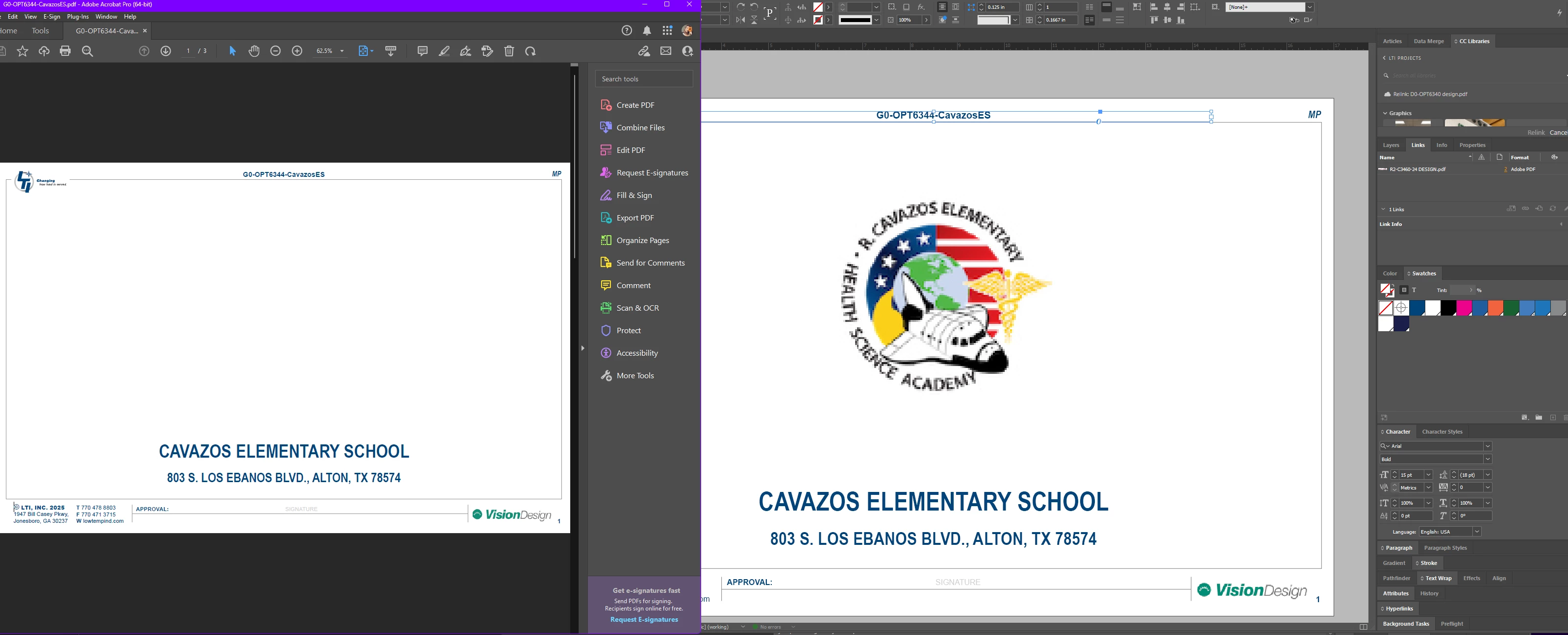
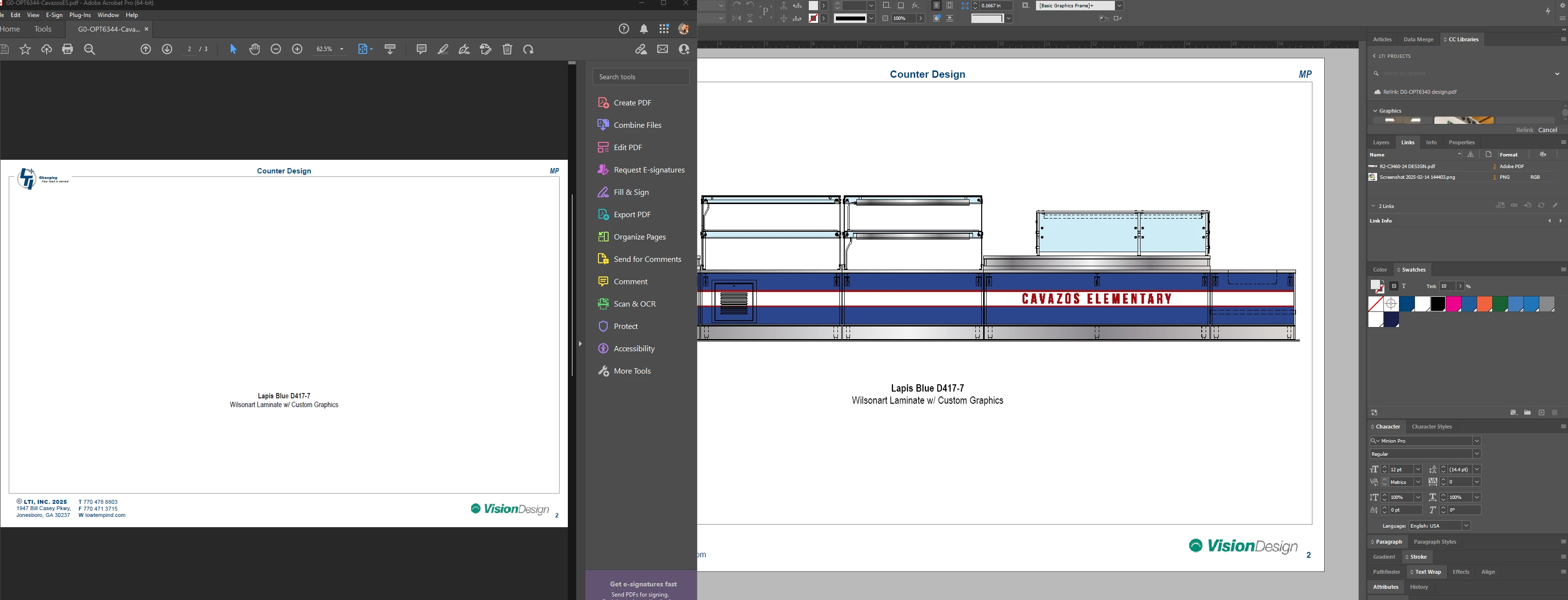
Missing Linked Graphics in PDF Export

  • February 21, 2025
  • 1 reply
  • 280 views

Why are these missing from the export?

This started happening when I uploaded the elements to CC Library.

I had to export it 5 times to get it to recognize the graphic.

Its happened to 3 projects.
 

1 reply

Mike Witherell
Braniac
February 22, 2025

Same answer as on your other thread. CC Libraries is fine for Swatches and maybe some style samples, but it isn't robust for heavy linked file use. I wish they would reinstate the Creative Cloud Folder. That was genuinely useful, and was also reliable.

Mike Witherell
superbloom421
Known Participant
February 24, 2025

Thats so disappointing. What's the point of giving us 100 GB of space if we can't use it for for a 1MB logo?

Abhishek Rao
Community Manager
Community Manager
February 26, 2025

Hi @superbloom421,


As Expert Mike Witherell mentioned, while CC Libraries work well for storing swatches and styles, they may not be the best option for managing linked files.  

To address this, I would like to suggest a few best practices for your situation:

 - Ensure that your file names do not contain special characters like slashes (/), as they can cause issues during export. 

 - Before exporting, use the 'Package' feature (File > Package) to gather all linked files into a single folder. This ensures all assets are correctly referenced during the export process.

For more detailed guidance, refer to this: Manage linked or embedded graphics in Adobe InDesign


If you continue to experience issues, please provide more details like a sample file (packaged file), and I'll assist you further.


^

Abhishek