


EoinWinston
Known Participant
April 3, 2018
Answered

Multi-column table of contents

  • April 3, 2018
  • 2 replies
  • 4532 views

Hi,

Just wondering if anyone could help with some direction.

I need to have a table of contents with multiple columns like in the example below and I am wondering what the best approach is:
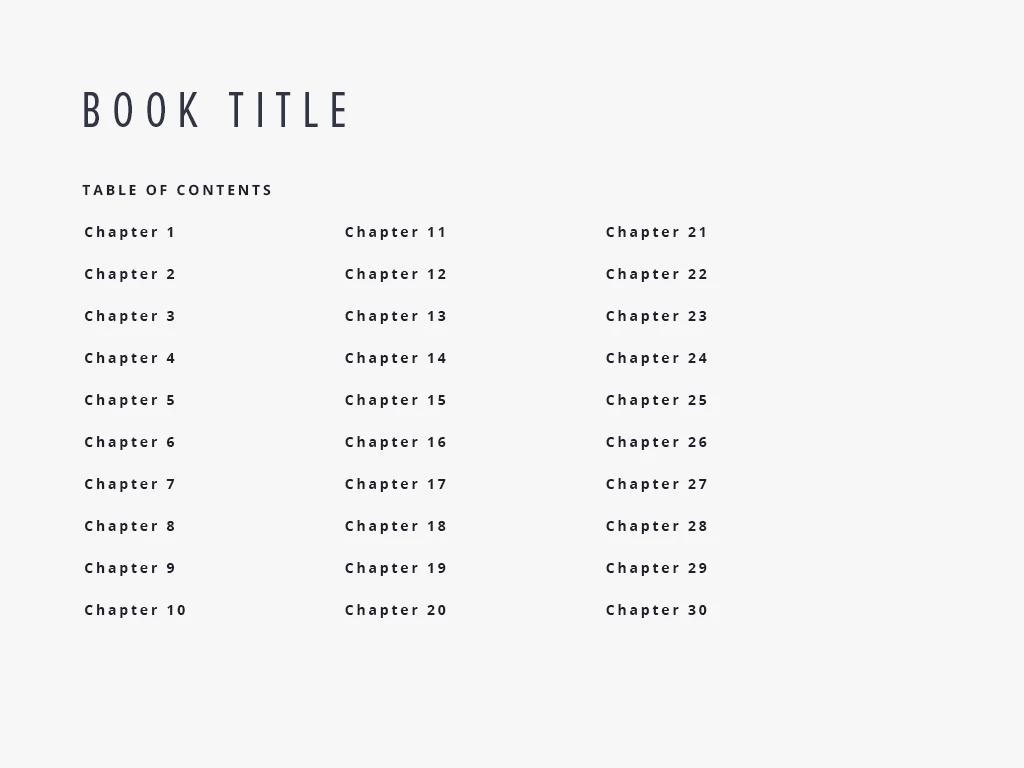
It's a fixed width EPUB for iPad. I have the first column working well ( Chapters 1 to 10) but I am wondering how to add the other columns. Obviously, the 30 chapters would be too tall for the page design so multiple columns are needed.

I am new-ish to InDesign so any advice would be great.

Thanks,

Eoin
    This topic has been closed for replies.
    Correct answer Barb Binder
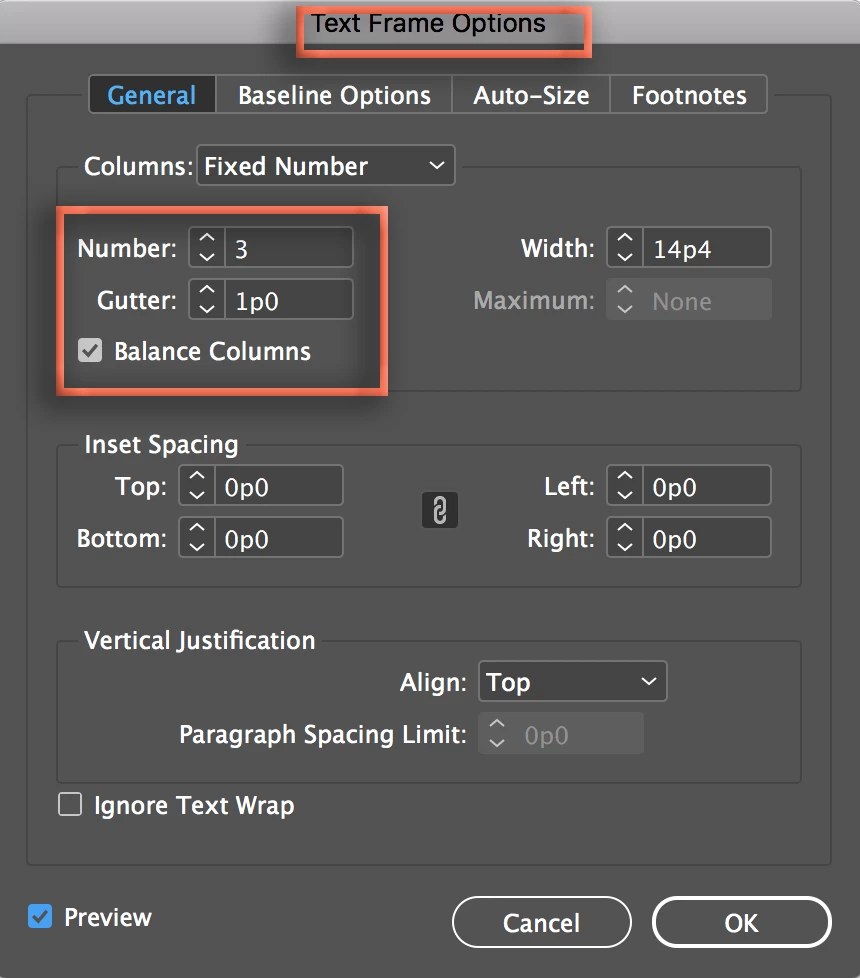
    1. Select the frame (or click in the text)
    2. Object > Text Frame Options
    3. Define 3 columns with Balance Columns on.

    ~Barb

    2 replies

    Barb Binder
    Barb BinderCorrect answer
    Community Expert
    April 3, 2018
    1. Select the frame (or click in the text)
    2. Object > Text Frame Options
    3. Define 3 columns with Balance Columns on.

    ~Barb

    ~Barb at Rocky Mountain Training
    EoinWinston
    Known Participant
    April 3, 2018

    Hi Bob and Barb,

    It was me who was missing something - it was not knowing I could use a multi-column text frame as a table of contents Sorry but I am new-ish to InDesign and didn't know that feature.

    Thanks for the really prompt and great help.

    Eoin

    Barb Binder
    Community Expert
    April 3, 2018

    We are here to help!

    ~Barb

    ~Barb at Rocky Mountain Training
    BobLevine
    Community Expert
    April 3, 2018

    Unless I'm missing something, why can't you put the TOC into a multi column text frame.