



The Goth Editor
Known Participant
September 8, 2022
Answered

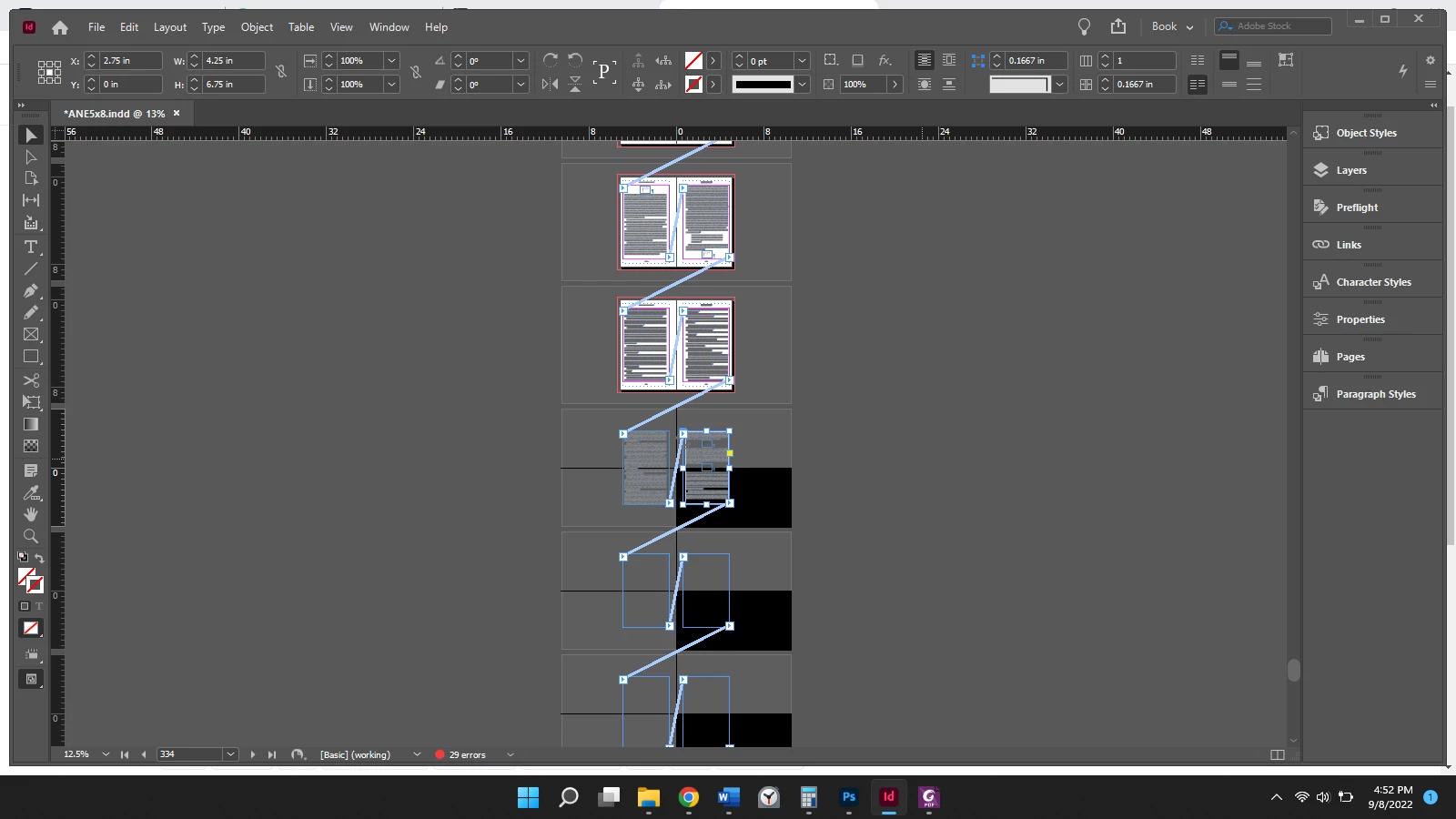
My pasteboard has split in sections

  • September 8, 2022
  • 3 replies
  • 321 views

My pasteboard seems to have split in four sections, and it's, in turn, not showing the text in all the text boxes. It doesn't look like I have an alternate layout set up. You can see that most of the document is set up to the standards I need (the regular white pages against the non-split pasteboard).


I'm not sure what I did to trigger this happenstance.


This topic has been closed for replies.
Correct answer Barb Binder

Hi @The Goth Editor:


Is it a damaged file? 

https://helpx.adobe.com/indesign/kb/troubleshoot-file-issues.html


Can you restore from a back-up file? (This is why incremental back ups are so important.)


Can you use Story Editor to cut all of the text on the split-pasteboard pages, removed the blank pages and frames and then reflow from that good pasteboard point forward? Save first, and work on a copy.)


~Barb

3 replies

Braniac
September 9, 2022

Great news!


~Barb

Barb BinderCorrect answer
Braniac
September 9, 2022

Hi @The Goth Editor:


Is it a damaged file? 

https://helpx.adobe.com/indesign/kb/troubleshoot-file-issues.html


Can you restore from a back-up file? (This is why incremental back ups are so important.)


Can you use Story Editor to cut all of the text on the split-pasteboard pages, removed the blank pages and frames and then reflow from that good pasteboard point forward? Save first, and work on a copy.)


~Barb

The Goth Editor
Known Participant
September 9, 2022

Barb,


Thank you for responding. Cutting the affected text from the Story Editor and deleting the affected pages thereafter worked. I've also saved another copy. Thank you so much!

The Goth Editor
Known Participant
September 9, 2022

Here is an image of the pages panel for reference.