


Participant
February 24, 2023
Answered

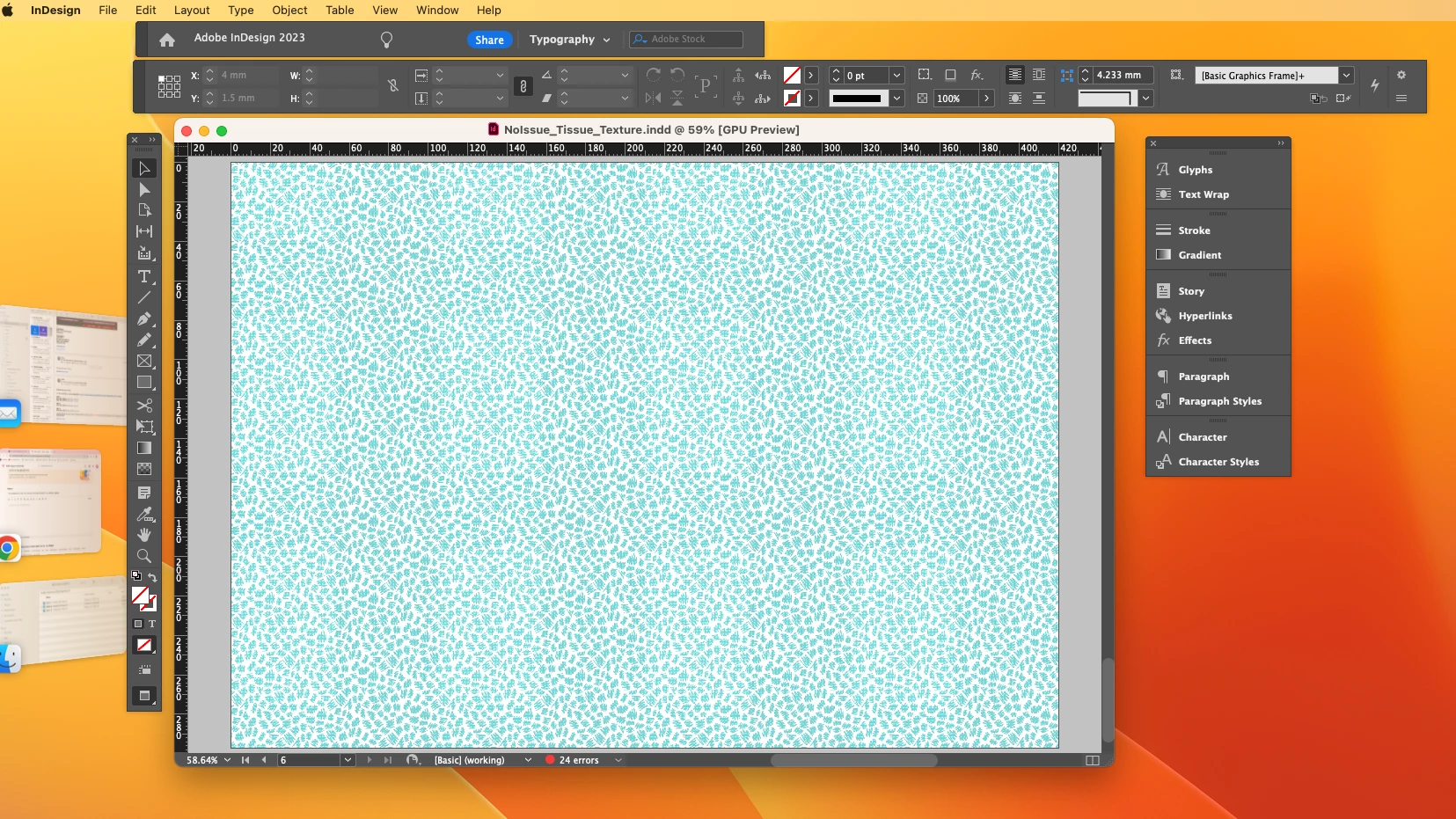
My workspace is in bits. How can I pull InDesign Artboard, Control all back together?

  • February 24, 2023
  • 2 replies
  • 1176 views

Has anyone seen a workspace break into bits like this before?
I can pull it all back in the usual workspace.

Also when opening the InDD, it opens stuck the edges of my desktop. I use another screen to do work,  and I have to pull all the little bits together.
This topic has been closed for replies.
Correct answer Amy285666156avh

Thanks Rene — I've been on a call with Adobe and they've verified that it is an incompatibility with the new mac air M2 chip. It's something I/we cannot fix, until Adobe makes compatible. They say they are working on it! Great news for the future, but will need to work in a messy space until it's fixed. — Thanks for your support. Good stuff. 

2 replies

Rene Andritsch
Community Expert
Community Expert
February 24, 2023

You are using the Typography workspace. If after checking Application Frame there are still some free floating parts of the UI, go to the Window Menu again and under WORKSPACE > Reset “Typography”. This should put everything back where it belongs. If you create a custom workspace you can save it  with WORKSPACE > New Workspace.

Amy285666156avhAuthorCorrect answer
Participant
February 24, 2023

Thanks Rene — I've been on a call with Adobe and they've verified that it is an incompatibility with the new mac air M2 chip. It's something I/we cannot fix, until Adobe makes compatible. They say they are working on it! Great news for the future, but will need to work in a messy space until it's fixed. — Thanks for your support. Good stuff. 

Rene Andritsch
Community Expert
Community Expert
February 24, 2023

Did the Adobe employees tell you if only the new MacBook Air is affected by this or all new hardware with the M2 Chipset?

Rene Andritsch
Community Expert
Community Expert
February 24, 2023

Have you checked if under WINDOW > Application Frame is checked or unchecked? That should keep everythng together.


Participant
February 24, 2023

Oh yes. This doesn't work.  — Thanks for responding.

Participant
February 24, 2023

There is this weird big grey empty board that i can't move around. See this image…

The application Frame is a weird fuctions and definately feels like it has something to do with it, but it doesn't solve my problesm