New Participant
August 14, 2009
Answered

Need 2 page layout next to eachother

  • August 14, 2009
  • 3 replies
  • 81786 views

I have a 2 page document and I need them to be next to each other. It's for a large banner that will be split down the middle. I can do it on page 2 and page 3 but not on page 1 and 2. page 1 always shows  up alone at the top.
Correct answer rob day

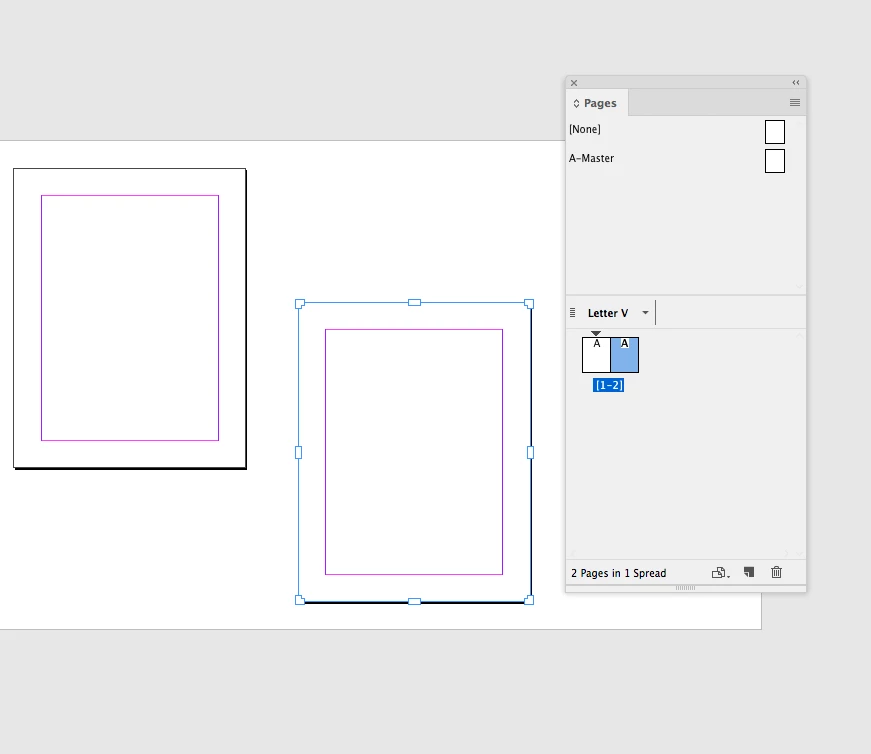
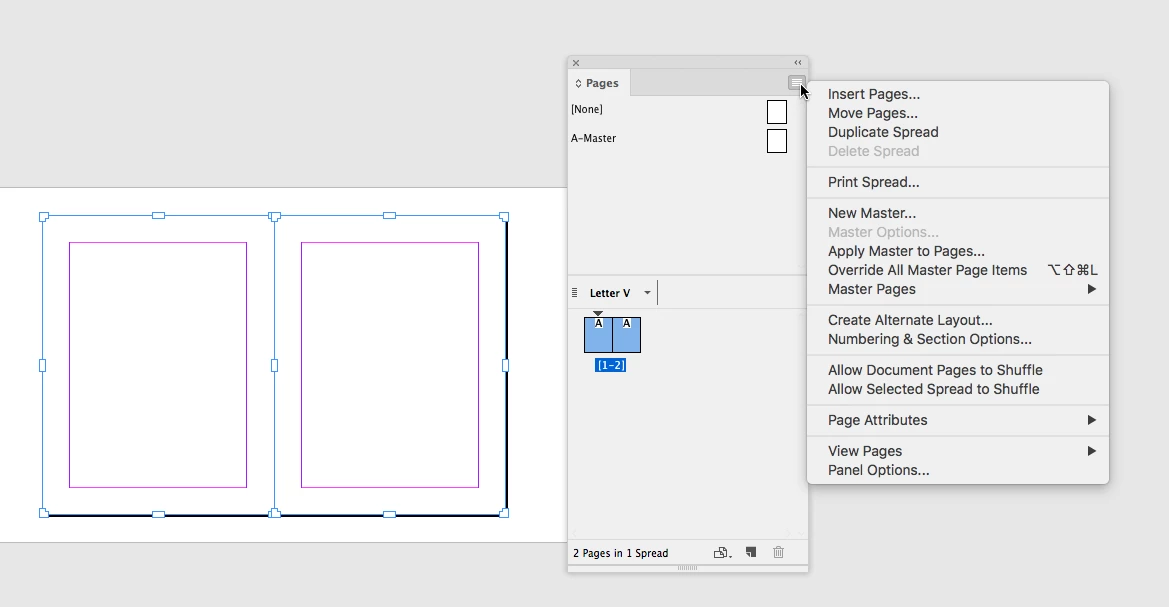
You can also setup spreads with non facing page documents by unchecking Allow Document Pages to Shuffle and dragging the page icons together. In that case you can use the Pages tool to position the page anywhere on the paste board, which can be useful for visualizing projects like trade show banners where you might want space between the panels

3 replies

Participating Frequently
December 6, 2023

You don't seem to be able to do that anymore in version 2024. Any new information?


rob day
rob dayCorrect answer
Community Expert
June 8, 2018

You can also setup spreads with non facing page documents by unchecking Allow Document Pages to Shuffle and dragging the page icons together. In that case you can use the Pages tool to position the page anywhere on the paste board, which can be useful for visualizing projects like trade show banners where you might want space between the panels

Community Expert
June 8, 2018

FWIW: The feature Rob's showing is available for InDesign CS5 and above.

( This thread started in 2009. InDesign CS5 wasn't out at that time. )

Regards,
Uwe

rob day
Community Expert
June 8, 2018

Thanks Uwe, wasn't paying attention to the date.

Jongware
Community Expert
August 14, 2009

First of all, you have 'facing pages' set to checked in your page setup. That creates a singular page 1, then pairs of 2 pages -- the default book layout mode.

Next, you have to check (or un-check -- never can remember what's the default) "Allow pages to shuffle" in the Pages panel menu. With that done, you can drag individual pages in the Page panel side-to-side. While dragging a page icon, you will see the cursor change when you come near the edge of the one you want it to stick to.

New Participant
June 8, 2018

its better to make sure you have facing pages ticked, number of pages 2, start page number 2.

New Participant
August 2, 2018

This worked for me!