


Known Participant
April 12, 2011
Question

Need "True Hyperlink" Blue (RGB) to export from InDesign to PDF

  • April 12, 2011
  • 1 reply
  • 88188 views

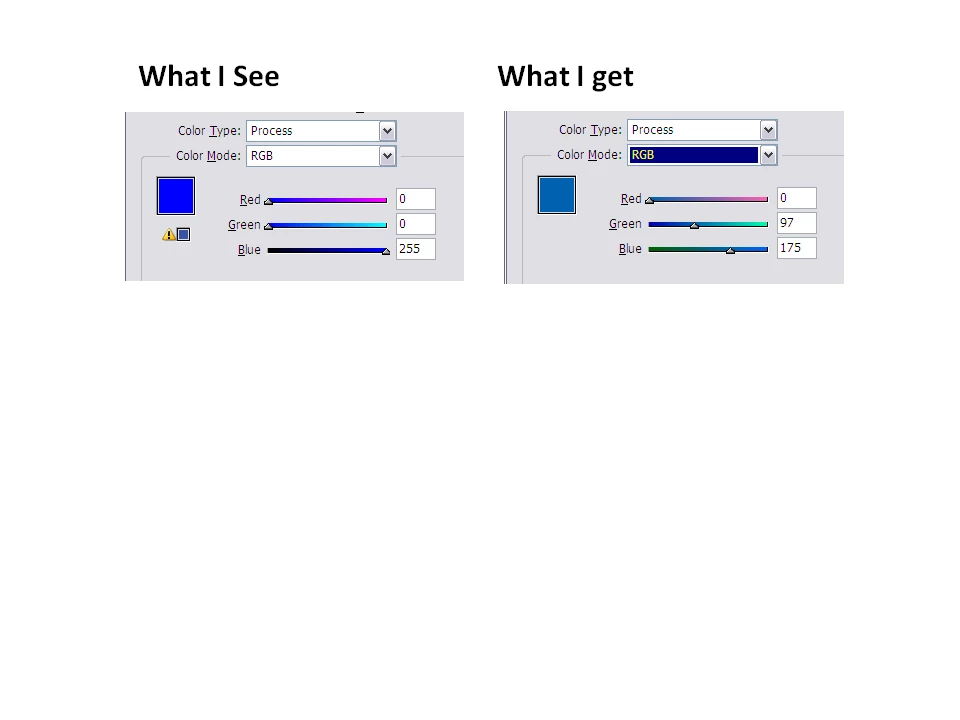
I create fact sheets in InDesign CS4 for both print and web pages. When I try to export the "pure" hyperlink color blue  HEX = 00 00 FF (RGB=  0, 0,  255) to PDF, InDesign's Swatch Option window shows a warning triangle and a much darker shade of blue below the main preview window. And the PDF also shows the same color blue (RGB = 0, 97, 175).  Need to know how I can get the 0,0 255) or export PDFs from InDesign with the Hex value)
This topic has been closed for replies.

1 reply

Stix_Hart
Inspiring
April 12, 2011

If you don't click on that warning and export to a PDF setting that uses RGB (Smallest Files size for example) you will get that RGB colour.  What export settings are you using at the moment?  You realise that when it gets printed it is most likely getting printed in CMYK?  So that conversion has to happen somewhere.  I would tend to leave it up to the printers RIP to make the closest conversion it could but there's a few ways to do it.

Known Participant
April 12, 2011

You gave me the insight needed. These web PDFs are intended for viewing on the Internet and downloading to whatever printer (usually an inkjet) a home user might possess. In my InDesign PDF Export settings for Web-quality PDFs, in Color Conversion, switched  from "Convert to Destination" to "No Color Destination" and we attained the desired shade of blue for hyperlinks