



Nested Style up to 1 en dash -- not working
I'm trying to create a nested style for a glossary page wherein everything up to an en dash is bolded but the rest of the line is normal text. I went through the steps as described in other forums:
1. clear all character formatting.
2. bold the word(s) I want and created a character style based off that.
3. In paragraph styles, I created a nested style with the selected character style going "up to 1 En Spaces"
But here's where I run into the problem... With that selection, it still bolds the entire line:
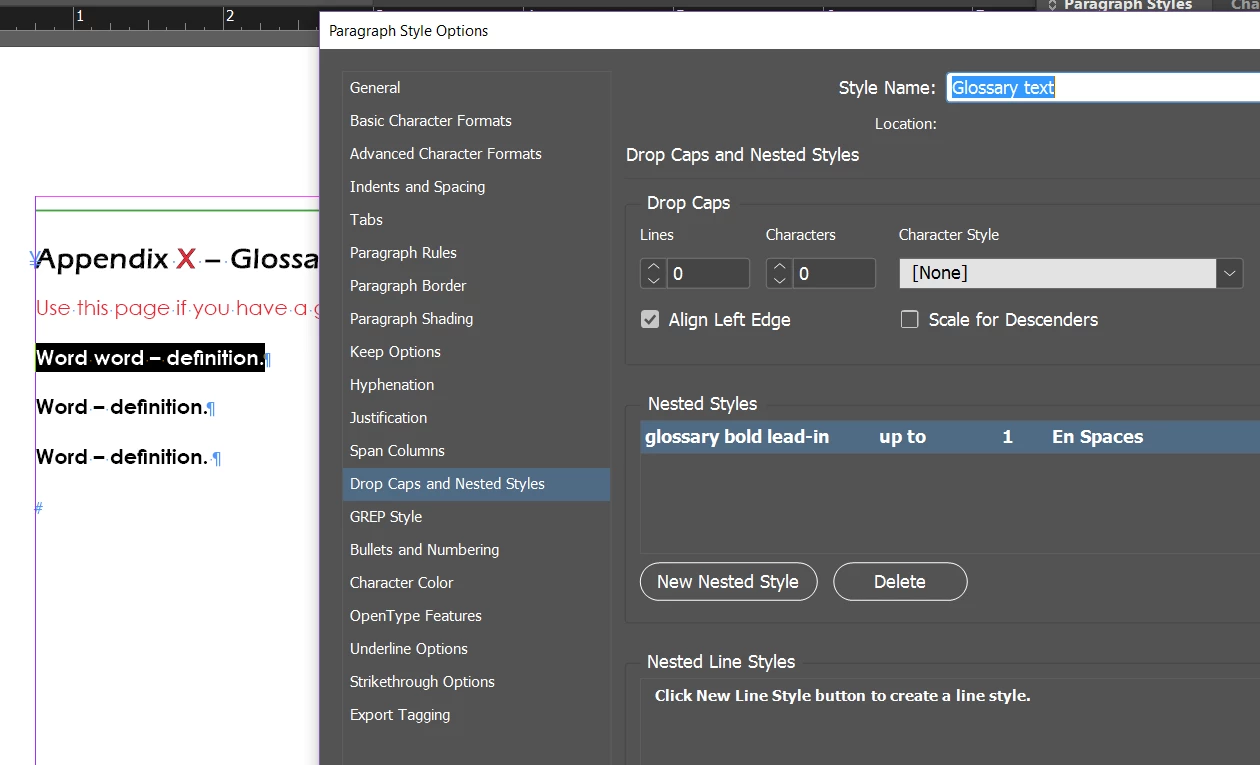
I thought I could trick it by manually writing "En Dash" or "En Dashes." That helped, but it doesn't quite fix it. It bolds only the first word, not everything before the en dash. (I want the style to be able to accommodate terms that might be more than one word, so we can automate the formatting.)
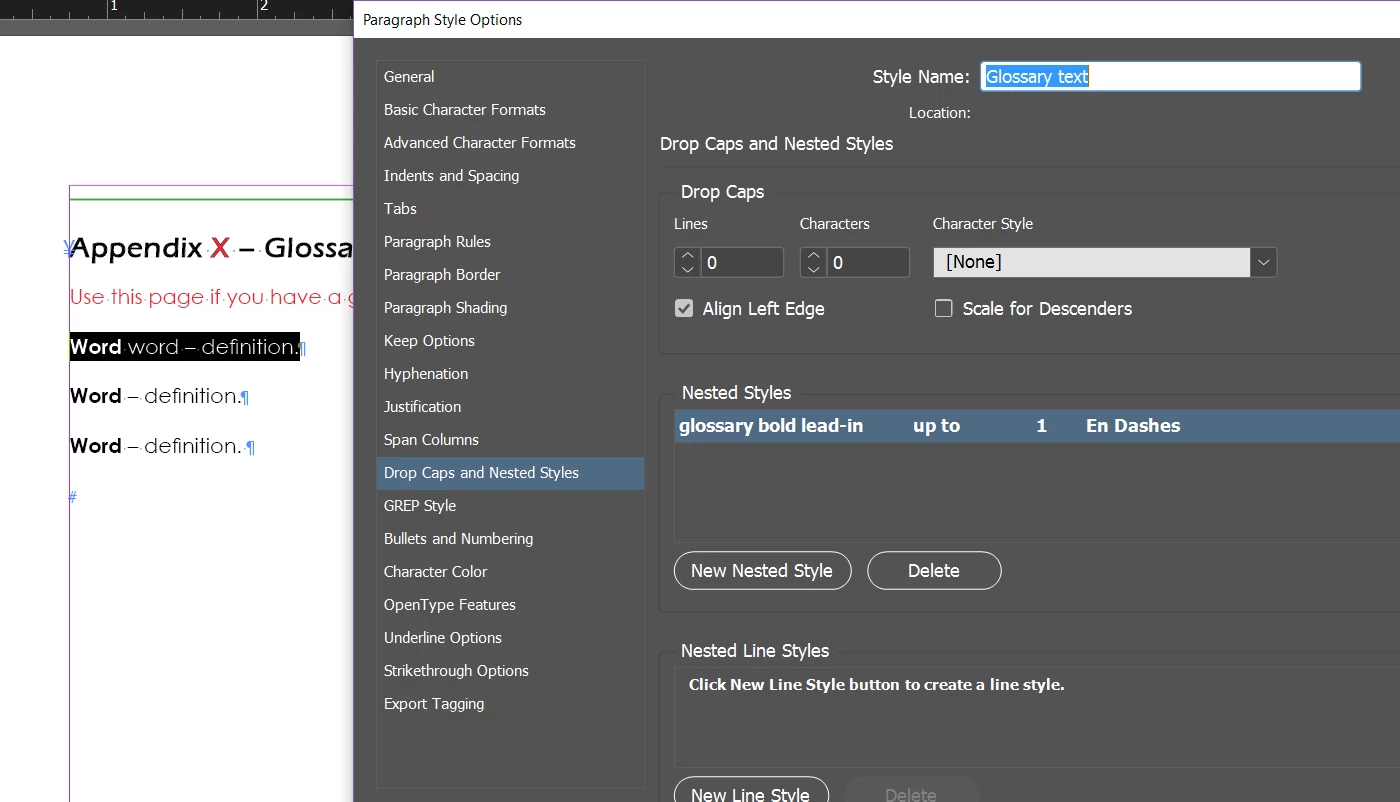
Help on how I can troubleshoot this?
Thank you in advance!
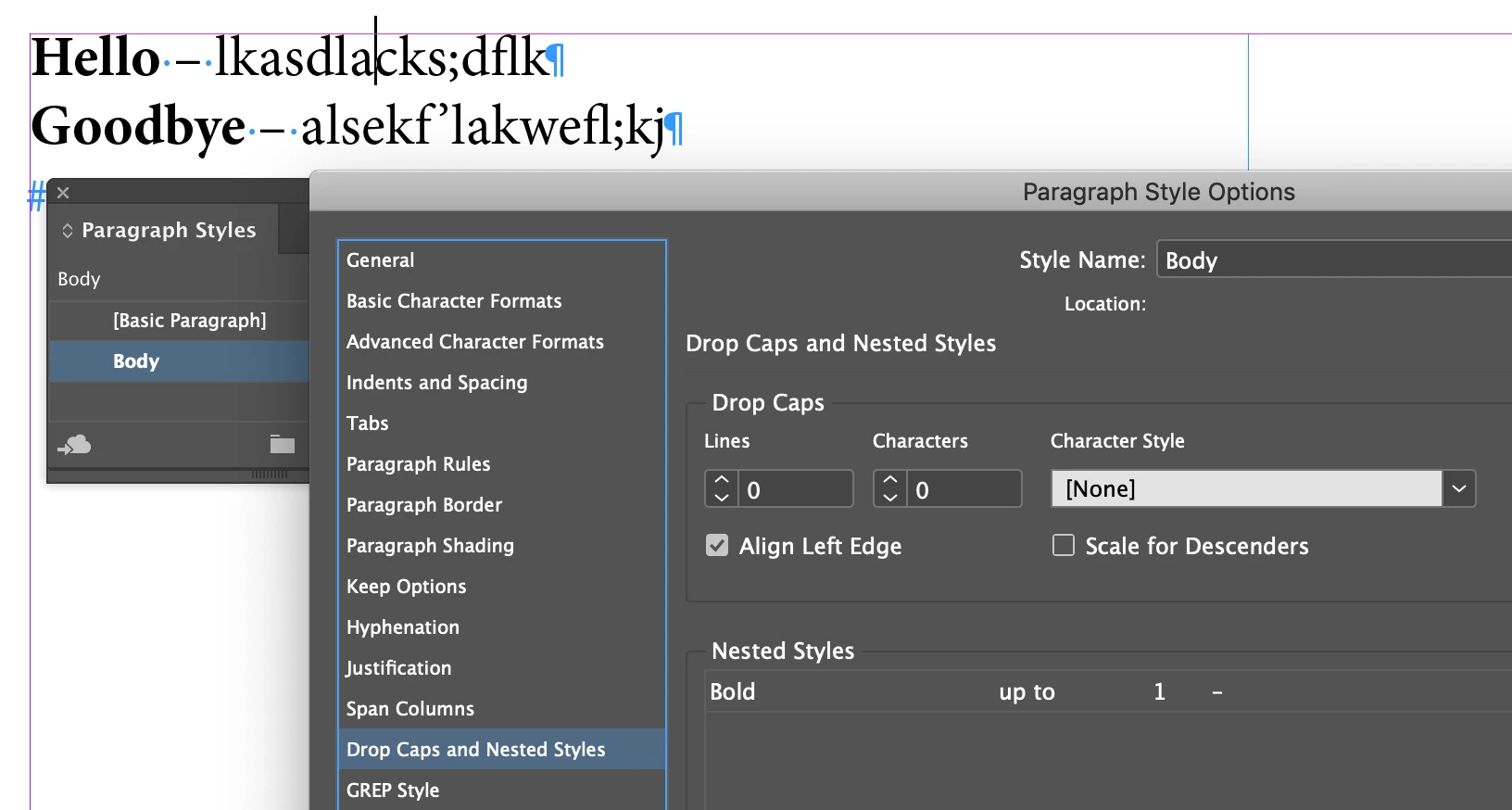
 AdChoices