


Participant
September 16, 2017
Answered

Not able to import a list of topics to make en index. The files with the list are grayed out.

  • September 16, 2017
  • 5 replies
  • 6103 views

I am using InDesign CC 2017 on a Mac with Sierra. I want to make an Index in a book I am making, and have a list of topics. But InDesign does not recognize the files with the list in all formats I have tried. I have done it in older versions of InDesign, but not able to do it now. The manual for InDesign just says select Impot Topics and the file with the topic. But I am not able to do it.
    Correct answer Barb Binder

    This is not well-documented. To import topics into a new document do one of these two things:

    1. Index panel menu > Import Topics and select another InDesign file that already has a topic list or
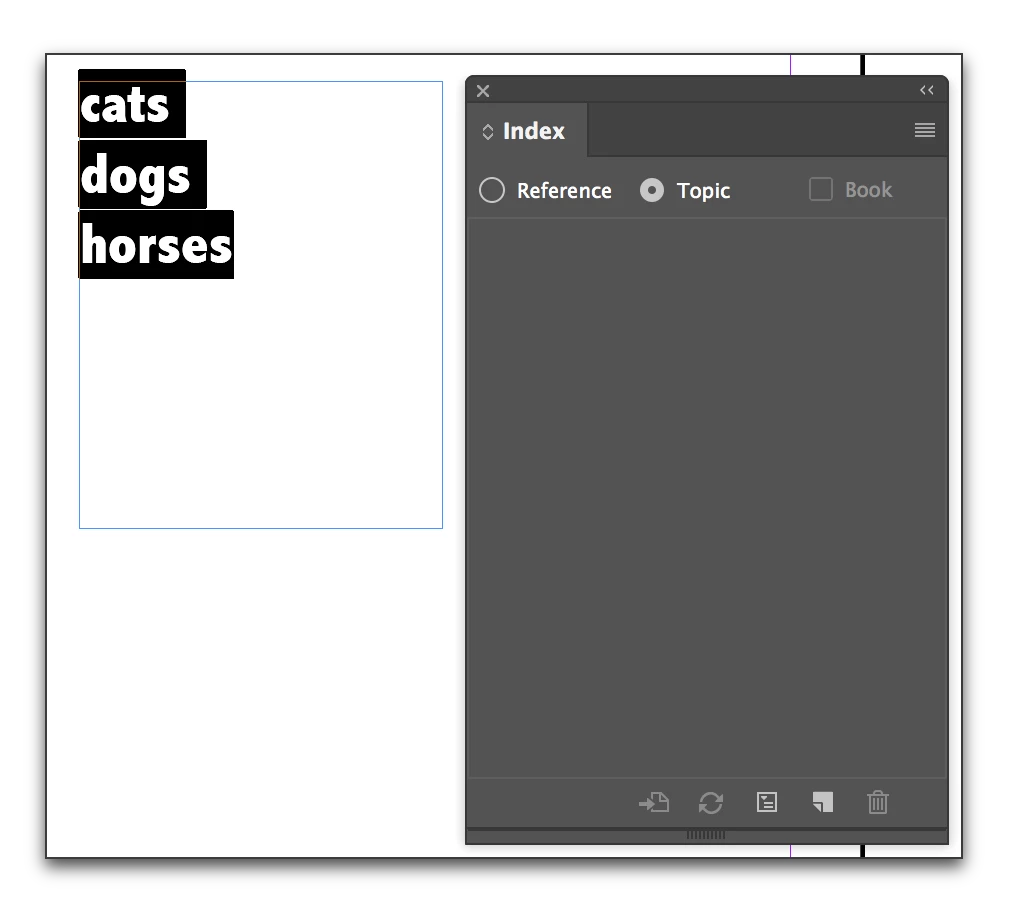
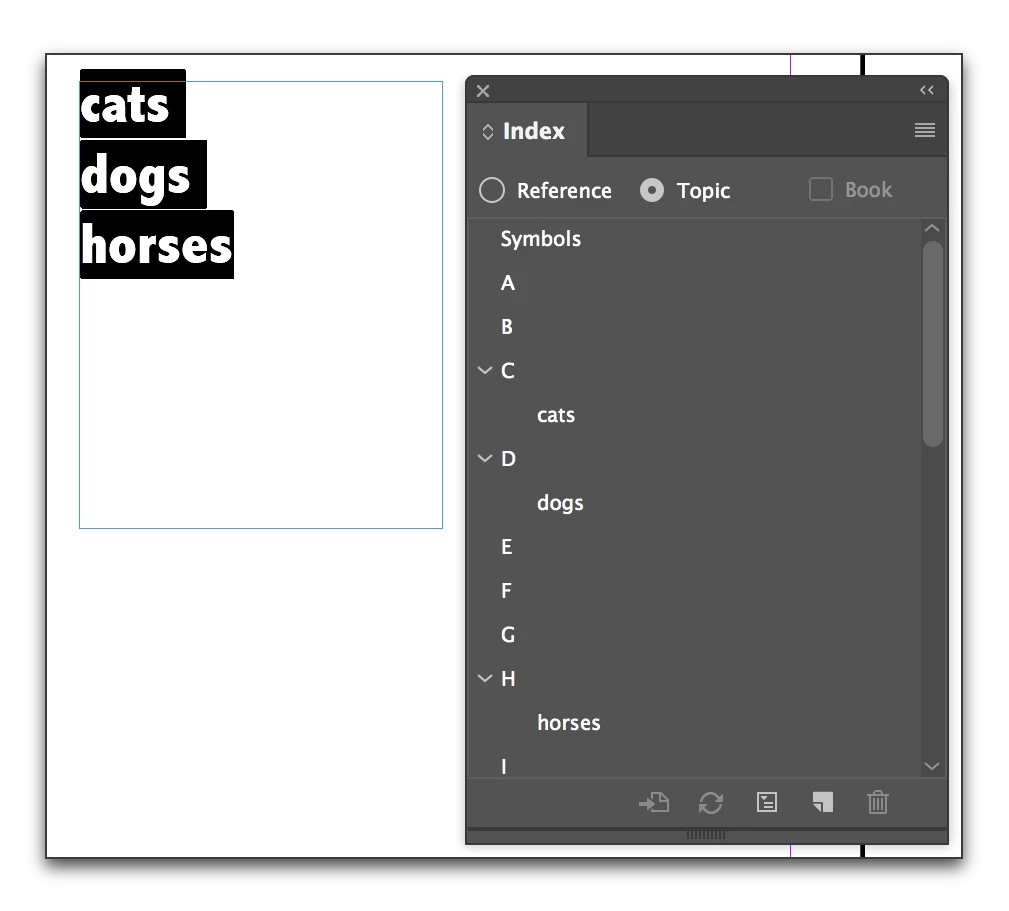
    2. Place your list in the file, select all the text and tap Cmd+Opt+Sh+[ (on Windows tap Ctr+Alt+Sh+[ ) to load the list into the Index panel and then delete the text block from the page.

    5 replies

    ^-^-^-^-^-^-^
    Participating Frequently
    February 13, 2024

    This does not work. Changing keyboard to US, selecting topics list pasted in an INDD block and pressing Ctrl-Alt-Shift-[ does nothing. I'm building a 1200+ words index, this is sorely needed. PLEASE HELP.

    ^-^-^-^-^-^-^
    Participating Frequently
    February 13, 2024

    This index feature is a half-catastrophe, actually... See https://creativepro.com/files/kahrel/indesign/index-fixes.html

    Legend
    December 7, 2020

    Barb Binder to the rescue once again!

    Participant
    January 22, 2020

    Version 15.0.1


    Does not work. Are you sure you have outlined the steps correctly and completely? Is 'tapping' the Cmd-Op-Shift keys with the text selected meant to make it magically appear in the Topics list in the dialog box? Do you have to select the 'Import Topics' in the drop down menu? Honestly, the indexing feature in InDesign is a complete mess, with shoddy documentation.

    Srishti Bali
    Community Manager
    Community Manager
    November 21, 2017

    Hi arildeugen,

    Please update the discussion if the issue is resolved or if you have any further query.

    Regards

    Srishti

    Barb Binder
    Community Expert
    Barb BinderCommunity ExpertCorrect answer
    Community Expert
    September 17, 2017

    This is not well-documented. To import topics into a new document do one of these two things:

    1. Index panel menu > Import Topics and select another InDesign file that already has a topic list or
    2. Place your list in the file, select all the text and tap Cmd+Opt+Sh+[ (on Windows tap Ctr+Alt+Sh+[ ) to load the list into the Index panel and then delete the text block from the page.
    ~Barb at Rocky Mountain Training
    Participant
    September 18, 2017

    OK, I had to switch to US keyboard to make it happen. Great, thanks! Do you also know how to activate the Add All button in the New Topic window? Now I only have an Add button and it only shows the list had to create til topics. If I delete the list before creating an Index, it finds nothing.

    Barb Binder
    Community Expert
    Community Expert
    September 19, 2017

    Do you also know how to activate the Add All button in the New Topic window?

    Add All isn't available for Topics—it's only available for References. The Add All option is a way to index all occurrences of a specified term in a document or a book. When you click Add All, InDesign creates index markers at every occurrence of the words selected in the document. If text isn't selected the button will not be available.

    You'll find the answers to both of your current questions, and any others you may think of next here:

    Create an index in InDesign

    ~Barb at Rocky Mountain Training