Thank you all for your replies, but I would like to ask a quite urgent question now: I have the 7-day free trial version of InDesign and when I try to set English as the language of the User Dictionary for hyphenating words, the setting always returns to the default English. I right click on a word in the text, then Spelling → User Dictionary → Language: Slovak → Add → Done. The point is that I need the German client to get the text with split Slovak words right - so that e.g. he doesn't have German as the default language there, as a result of which the Slovak words could possibly be split incorrectly and the Slovak language could not be set for hyphenation. Could such a thing be a real threat, please? How could this be prevented or set up correctly?
Thank you
The first thing to do is to ensure that you are marking text as English or German or Slovak correctly. The User Dictionary settings aren't the right place. Here's where you would select it if you were just taking a paragraph and marking it as German (two different locations, same setting):
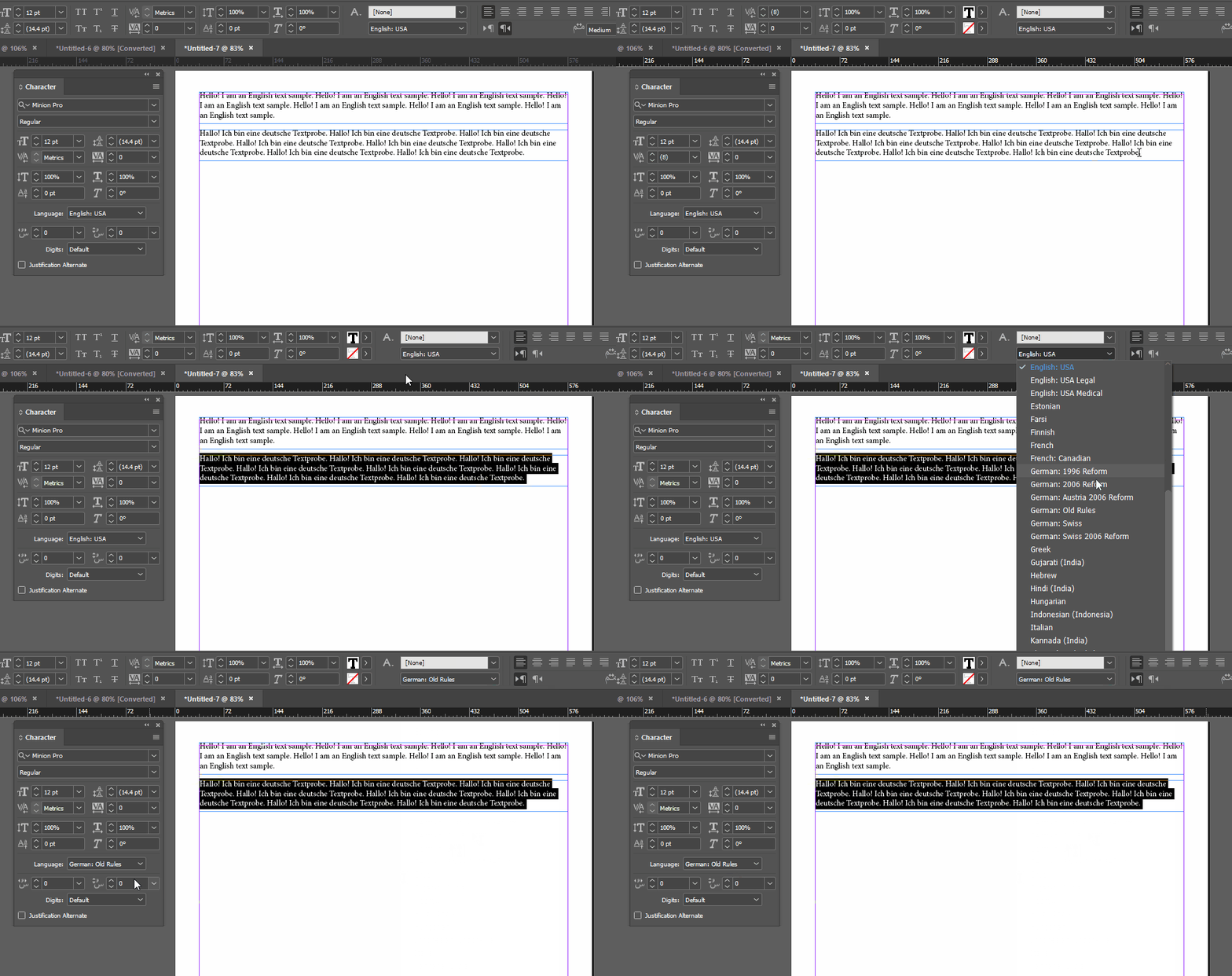
(I left Slovak out only because it was so far down the list that the animation would have been unnecessarily tall. But it's in the list.)
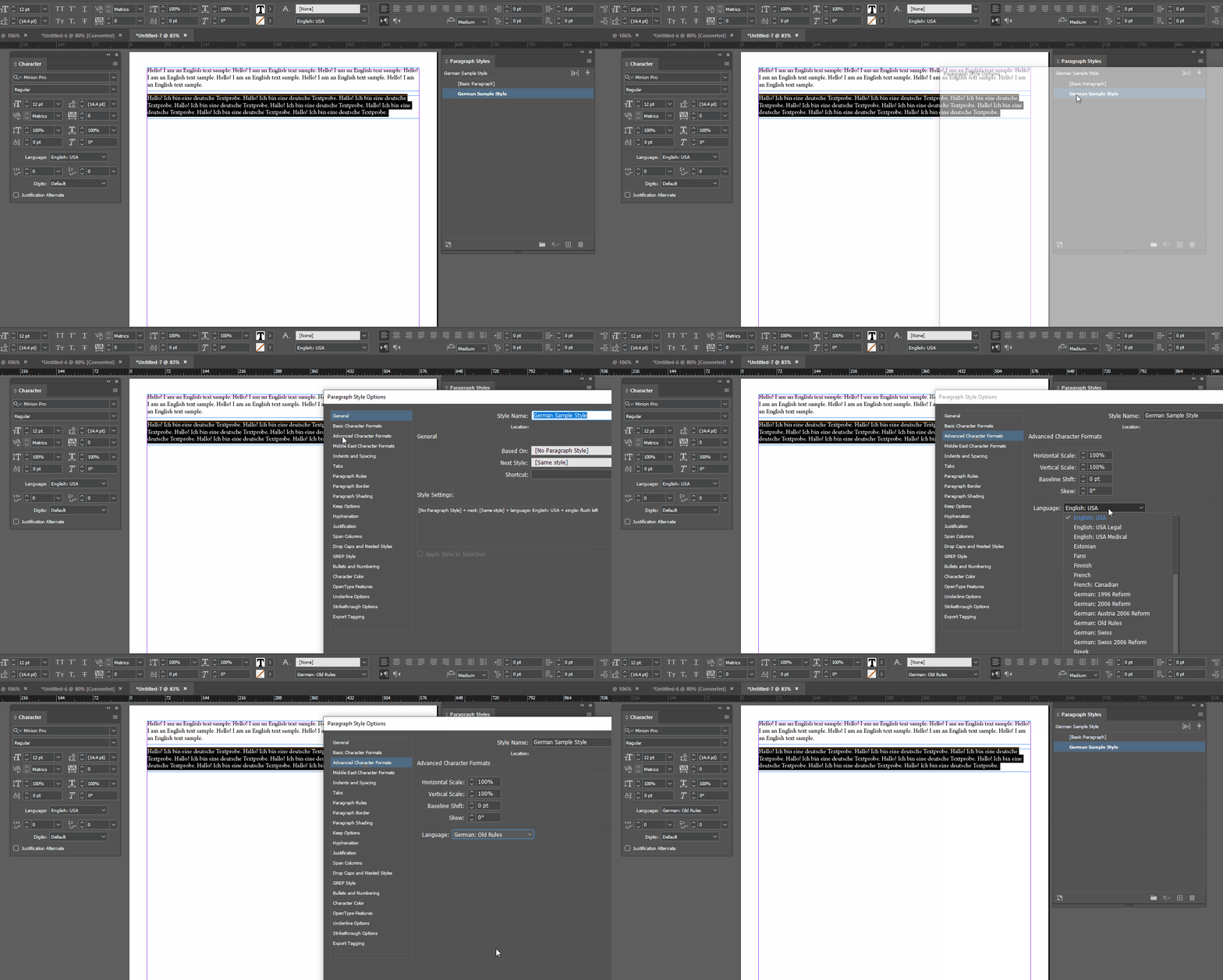
Once you've marked text as German (or Slovak) then the spellcheck and hyphenation settings should work. This isn't the best way to do it, of course, but we can't tell if your client's designer made paragraph and character styles correctly. If they did, you should be able to just edit the paragraph styles:



 AdChoices