Adobe have not explained this well, but I think the other replies have. You are trying to fix a problem that does not exist. Type 1 fonts INSIDE a PDF will not be a problem. They are good, and will still be good.
This is why you are finding a problem in InDesign, LaTeX and 3B2; because you have taken Adobe's misleading info and made a problem that does not exist.
This is where it has become confusing... because Type 1 outlines still exist and will continue to exist. This has nothing to do with unicode, number of glyphs or any other such issue, it has to do with how the fonts are PACKAGED. What is being phased out is the way the fonts are saved on disk. Postscript-flavoured OpenType fonts are essentially Type 1 outlines and their respective hinting wrapped into one file along with their metrics, and then compressed (CFF - Compact Font Format). This is more efficient and cross-platform compatible as opposed to the old inefficent and outdated way of having two separate files; one for the outlines (the printer font) and one for the metrics (the screen font). That old structure made sense in the original Mac Systems before OS X, but has been a hassle to keep supporting ever since, in either platform (and Windows support for that structure was not fun from day one). TrueType and TT-flavoured Opentype had already been one file.. the only big addition to that world is the compression.
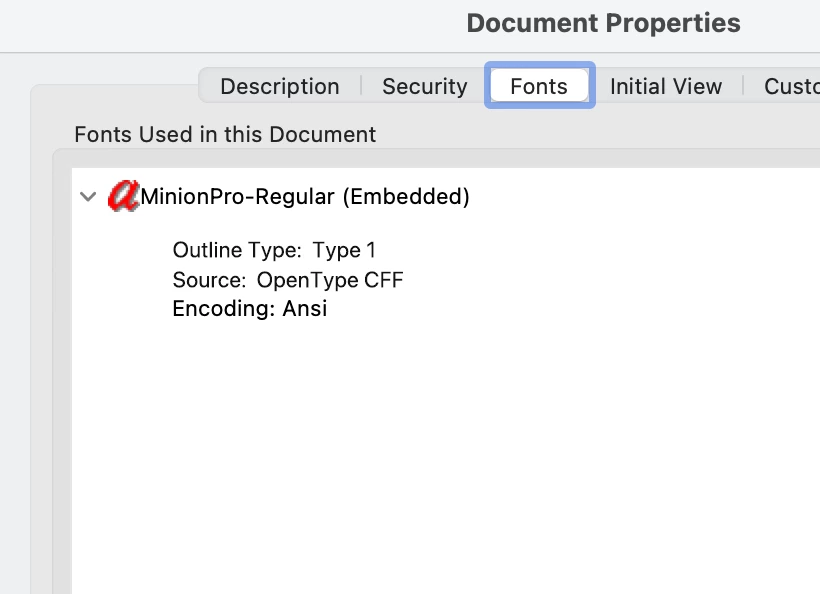
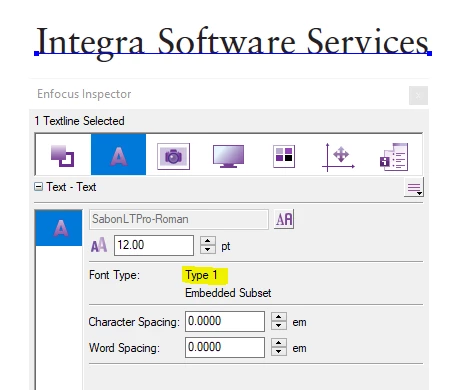
So, when you use an PS-flavoured OpenType font, whether it's sent to a printer or exported to a PDF, the compressed outlines need to be uncompressed back to the original outlines to be rendered. In the case of embedding a font in a PDF as a subset, only the outlines for the used characters are needed, so they are extracted (uncompressed) from the full font, then re-compressed when the PDF itself is compressed. Those outlines for all intents and purposes are Type 1... THAT is why you see Type 1 listed in a PDF's font properties.
Adobe could simply re-design how they list these fonts in a PDF; perhaps by adding a reference to the original font's source that indicates it came from an OpenType CFF or OpenType TT file.




 AdChoices