


Participating Frequently
October 7, 2022
Answered

Overlapping Grep Queries

  • October 7, 2022
  • 2 replies
  • 612 views

Hi, everyone!

I'm using GREP to apply some character styles within my paragraph styles, but I have a conflict.

- Whenever "Emergency Stop button" comes up, I want to apply "btn red" character style to that text. 
- Whenver "Stop button" is found, I want to apply "btn blue" character style.

As you can see, this is a conflict. Is there a way to tell the "Stop button" GREP to apply only if the word before is not Emergency?

I took a quick look at the existing GREP posts, and didn't see this asked, but my GREP knowledge is almost nonexistent. My apologies if it was already answered and I missed it!
This topic has been closed for replies.
Correct answer Scott Falkner

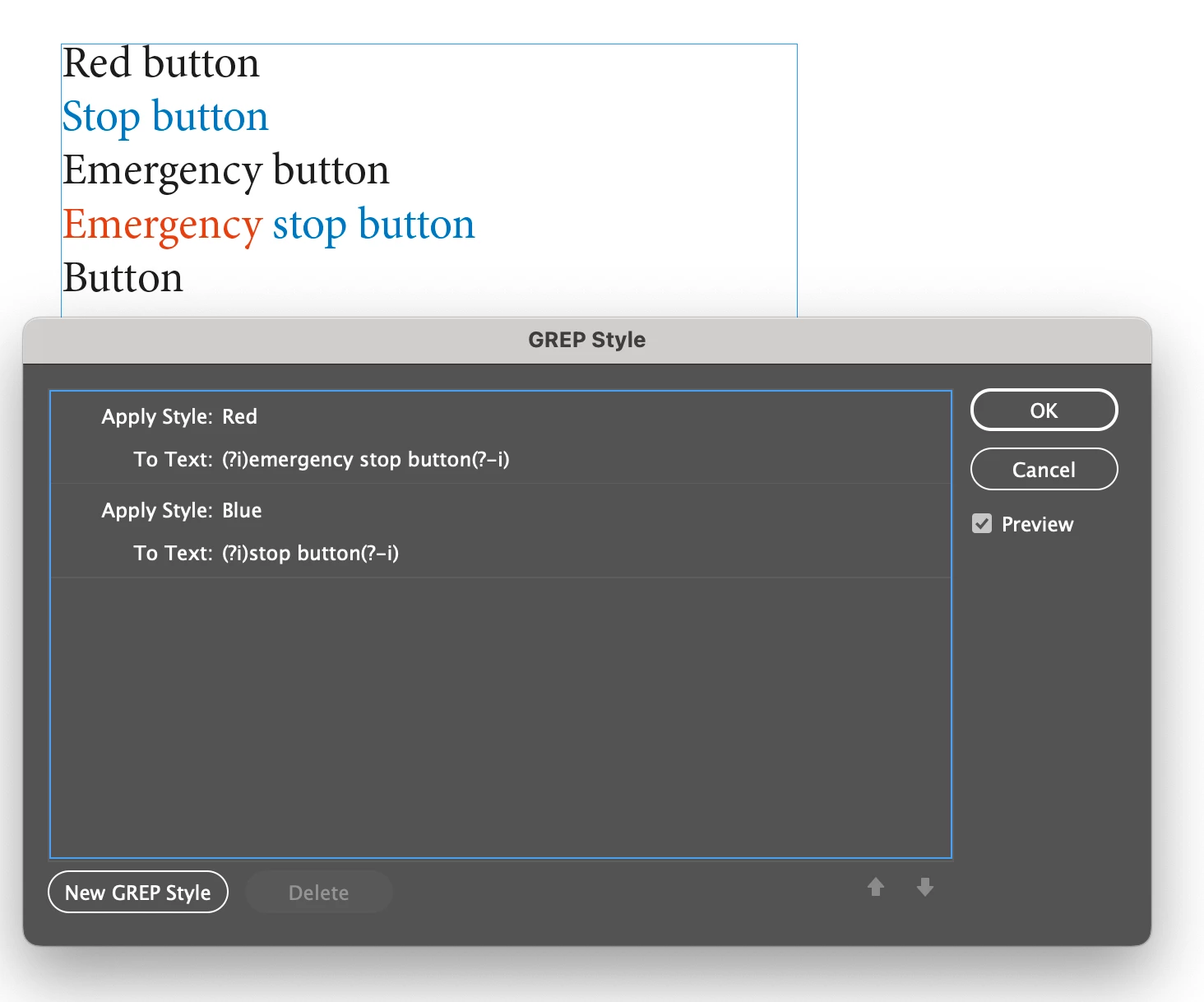
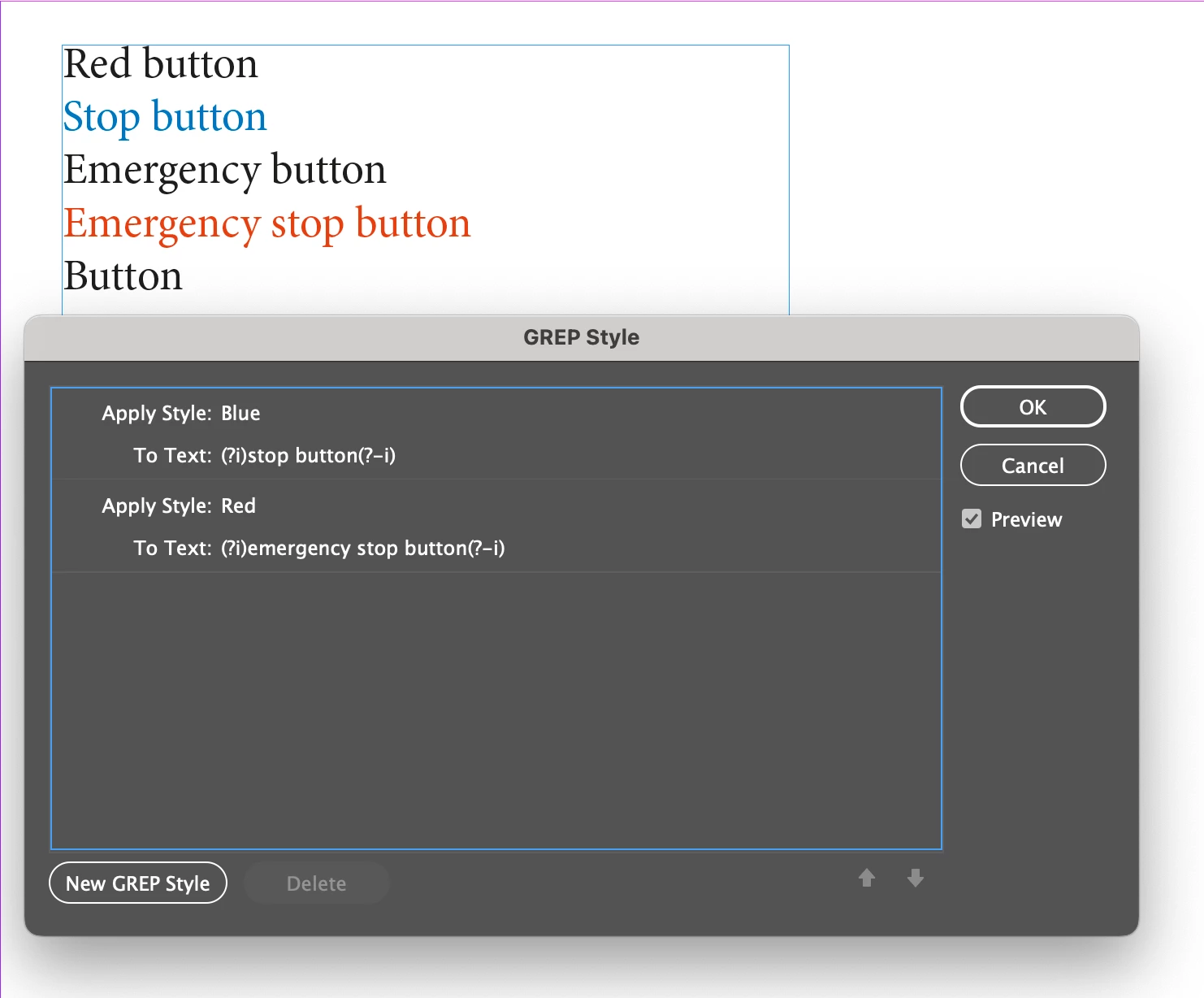
You change the order or the GREP queries. In the first image “Emergency Stop button” is coloured red, then “Stop Button” is coloured blue. In the second image “Stop Button” is coloured blue then “Emergency Stop button” is coloured red, which overrides the unwanted blue colouring.

2 replies

Scott Falkner
Community Expert
Scott FalknerCommunity ExpertCorrect answer
Community Expert
October 7, 2022

You change the order or the GREP queries. In the first image “Emergency Stop button” is coloured red, then “Stop Button” is coloured blue. In the second image “Stop Button” is coloured blue then “Emergency Stop button” is coloured red, which overrides the unwanted blue colouring.

Participating Frequently
October 7, 2022

I hadn't realized. Ok, that's also good to know. Thank you!

jmlevy
Community Expert
Community Expert
October 7, 2022

This should work


(?<!Emergency )Stop button


I inserted a negative Lookbehind before “Stop button”. It means that blue style will be applied only if there is no Emergency (followed by a space)

Participating Frequently
October 7, 2022

Thank you so much! Works perfectly. And thank you for the explaination.