


Participant
October 5, 2024
Answered

Page Numbering Issue in Specific Chapter - Numbers Out of Order
  • October 5, 2024
  • 1 reply
  • 413 views

Y

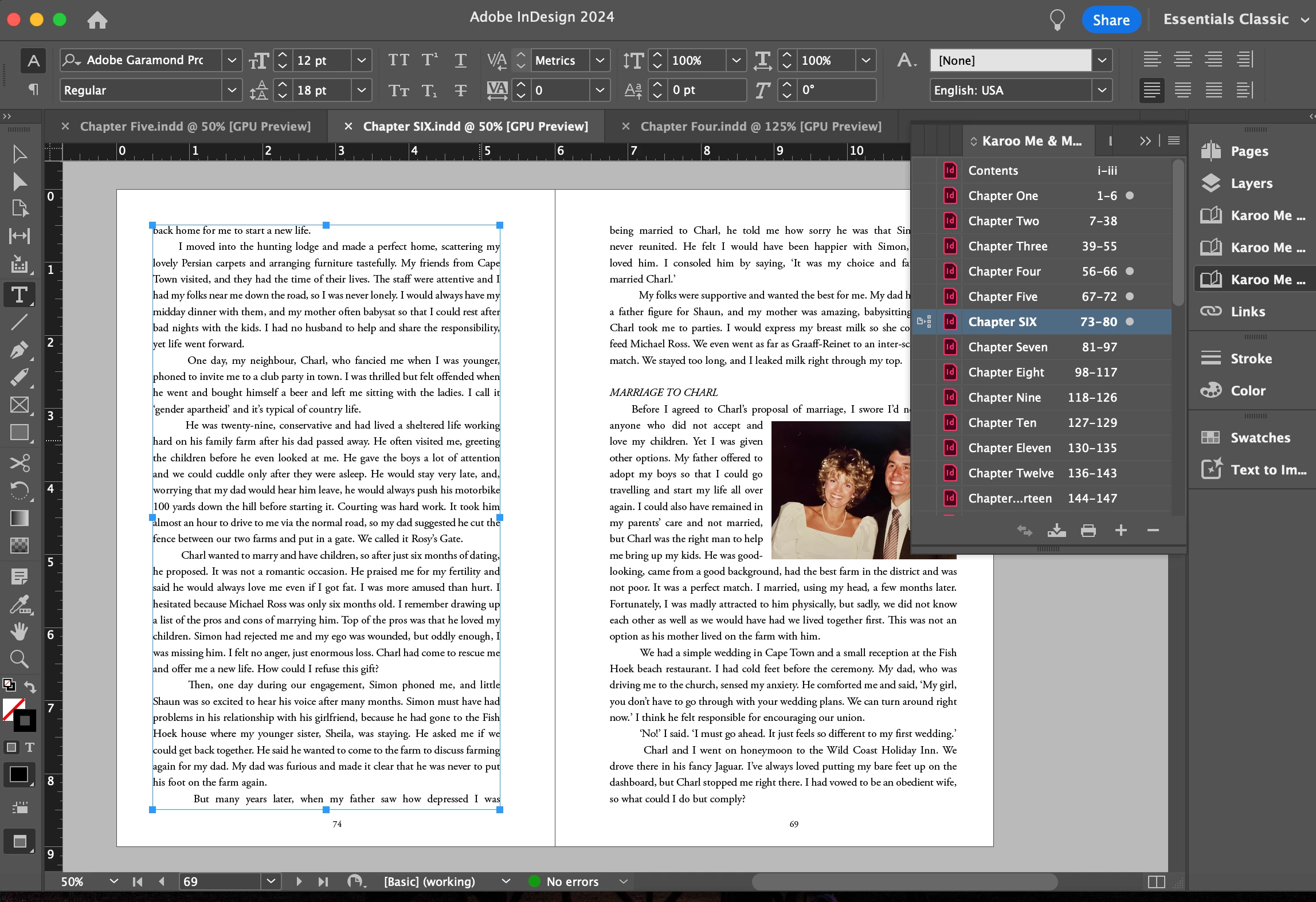
You can see above that the page numbers of the chapters flow sequentially as they should, but then all of a sudden, on the actual document, the numbers go from page 74, to 69!  And it actually continues all the way to the end of the book where it starts again at 69!

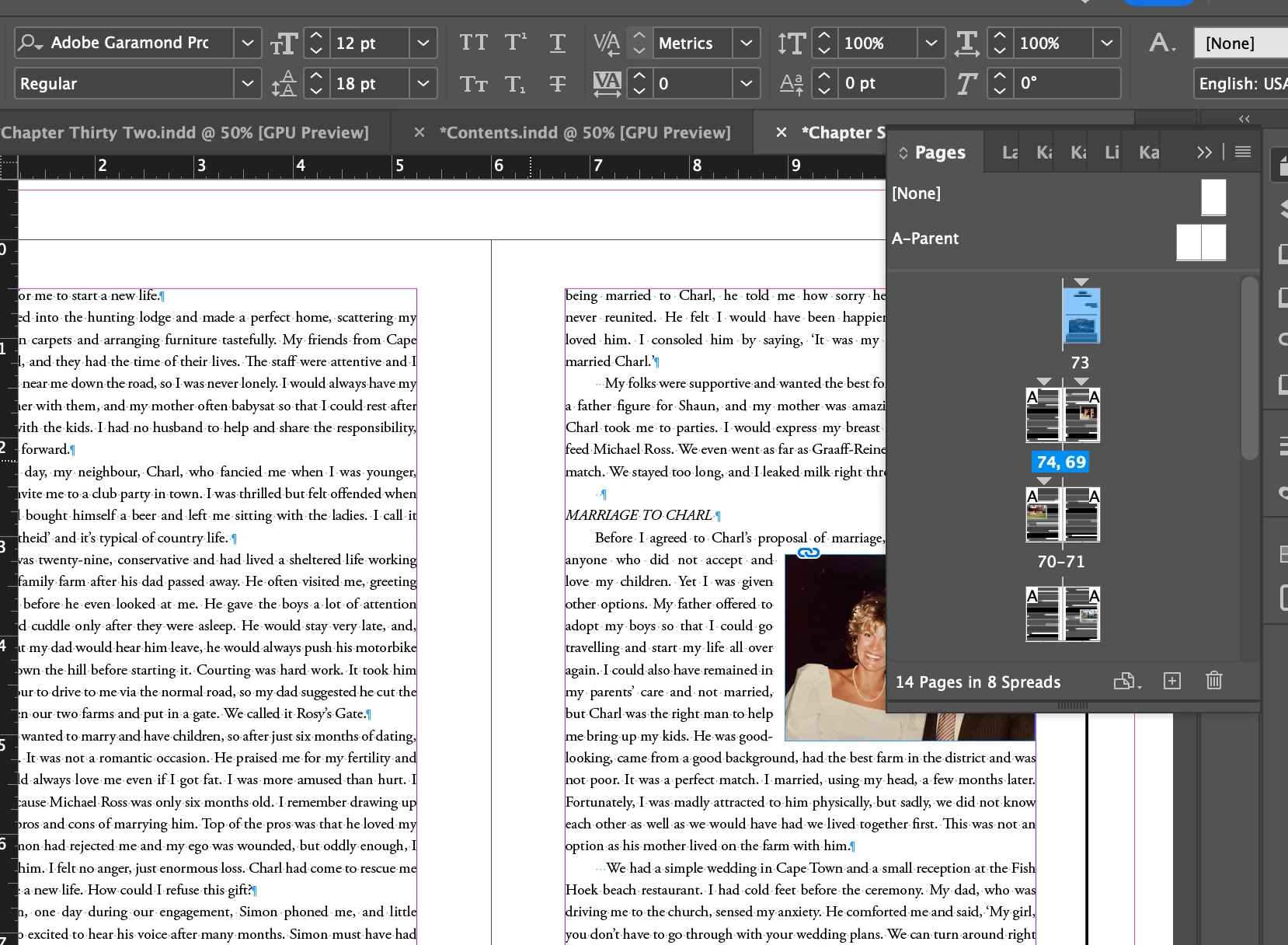
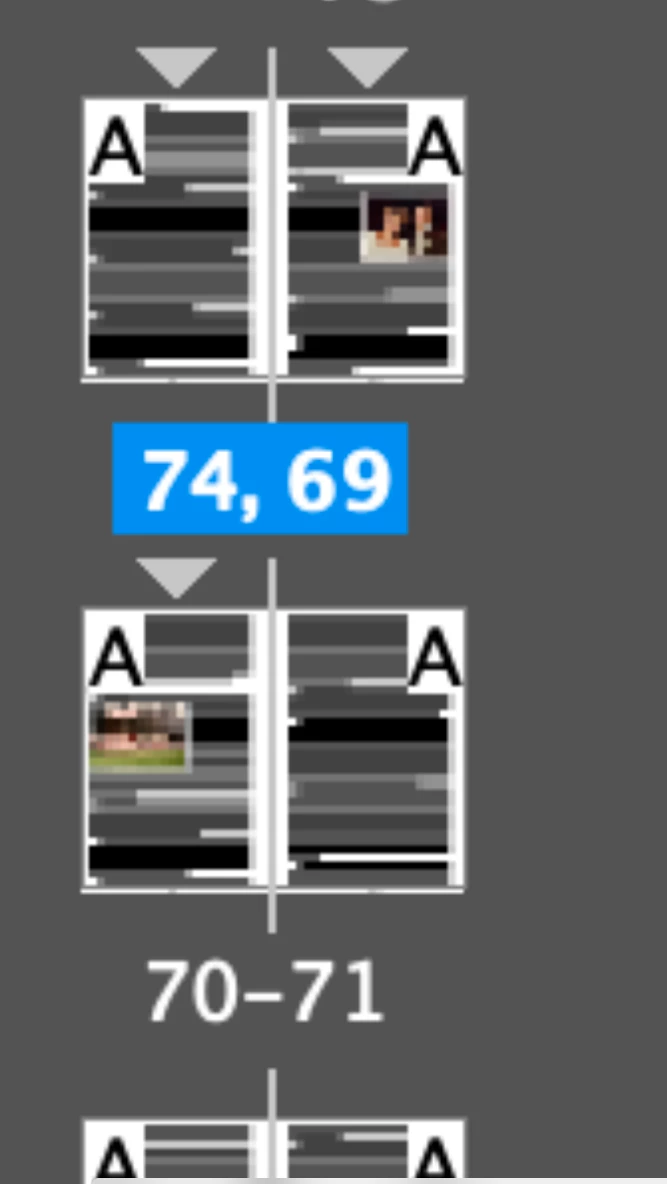
In the next pic you can see the pages panel that shows this jump but I cannot see how to fix it?


Can anyone help? Please?


<Title renamed by MOD>
This topic has been closed for replies.
Correct answer jane-e

@NickyDurban 

The triangles above the page show that you have created new sections. Please double-click the first triangle you see to open the dialog. The numbering should be consecutive and not, for instance, tell the page to start specifically on page 74. Then work your way through the sections. I see three triangles in this screenshot. If you don't see the issue, share a screenshot of the dialog.


You may also need to check the numbering for the book to confirm that each chapter starts when the previous chapter ends. This is in the panel menu for the Book.


I've moved your post from Using the Community to the InDesign forum.


Jane


1 reply

jane-e
Community Expert
jane-eCommunity ExpertCorrect answer
Community Expert
October 5, 2024

@NickyDurban 

The triangles above the page show that you have created new sections. Please double-click the first triangle you see to open the dialog. The numbering should be consecutive and not, for instance, tell the page to start specifically on page 74. Then work your way through the sections. I see three triangles in this screenshot. If you don't see the issue, share a screenshot of the dialog.


You may also need to check the numbering for the book to confirm that each chapter starts when the previous chapter ends. This is in the panel menu for the Book.


I've moved your post from Using the Community to the InDesign forum.


Jane


Participant
October 8, 2024
Thank you Jane!!
jane-e
Community Expert
Community Expert
October 8, 2024

You're welcome @NickyDurban ! Happy to help 😊


Jane