



Dan Greyhound
Inspiring
September 8, 2023
Answered

Page numbering no longer representing roman numerals in pages dialogue box

  • September 8, 2023
  • 1 reply
  • 920 views

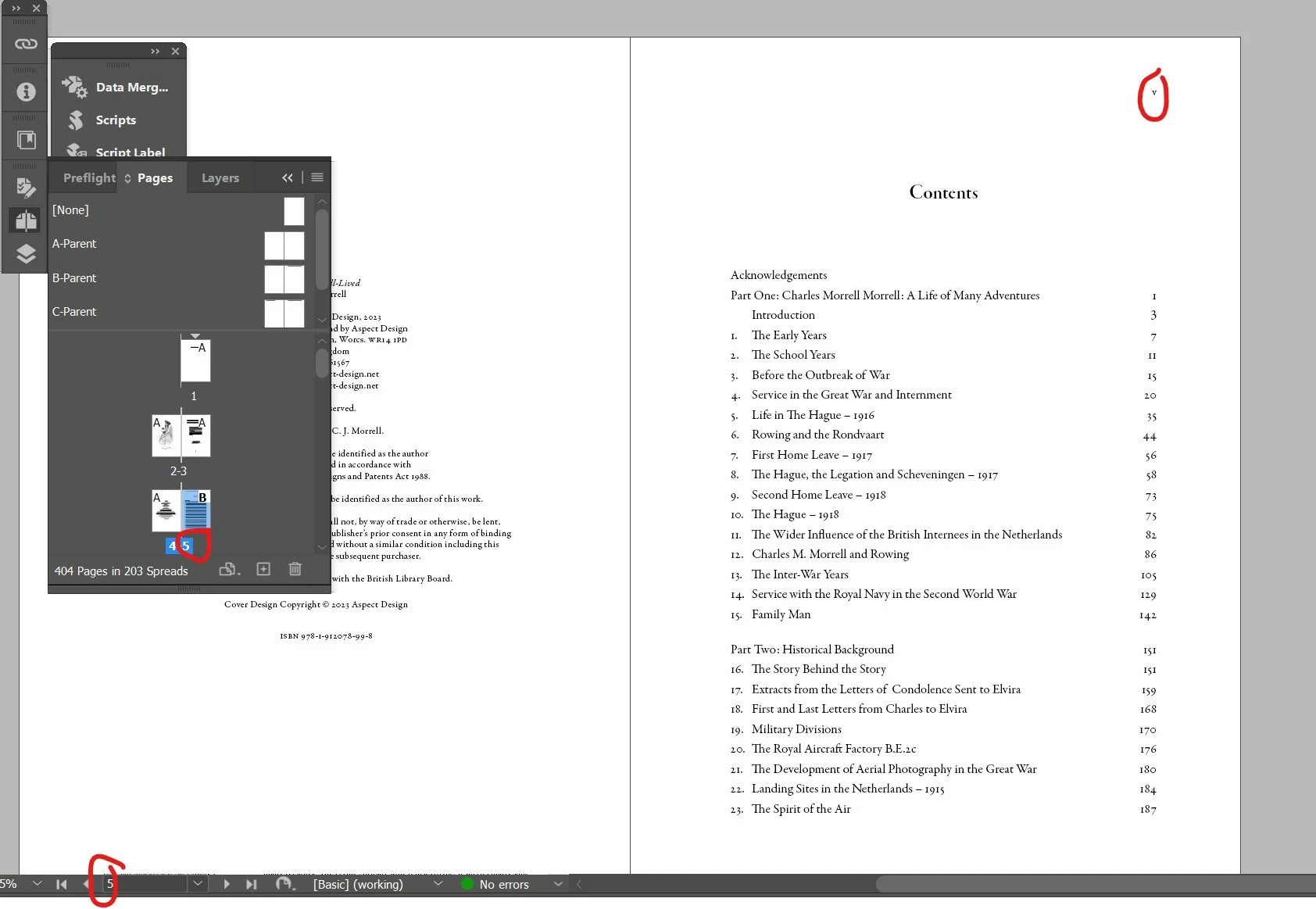
All of a sudden ID no longer respects the fact that the front matter of my book is numbered with Roman numerals. The actual pages are numbered correctly but the pages in the dialogue box and navigation panel are not. This is somewhat inconvenient because when I try to go to the page numbered p27 it takes me to p17 (if there are 10 pages of front matter). I guess some preference has changed somewhere but I can't find anything. Or is it a bug in the latest version of CC?


This has happened in all my files, i.e. the ones that were displaying correctly now display in this way too.
 

Correct answer Peter Spier

You've inadvertently change your preferences for how you view page numbering.

In the General section of the Prefs change the drop-down in the Page Numbering box to Section Numbering instead of Absolute.

1 reply

Peter Spier
Community Expert
Peter SpierCommunity ExpertCorrect answer
Community Expert
September 8, 2023

You've inadvertently change your preferences for how you view page numbering.

In the General section of the Prefs change the drop-down in the Page Numbering box to Section Numbering instead of Absolute.

carenflo
Participating Frequently
March 24, 2025

I have the same problem. I've just started using Acrobat 2025 and it doesn't offer that solution or anything like it. I'd love to know a workaround. 

Robert at ID-Tasker
Legend
March 25, 2025
No, I don’t have it selected. Doesn’t help with the problem, it seems. This version of Acrobat doesn’t seem to know what a traditional book is.
quote
No, I don’t have it selected. Doesn’t help with the problem, it seems. This version of Acrobat doesn’t seem to know what a traditional book is.

By @carenflo


Acrobat or InDesign??