


Participant
June 8, 2018
Answered

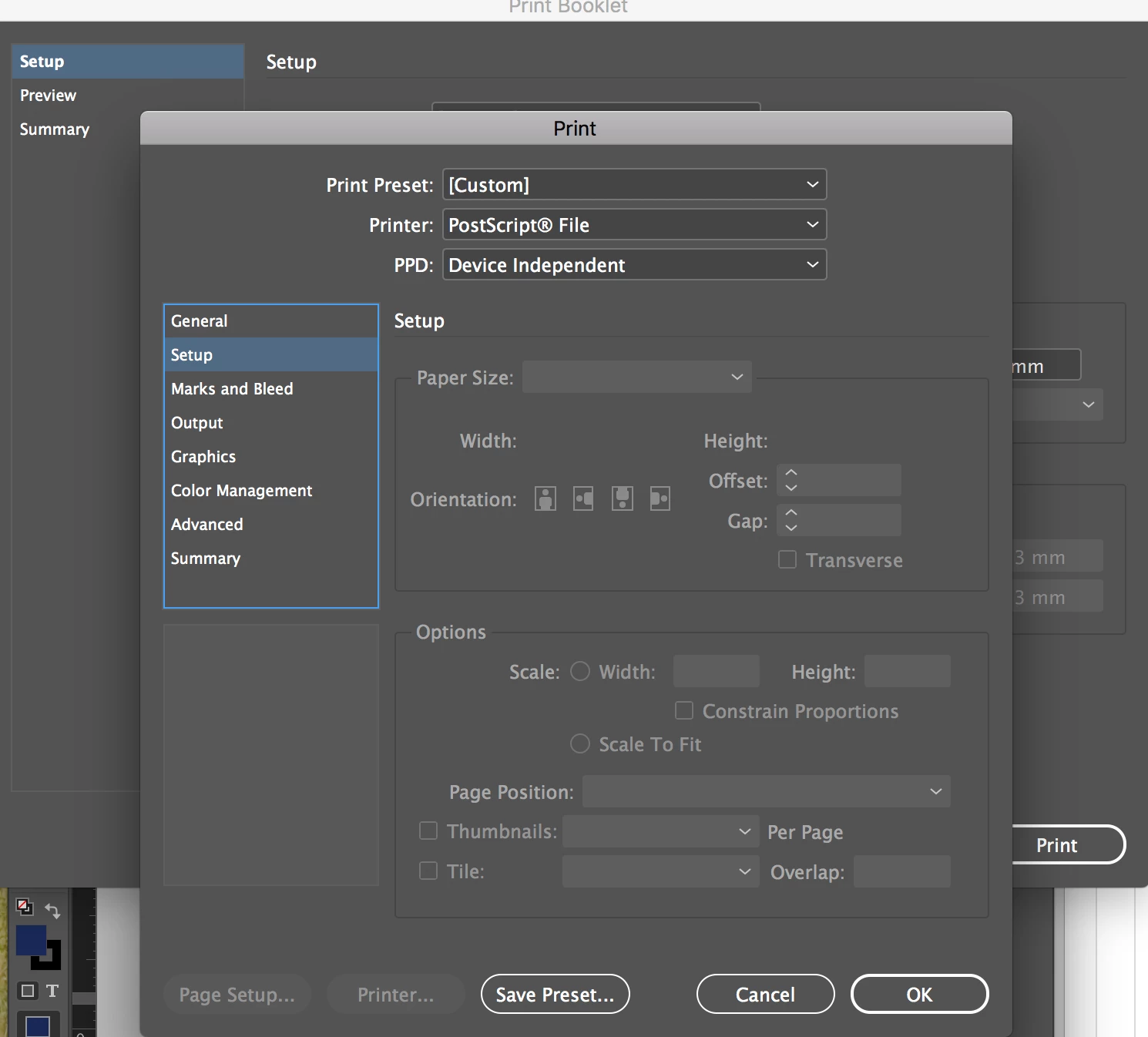
Page size setup greyed out on print booklet feature
  • June 8, 2018
  • 1 reply
  • 8025 views

I need to change the orientation and paper size of my booklet but indesign won't allow me to. I am unable to change the PPD from device independent to Adobe PDF 9.0 as it only shows device independent as my only option? HELP!

This topic has been closed for replies.
Correct answer Laubender

Hi,

that's because of the PPD: Device Independent

Do you have installed Adobe PDF 9.0 ?

To do so you need access to your Adobe InDesign application folder.

In folder Presets you have to create a new folder exactly named PPDs and add the ppd file there.

You can download the zipped file from my Dropbox account:

Dropbox - ADPDF9.PPD.zip

Regards,
Uwe

1 reply

LaubenderCommunity ExpertCorrect answer
Community Expert
June 8, 2018

Hi,

that's because of the PPD: Device Independent

Do you have installed Adobe PDF 9.0 ?

To do so you need access to your Adobe InDesign application folder.

In folder Presets you have to create a new folder exactly named PPDs and add the ppd file there.

You can download the zipped file from my Dropbox account:

Dropbox - ADPDF9.PPD.zip

Regards,
Uwe

Participant
September 4, 2024

hi i am not able to download the file 

Participant
September 4, 2024

never mind didnt relized it was already extracted. thanks a lot