New Participant
May 1, 2017
Answered

Paragraph Shading above Paragraph Styles?

  • May 1, 2017
  • 2 replies
  • 2155 views

Hi guys, I'm working on a document and was hoping for some advice on paragraph styling.

I have a paragraph style which I'm having trouble recreating. I want centered heading text, with a single stroke on either side of this text that extends to the width of the frame, but doesn't cover the text itself.

Currently I've tried to accomplish this by creating a paragraph rule that has a rule above which is offset 2.5mm (so that it falls in line with the x-height of the heading typeface) and then added a [Paper] paragraph shading so try and "block out" the part where the text is set (set to width: text + 2mm offet either side)

The issue being that the paragraph style rule always sits on top of the shading. Are there any other ways I could accomplish this look, or is it possible to reorder my shading rule to sit above the style?

Correct answer Obi-wan Kenobi

This looks great (and exactly what I'm after) could you please explain how you came to it? I'm not familiar with those blue indent notations.


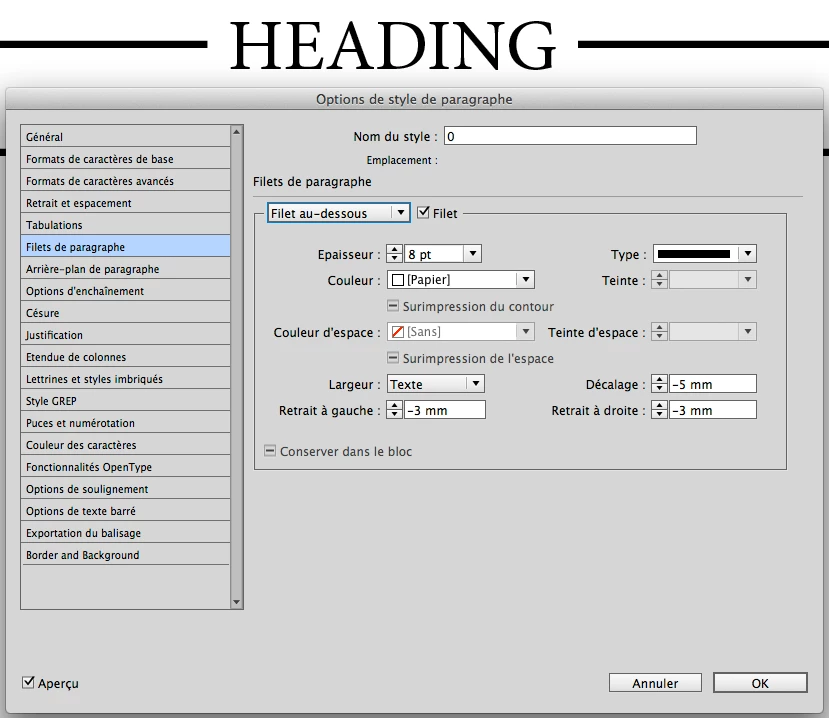
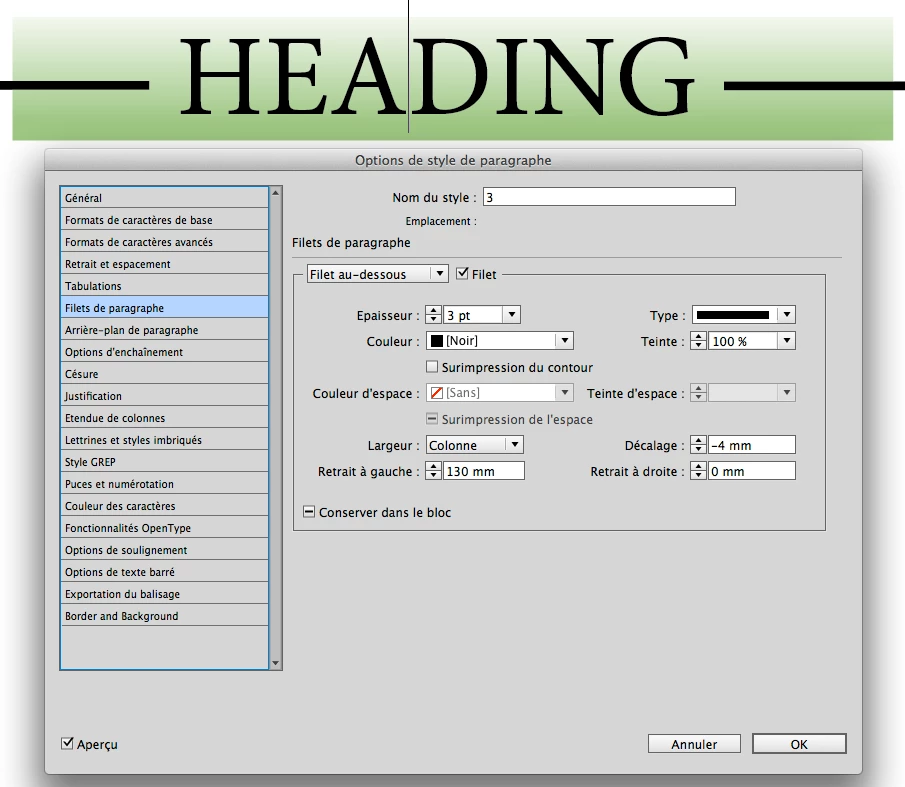
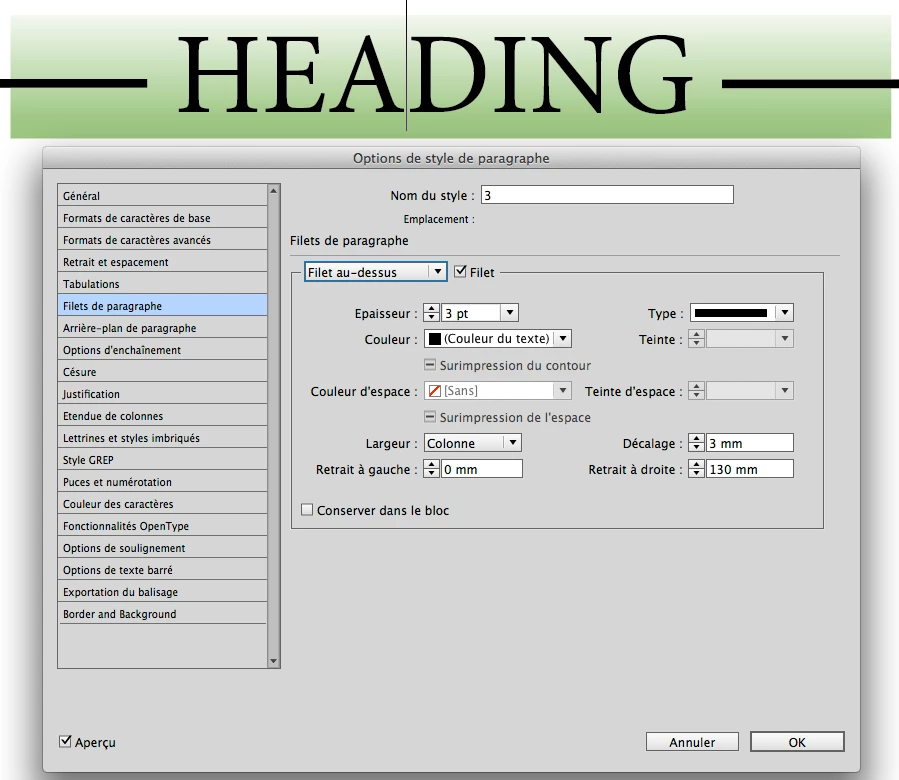
If no background color, 2 para rules [automatic way]:

… But, if background color, it's more funny!

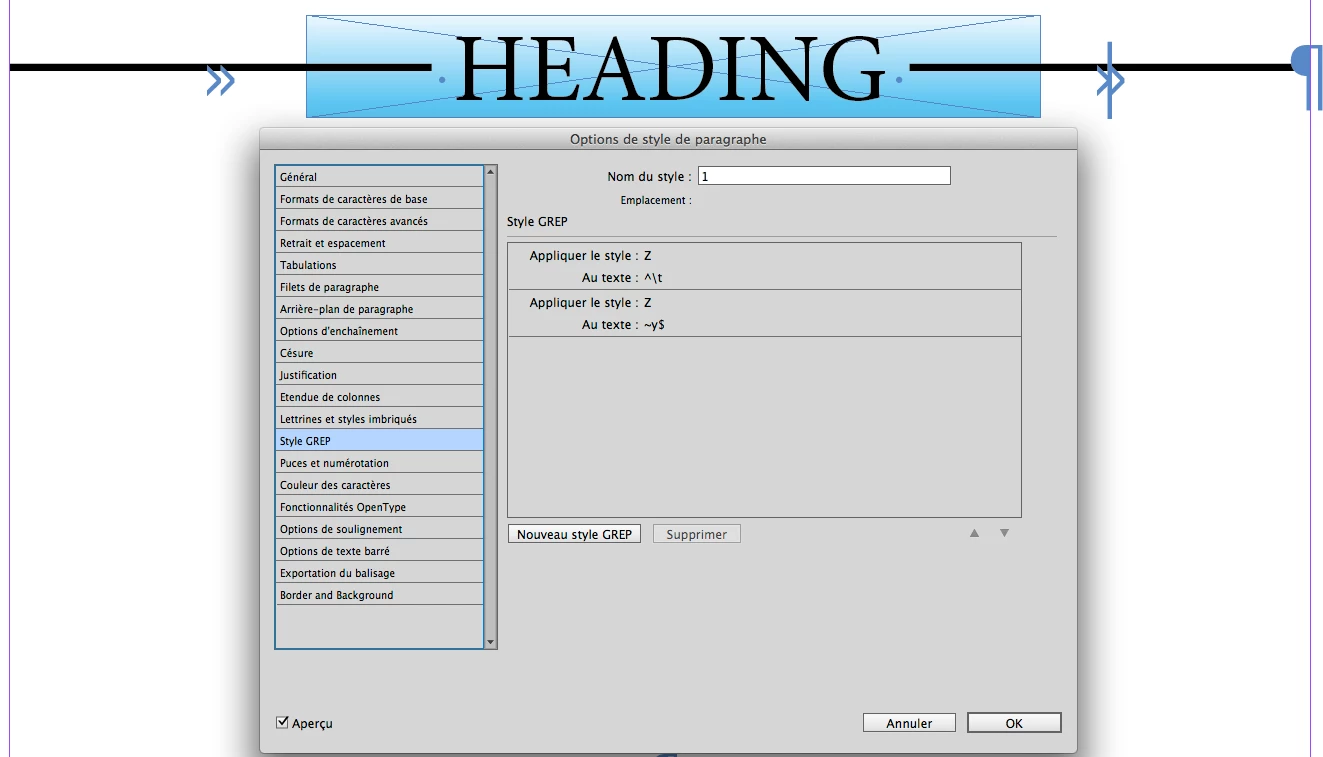
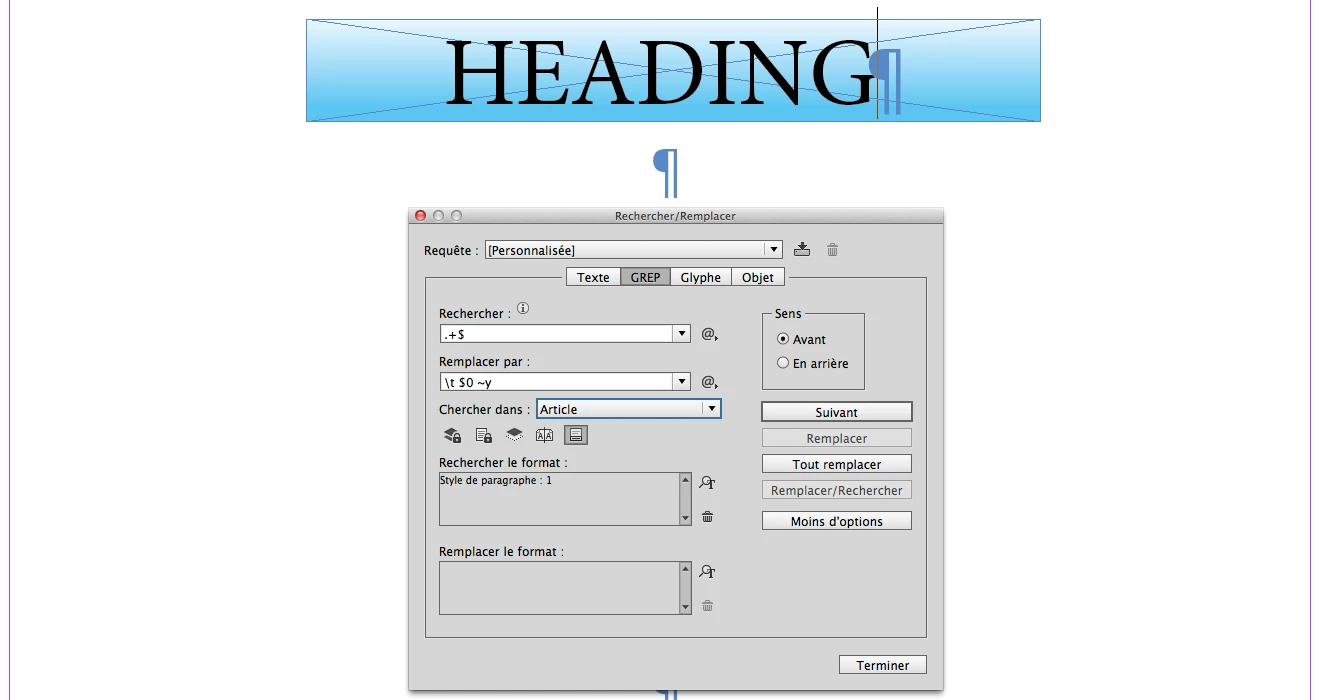
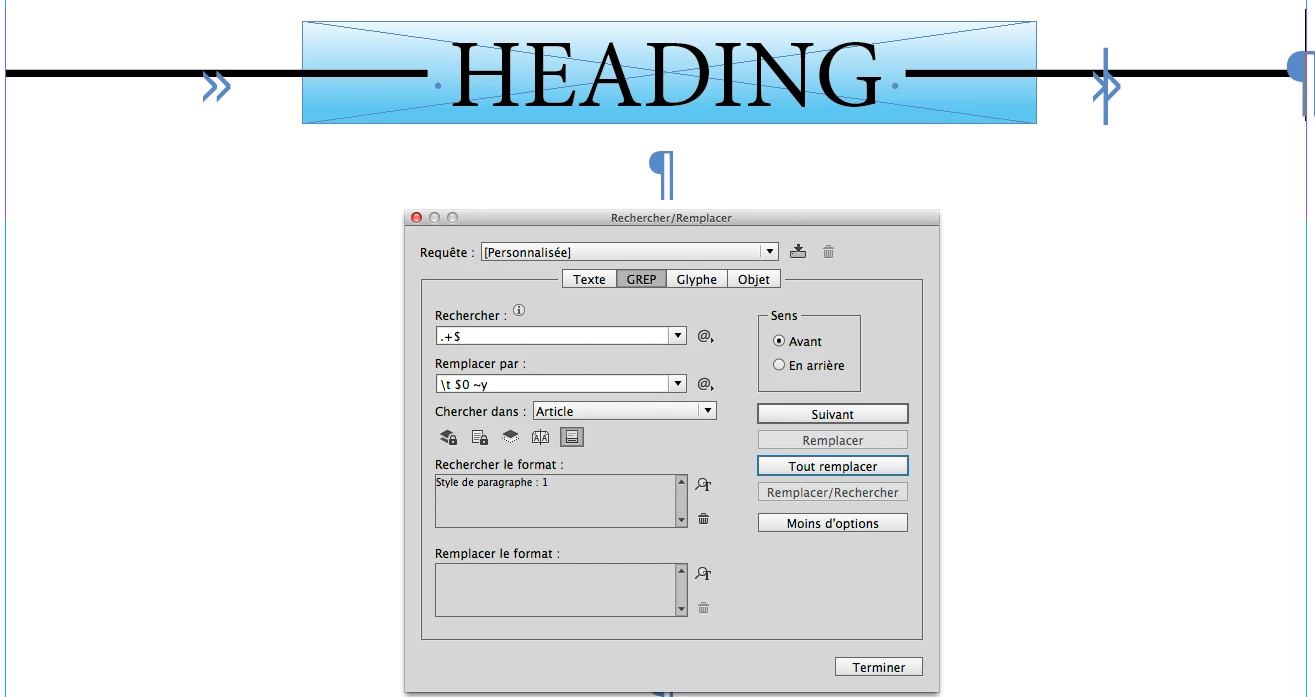
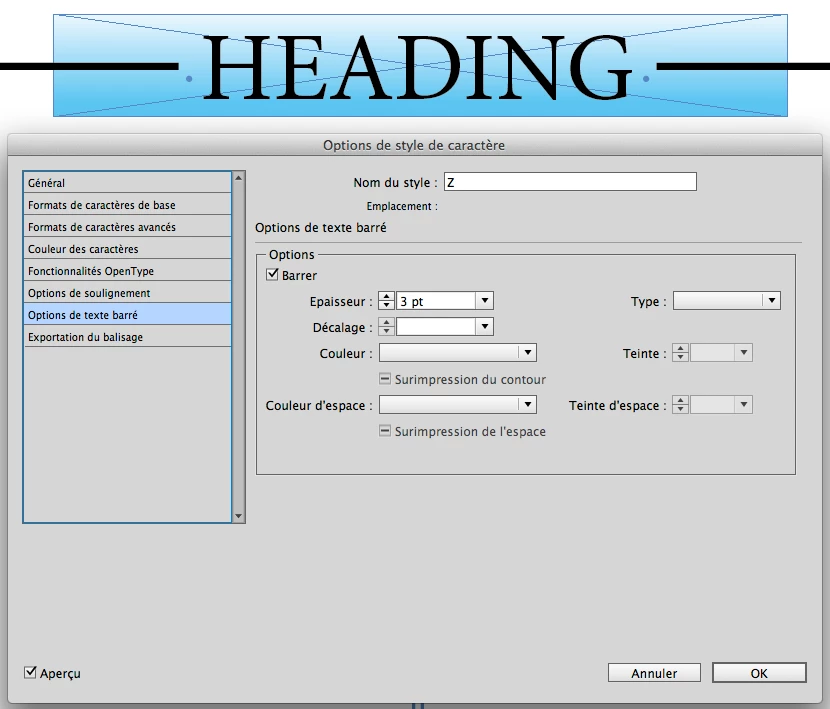
2 grep styles and a simple regex [all replace]:

The "Z" char style used is just:

There's a third way, reserved to Jedis: by "live" script, 2 para rules whose length is calculated depending on the length of the text:

[+ 2 other ways more exotic! Just for comment! ]

(^/) 

2 replies

Barb Binder
Community Expert
May 2, 2017

Hi Andrea,

When I have time, I enjoy keystroking Obi-Wan's various solutions to figure out how he works his magic. I love his answer and would not have come up with it myself. If the French dialog boxes throw you off, here are US English dialog boxes, along with my notes.

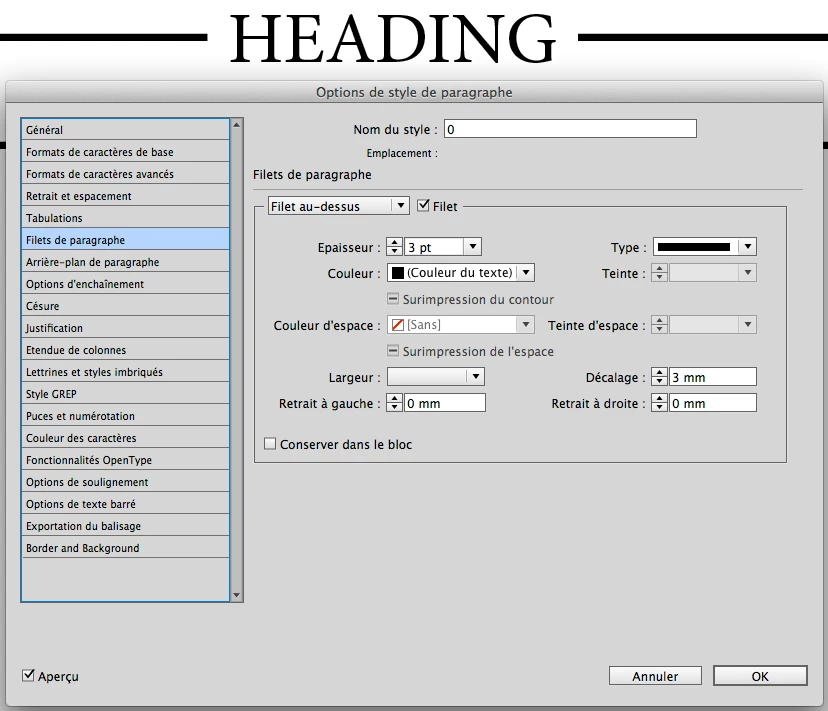
Add a Rule Above that is the width of the Column, and use the Offset to center it over the text. Mine is pink, but it can be any color.

Then add a Rule Below that is the Width of the Text. Mine is yellow for now so that you can see it. Make it thicker than the rule above, give yourself a left and right indent, and use a negative offset to move it up so that you can no longer see the rule above. Instead of shading as per your original question, this uses the Rule Below to mask the Rule Above.

Then just change the color from yellow to white.

~Barb at Rocky Mountain Training
tpk1982
Brainiac
May 1, 2017

CC 2017 have shading feature in paragraph style itself..

New Participant
May 1, 2017

My apologies--to clarify, I'm aware that paragraph shading is an option with paragraph styling; my issue is that I was hoping I could use the shading to (in effect) mask part of the paragraph rule that I've set. I'll attach some visual cues here and to my original question.

My paragraph style looks like this:

which yields this result:

but I was hoping that it would instead look like this:

Thanks again for all your help

Obi-wan Kenobi
Brainiac
May 1, 2017

Hi Aman,

if it is ok to use swatch [Paper] for the underline:

One can do it easily with a combination of underline set to a thick [Paper] bar for text only.


In combination with paragraph shading for the whole paragraph for the visible black line right and left of the text. If justification of the paragraph is set to center you'll have no problems with different text frame widths or text column widths.

Underline will obscure paragraph shading.

But it will be a problem, if the headline contains more than one line of text.
Then all the single lines of text should be kept in their own paragraphs.

Regards,
Uwe


Hi,

Play it simply with para rules! 

(^/)