


Inspiring
June 8, 2022
Answered

Paragraph style for quotations is not working properly

  • June 8, 2022
  • 1 reply
  • 461 views

Please refer to attached: Screen Shot - Quotation paragraph style.

I am using a paragraph style for body text and a second one for paragraphs. A blank line is being added between the last two lines of quotations and I cannot figure out why.


Thanks in advance for assistance.

This topic has been closed for replies.
Correct answer rob day

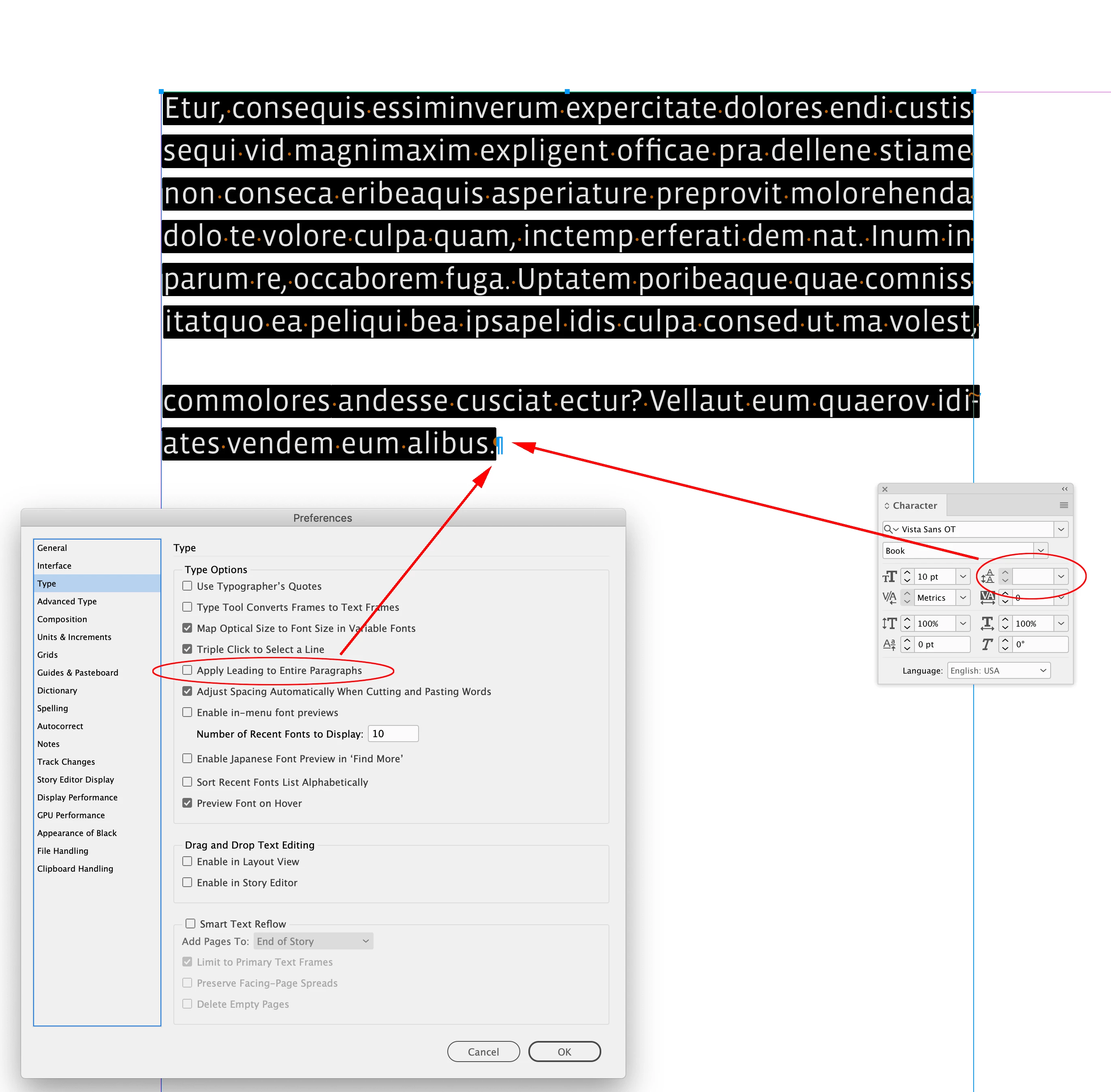
If you select the entire paragraph is the Character Panel’s Leading field blank and is the style overridden? It looks like you are allowing mixed leadings within a paragraph—Prefs>Type>Apply Leading to Entire paragraphs is unchecked:
 

1 reply

rob day
rob dayCorrect answer
Community Expert
June 8, 2022

If you select the entire paragraph is the Character Panel’s Leading field blank and is the style overridden? It looks like you are allowing mixed leadings within a paragraph—Prefs>Type>Apply Leading to Entire paragraphs is unchecked:


Inspiring
June 9, 2022

Ah, thanks! The paragraph symbol after the footnote number was not set to None - as soon as I set it to None, the extra line disappeared.

Willi Adelberger
Community Expert
June 9, 2022

I have seen that you use multiple returns to get space between paragraphs. That is a very bad practice and it should be avoided, work with space before and after instead.