Participating Frequently
July 19, 2022
Answered

Parent spreads with different size pages

  • July 19, 2022
  • 3 replies
  • 969 views

I've got legacy documents from previous versions of InDesign where I have been able to resize individual pages within a master/parent spread.

So for a book cover, I can set up the back cover, spine and front cover as one spread.

I'm now using 2022 on a new mac and ewhen I try to resize a page in the parent spread it affects ALL the pages on teh spread, not just the one.

My current workaround is to create seperate parent pages for each size and then create one parent spread.


My question is, has anyone else experienced this issue? Or is it because I've just not enabled a setting to allow me to have parent spreads with different page sizes?

If it's not meant to be like this, or is an oversight, I would really approeciate it if it could go back to how it was.

Thanks in advance.
This topic has been closed for replies.
Correct answer rob day

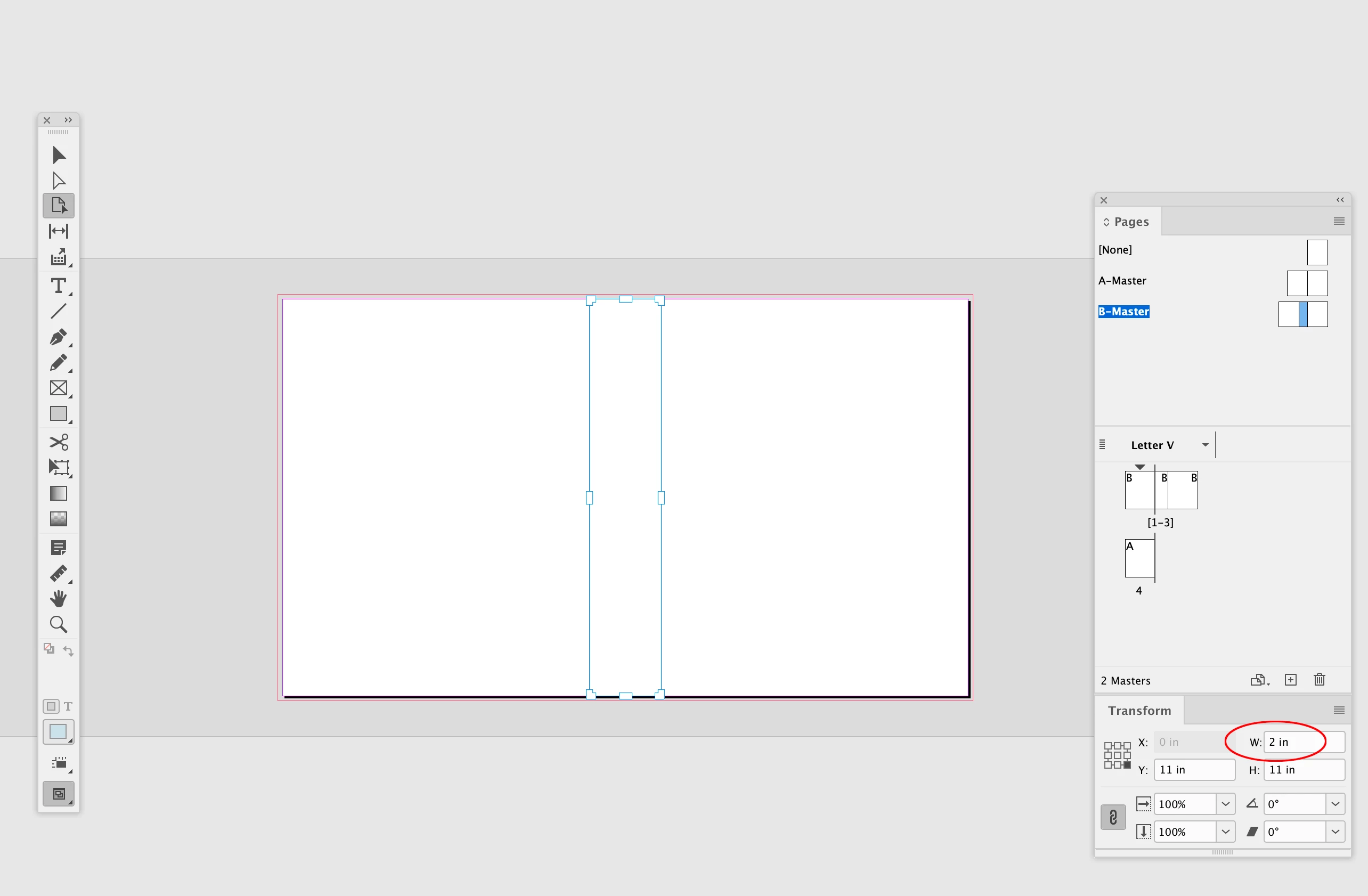
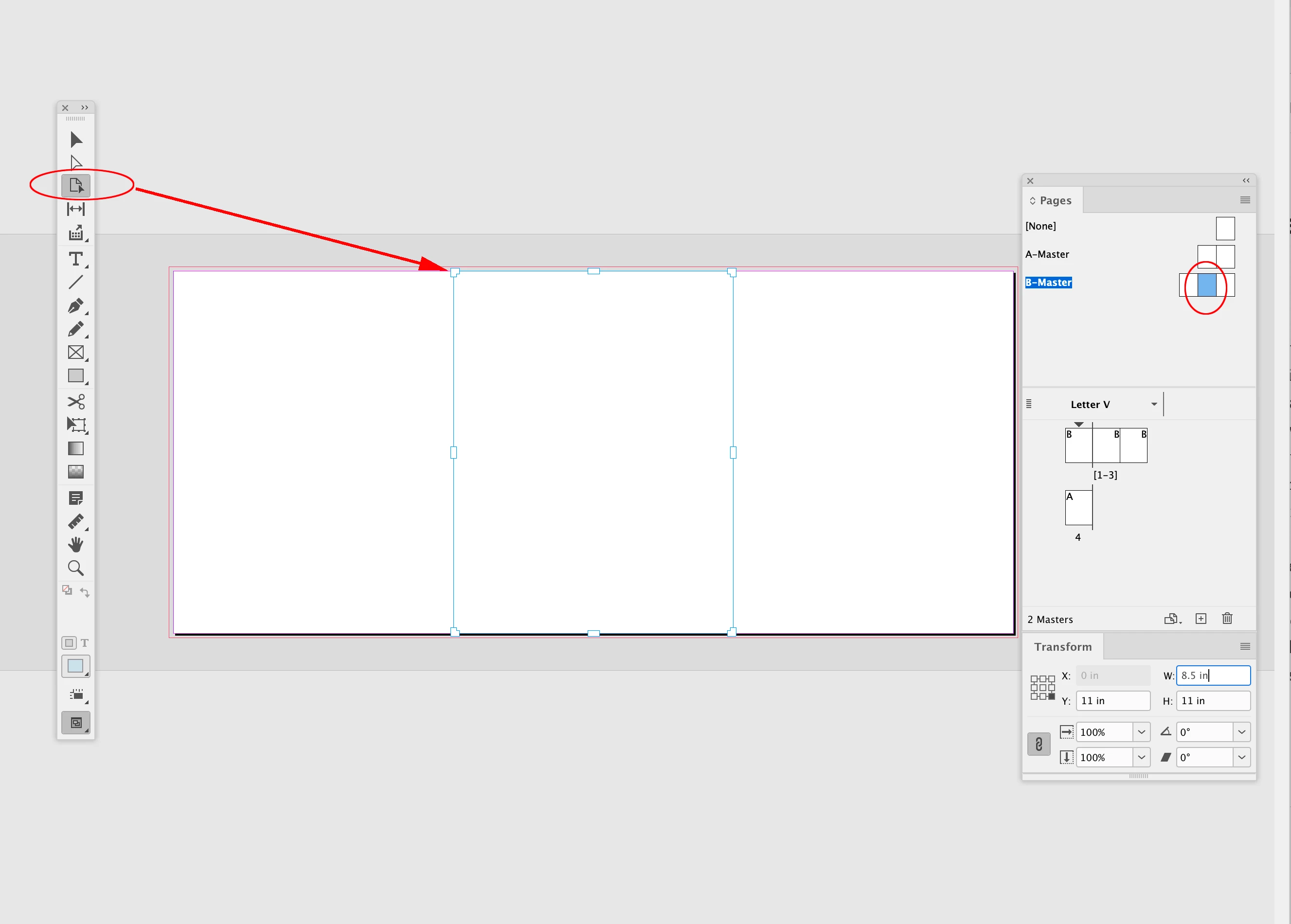
Hi @RogueFour , I can’t test in 2022, but if you select the center master page in the Pages panel with the Pages tool active, does changing the width in the Transform panel work:


3 replies

rob day
rob dayCorrect answer
Community Expert
July 19, 2022

Hi @RogueFour , I can’t test in 2022, but if you select the center master page in the Pages panel with the Pages tool active, does changing the width in the Transform panel work:


Community Expert
July 19, 2022

Hi @RogueFour,

How are you resizing your page on the parent spread? I selected the page using the page selection tool and it seemed to work, unless i misunderstood your issue. Please have a look at the following video and let us know if you see different results or if there is something else that you are after.

-Manan

RogueFourAuthor
Participating Frequently
July 20, 2022

As I mention above – when I use the page selection tool, every page on the spread is selected, not an individual page.

Community Expert
July 21, 2022

Hi @RogueFour,

Does this happen with a particular doucment of all the document? Can you try and do the same operation on another installation of InDesign and share the results?

If this happens with a particular document then probably exporting it to IDML and then resaving as INDD would help.

-Manan

Willi Adelberger
Community Expert
July 19, 2022

You have probably clicked on the label of the page (number, name, etc). But you have first deselect all pages and click on a single thumbnail to select a specific page.

RogueFourAuthor
Participating Frequently
July 19, 2022

When I use the page tool to select a page on the spread I can only select every page. Howevert if I just use the selection tool and select the one page, I can adjust that only page size.

Thanks for you help, I got there in the end!

I've been doing this for far too long and should better!