


Participant
March 11, 2022
Question

Path branching/duplicating instead of moving

  • March 11, 2022
  • 2 replies
  • 393 views

Hello-

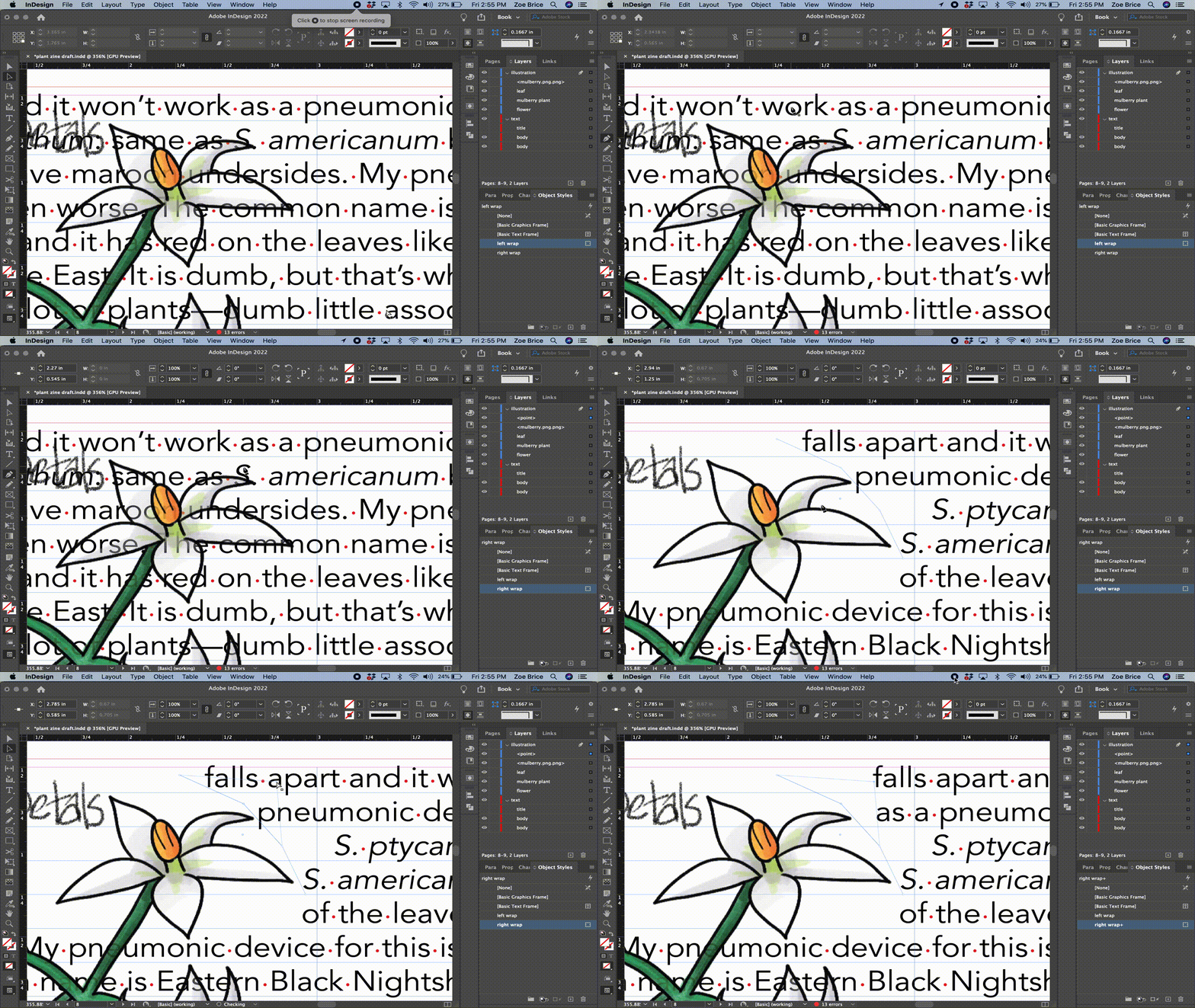
I am trying to make a path to use for custom text wrapping. The "select subject" intelligent wrapping isn't working very well and I just want to make my own path instead of editing the one it generates. I'm uploading a short video of what is happening. It goes like this:

1) I use the pen tool and make a simple path with a few points

2) I select the direct selection tool to edit nodes

3) I try to move a node and it appears to branch or make a duplicate of the path that does not show up in layers. Same result if I use the command shortcut to temporarily select direct selection tool while in pen tool.

What is going on here, folks? You can see in the layers there is only one path, and paths don't branch like that. If I try to move the original point again, it works as espected, but I am stumped by where the mystery extra path is coming from. It's lines are also slightly lighter (I am not using a stroke as I don't want to see the paths, just use them to wrap text the way I want to.


Is this a bug or am I a bug? Never had to fiddle around with paths too much before in ID.
This topic has been closed for replies.

2 replies

Community Expert
March 12, 2022

If you start drawing always check what's the active layer is in the Layers panel.


You could add a new layer on top of the layer stack first, use [+] button at the bottom of the Layers panel, and draw on that added layer. To lock all other layers hold the Alt key and click the empty field left of the active layer's name.

When done revert this by holding the Alt key and click again to the same spot in the Layers panel.


Regards,
Uwe Laubender

( ACP )

Joel Cherney
Community Expert
Community Expert
March 11, 2022

I'm not certain, but I suspect that you are actually grabbing the line that shows where the wrap is, not the 0-point line that you drew with the pen tool. To check this, you can go into your wrap setting on your Right Wrap object style, and change your offets so they're not zero anymore, then you'd be able to see both the line you're drawing as well as the wrap:


Participant
March 11, 2022

Thank you, that was it. I was editing the wrapping path and not the actual path and there's not a good way around it except to pad it like you suggested or create and edit the path with no wrap and then apply the wrap last.

Thank you!