

Answered
Path Lengths When Using the Pen Tool?
When drawing a path with the Pen tool, can you define the lengths of the individual line segments?

When drawing a path with the Pen tool, can you define the lengths of the individual line segments?
You can define its length after it's been drawn using the control panel. See screen shot:
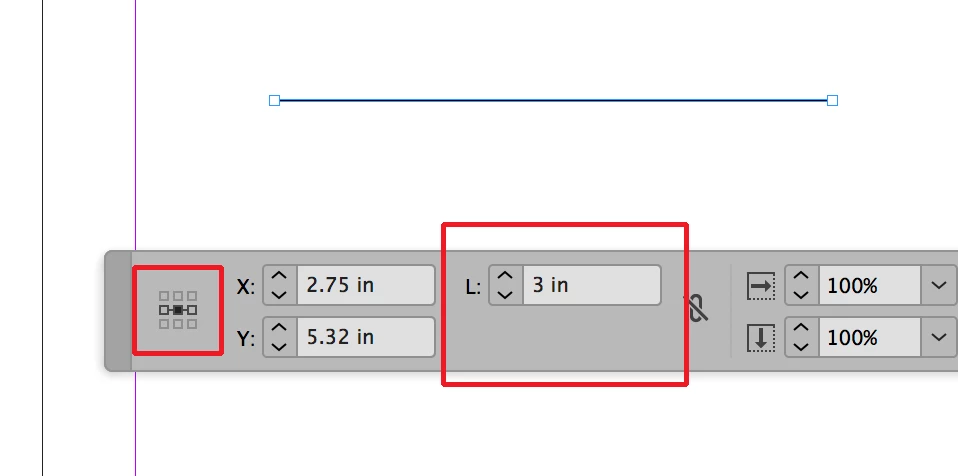
You can determine the length of the line in the L: field (in this case I made the line 3 inches). Using the reference point icon on the left of the panel you can determine whether the line grows or shrinks from the left, right or center.
You could also predetermine a line's length by drawing a single point, selecting it and with Step and Repeat (option-command-u on a mac alt-control-u on PC) send a copy of the point whatever distance you want and then after selecting the original point and the copy using the join command found through the object menu>Path>Join.
Already have an account? Login
Enter your E-mail address. We'll send you an e-mail with instructions to reset your password.
 AdChoices