


PDF compatibility export artifacts and color issues (PDF 1.3 vs 1.4+)
I'm running into a weird issue with PDF exports. We're designing our books primarily for print (CMYK) but we also export with an sRGB preset for web/desktop use. The print files are fine, but the sRGB files are showing some strange artifacts in the borders around images. The "border" is just an image with a black 1.3 pt stroke applied. These artifacts show up at various zoom levels and in different PDF viewers. (see the bottom border below)
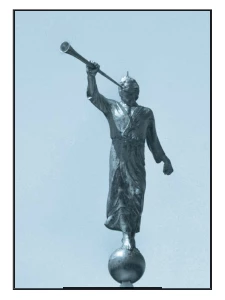
My PDF export preset uses "Acrobat 4 (PDF 1.3)" compatibility. After doing some digging, I realized that if I exported a PDF with a higher compatibility setting, the line artifacts go away. But when I do so, then my colors shift significantly! (The images are B&W jpg files with transparency set to Luminosity and a color layer behind them to give them a "tint".) Is there any way to make the line artifacts go away and still keep my colors the same?
[I opened the PDF files in Affinity Photo, and see that PDF 1.3 export seems to break up the image and borders into sections that each have their own layer and are tiled together to create a continuous image. This evidently causes issues when PDF viewers try to piece things back together. By contrast, PDF 1.4+ simply exports the image whole, and the border as a single "curve" object that doesn't have any glitches in it.]
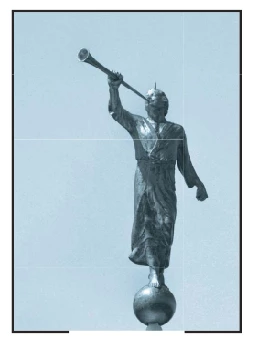
Here's a screenshot from Affinity showing PDF 1.3 with faint lines where the image is tiled, and one layer disabled so you can see that the border is made up of several pieces instead of just one.
 AdChoices