


New Participant
January 5, 2018
Answered

Placed images not showing properly

  • January 5, 2018
  • 8 replies
  • 33850 views

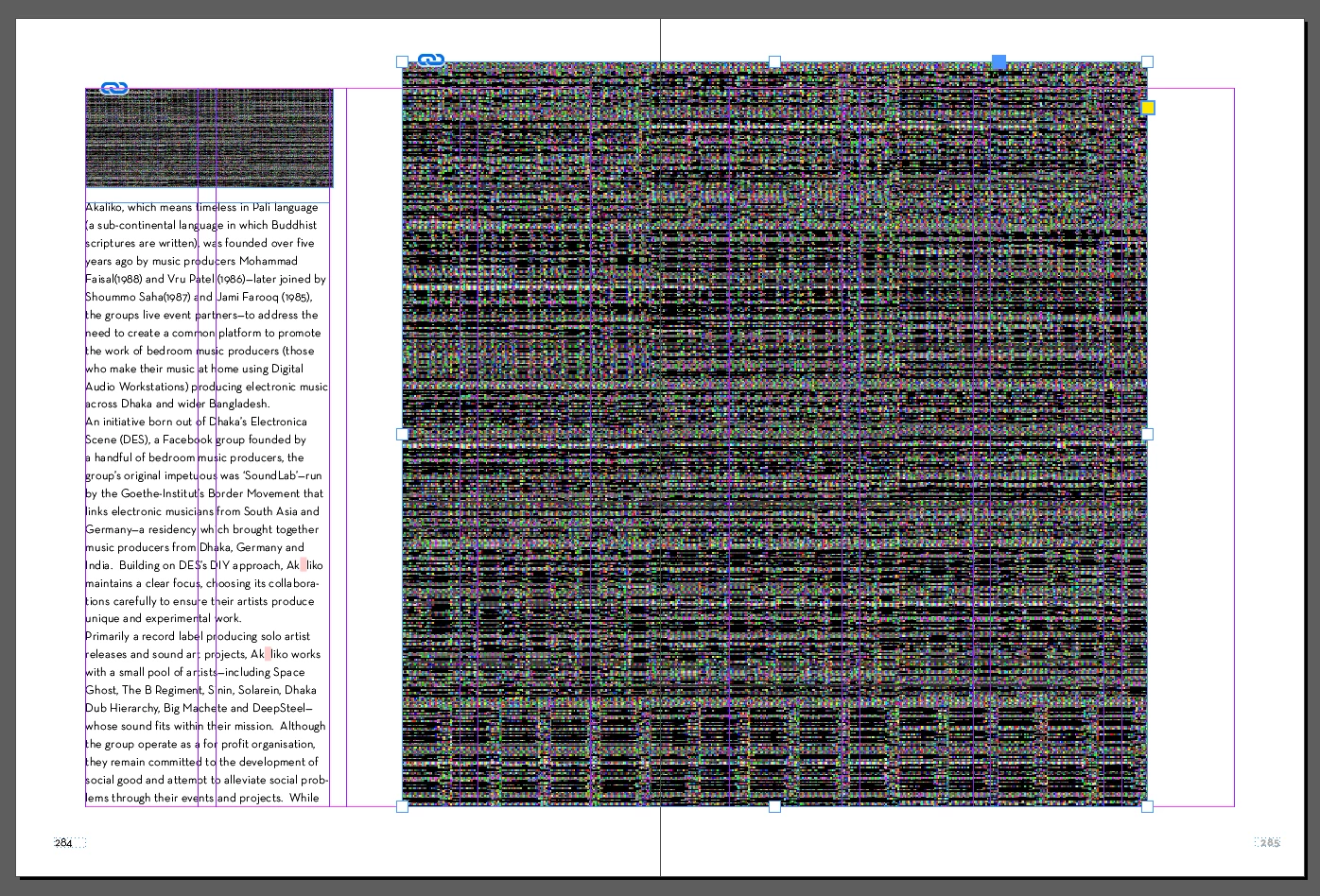
When I place images in my indesign file, they show up with noise or black. I have checked the original files, and tried saving them as new files as well. My initial document also has placed images that are previewing correctly. However, post the 200dth page, they are showing up as black or with noise like they are corrupt. I have checked the original files. Please see below screenshot.
    Correct answer Cruser77

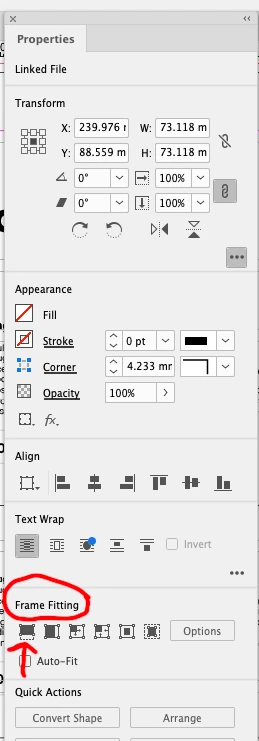
    This works for me: place your graphic. It will look like it's invisible and it's empty. Go to "properties". Click on the first item in frame properties. I will try to attach a screenshot here.


    8 replies

    Cruser77
    Cruser77Correct answer
    New Participant
    December 27, 2024

    This works for me: place your graphic. It will look like it's invisible and it's empty. Go to "properties". Click on the first item in frame properties. I will try to attach a screenshot here.


    New Participant
    November 6, 2023

    Having this same issues at the moment on multiple different client files - I have also tried all the suggestions before coming across this post such as changing GPU to CPU and also high def version. Files open fine no issues on my Macbook, only doing it on iMac - HELP PLEASE! I can not deal doing all my layout work on my Macbook

    Rishabh_Tiwari
    Community Manager
    Community Manager
    December 15, 2023

    Hi defaultxwwh8a07lwk6,


    Sorry to hear about the trouble and for the delay in response. Are you still experiencing an issue? If yes, please share the version of InDesign & OS and is this happening on a specific or multiple files?

    Thanks

    Rishabh

    New Participant
    July 24, 2023

    Clicked on this link thinking we had the same InDesign image issue.. I was wrong, yours was way worse lol.

    New Participant
    June 18, 2022

    I ran into this problem with a file I'd been working on that was originally on an external hard drive. That got too scary, so I moved everything over to my main computer (the cloud), and suddenly my images went all weird, just like this. The reason? They were still linked to the images on the external hard drive. When I relinked to the images on my main computer, everything showed back up. Go figure! But glad I could fix it!

    New Participant
    September 1, 2022

    Hey guys! I had the same problem myself. I've found my fix! InDesign sometimes doesn't like the color profile that's attached to the original image. I threw the photo into Photoshop, saved it under a new name, and BOOM problem solved! I hope this helps someone else out there too! 

    New Participant
    January 18, 2023

    Bless you!

    Nora_Nora
    Inspiring
    May 21, 2022

    I am having the same problem-- certain images showing noise/greyed out/staticy/glitchey like the original post, however, I tried turning the gpu on and off and it did not change anything.  Some of the images are fine in the working document and become noise only when I select high quality display or do the document preview (i.e. they only show up when low quality) Others are always fine or always noise.


    Is it because the links are on an external hard drive? None of the links are broken. Any ideas?  

    Thanks!

    Willi Adelberger
    Community Expert
    June 15, 2022

    What file type are you using?

    New Participant
    June 15, 2022

    jpegs and eps files.

    BobLevine
    Community Expert
    January 5, 2018

    Turn off GPU performance in your preferences.

    New Participant
    January 9, 2020

    what is GPU ? 

    New Participant
    February 18, 2020

    The setting is in your InDesign preferences. This link shares what GPU is: https://helpx.adobe.com/indesign/using/gpu_performance.html

    sishamIAGD
    Community Expert
    January 5, 2018

    What happens if you select Ctrl+Alt+H (Win) or View>Display Performance>High Quality Display?

    New Participant
    March 20, 2021

    great, thank you so much

    New Participant
    March 28, 2021

    Thanks a million, Sisham. You've just saved my day.

    New Participant
    January 5, 2018

    Have you tried to place those images to a new document? Which file format you are using in your images. I have experienced same kind of problems with EPS-files. You can also try to change your Display Setting to High Quality.