


Please help - setting up an A5 document with additional margins for binding and double sided printing.
Hello,
I am trying to set up a specific document for my dissertation so that It will be easy to print once I have input all of the text and images etc.
I am pretty new to indesign but I will try to explain clearly what I need to achieve:
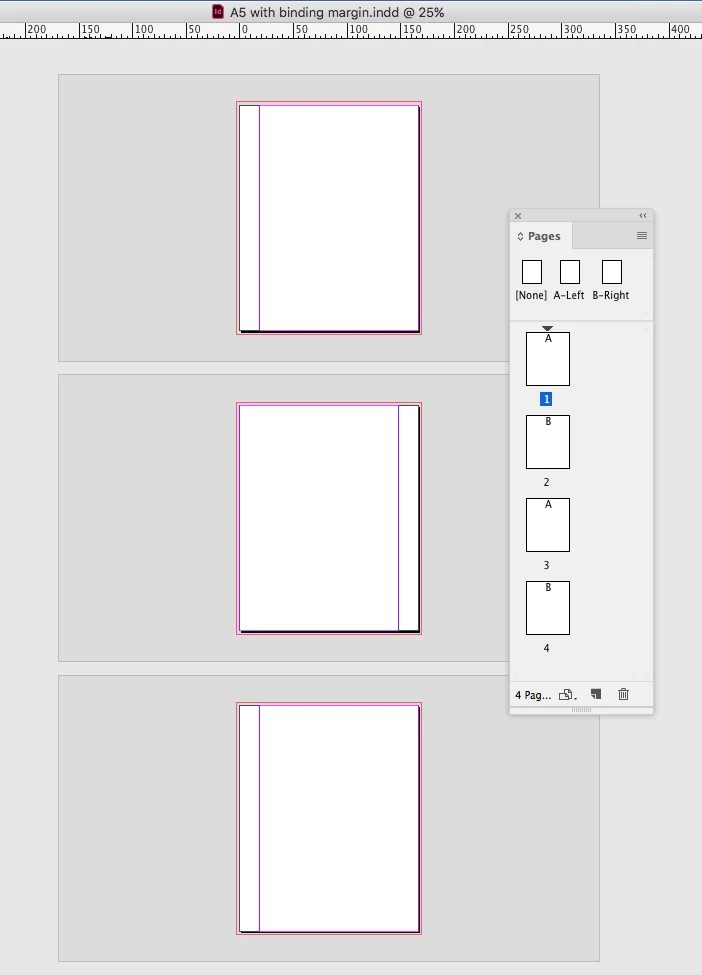
I need to set up an A5 document, with an additional 18 mm margin for binding purposes.
Therefore the total dimensions of each page will need to be 166H x 210W, however the only space on each page to have text will be 148x210 (standard A5 size)
I can set the document size relatively easily, but my main issue is when it comes to printing it out.
I am hoping to print this double sided onto A4 paper, which would mean one A5 page per side of A4 landscape (due to the extra margin) which I would then cut down to size on a guillotine. My concern is that when I print out the A5 document onto A4 double sided in this way, the pages may not correlate correctly.
Can someone please help me by giving me some guidance into how to setup this document?
 AdChoices