Participating Frequently
September 16, 2021
Answered

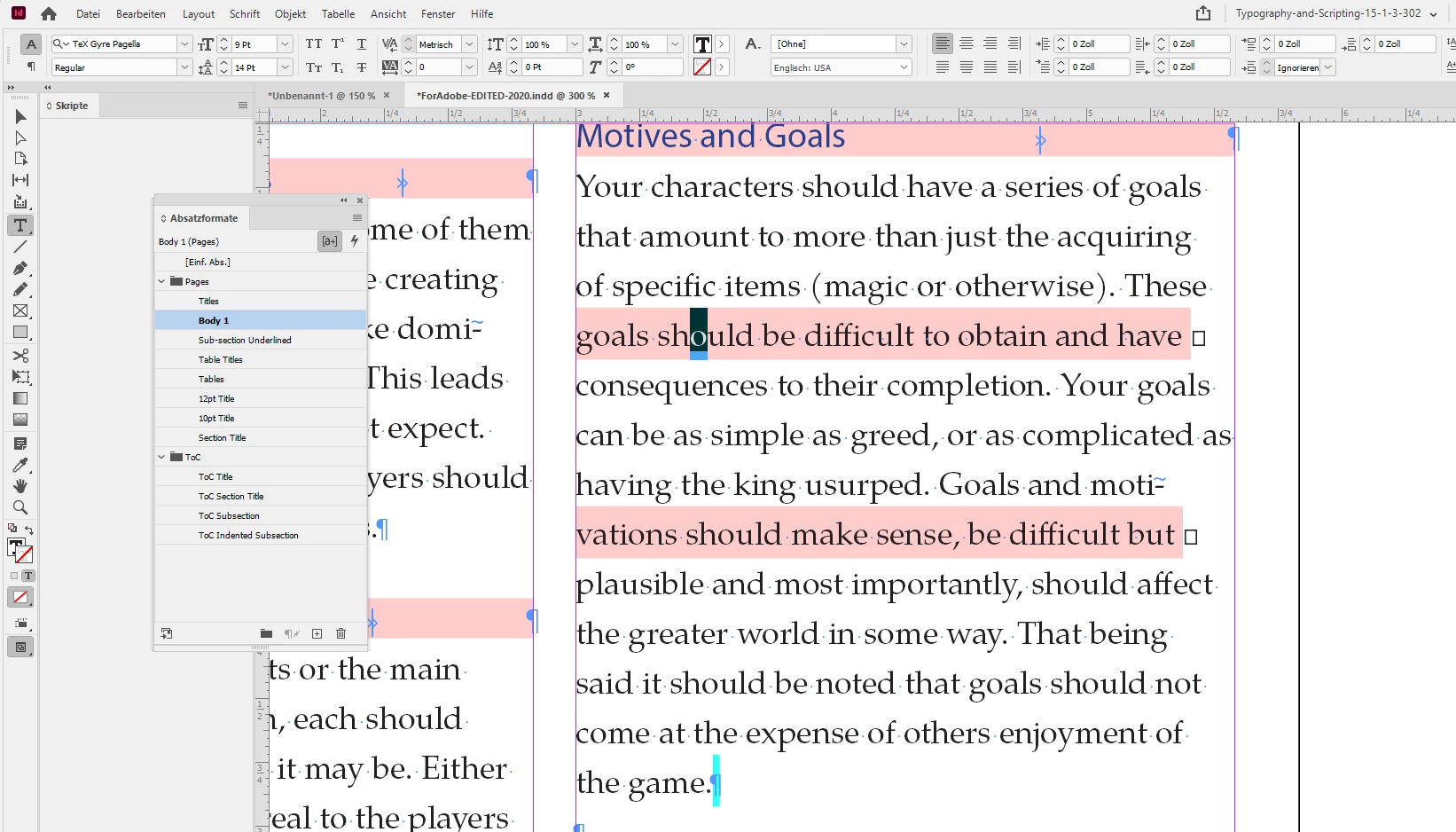
Portions of text are highlighted pink w/ tiny squares next to them

  • September 16, 2021
  • 12 replies
  • 8320 views

Hello,

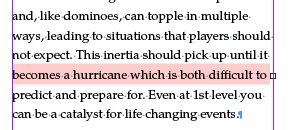
I'm trying to cut and paste from my main document (in OpenOffice) to InDesign. I'd say that 98% of the text is fine but occasionally I get random sections of text highlighted in pink with tiny squares next to them (see attached pic below). I don't believe this to be a missing font issue because I will have an entire paragraph with this particular font be perfectly fine. While another has roughly 3/4 of the text normal and the other 1/4 highlighted in this way. I can't simply change the font because I need that font I have for the body text. So far rewording the text has worked (to an extent) but after a certain point it will randomly highlight again. Any help would be greatly appreciated. Thanks
This topic has been closed for replies.
Correct answer Laubender

Your link is working very well.

Also downloaded the missing font family TeX Gyre at:

https://ctan.org/pkg/tex-gyre-pagella?lang=en


Made the fonts available through a Document fonts folder and see the same issues like you do in your InDesign document:


There is no style override with characters or the paragraph in this line of text.

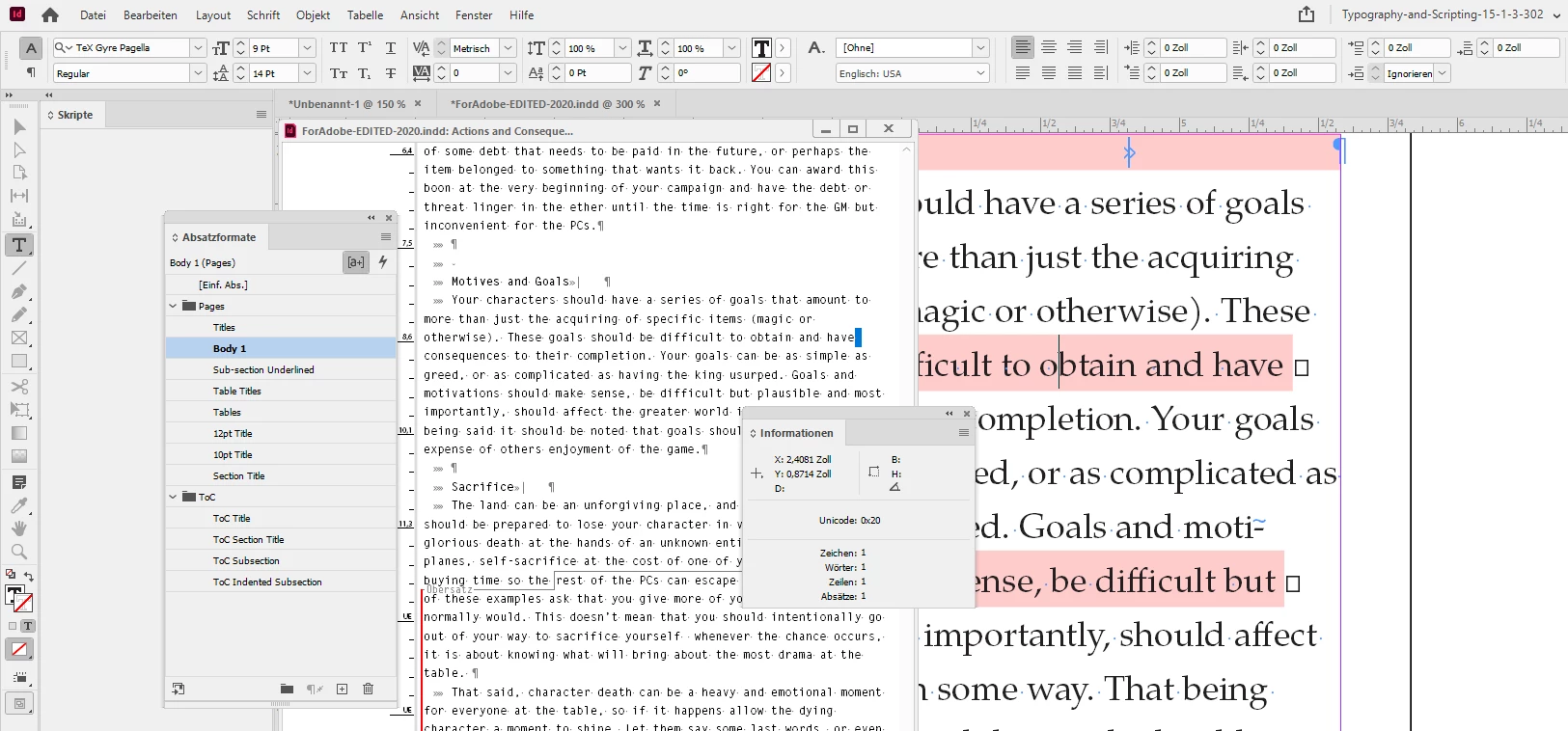
I have Style Override Highlighter enabled. Also invisible characters; where InDesign already has issues to render the little widgets for the blank characters if you look closely. The character at the end of the line is a mystery. Let's use the Story Editor window and the Info panel to detect what it is:


Info says it's a plain blank character at codepoint 0020.

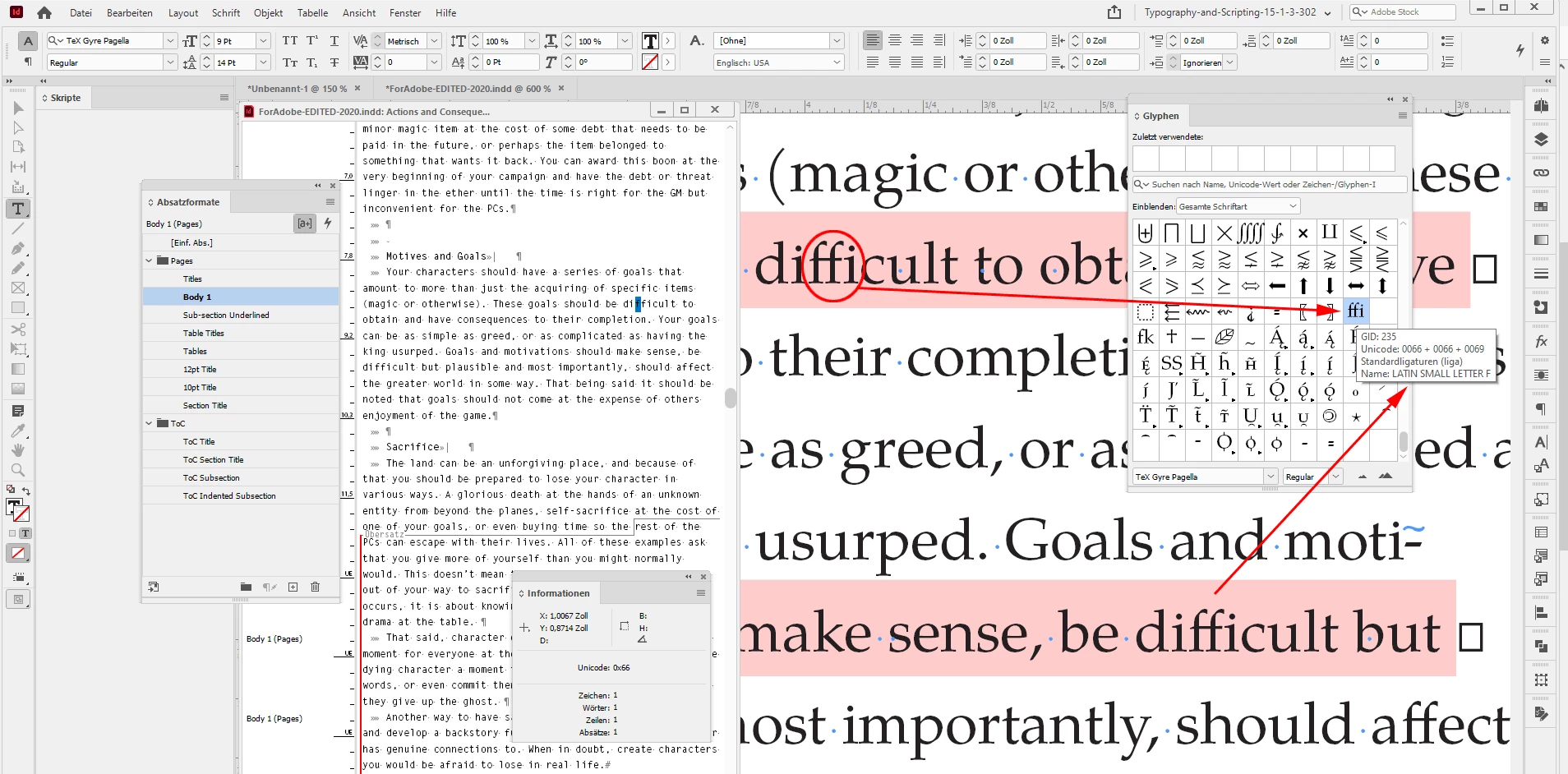
The weirdness begins if I open the Glyphs panel and inspect every single character of the word "difficult". Nothing unusual when I start with the "d", the "i", but then with the selected "f" InDesign becomes a bit strange. Something's wrong with that ligature "ffi" in that OpenType font:


And you may notice that the same happens a few lines below. Also with the word "difficult" and the following blank characters.


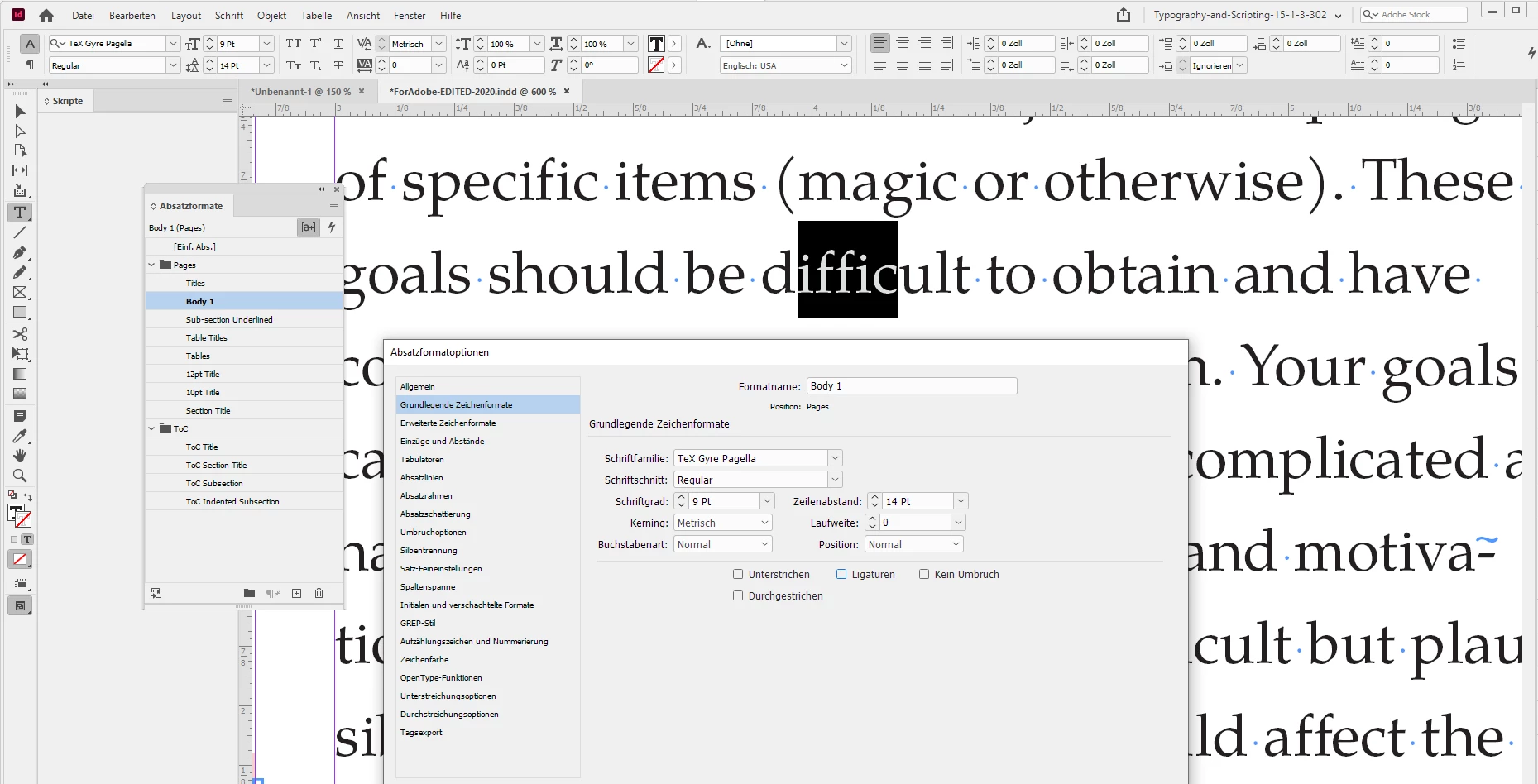
Can we fix the issue if we turn off Ligatures in the applied paragraph style? Yes!


So that's it. A bug in the font.

I would contact the makers of the font and report that InDesign has issues with ligatures.

Especially with ligature "ffi".


Regards,
Uwe Laubender

( ACP )

12 replies

Mike Witherell
Community Expert
Community Expert
September 16, 2021

If you apply a paragraph style to control the text, you won't have that problem.

Mike Witherell
MycelianAuthor
Participating Frequently
September 16, 2021

I do have a paragraph style set.

Brad @ Roaring Mouse
Community Expert
Community Expert
September 16, 2021

Then, select the text and reset it to the Paragraph Style;

A few ways to do that:

Click in the paragraph/select text and Option-click on the style in your Paragraph Styles Panel. This will reapply the style to the entire paragraph and clear any overrides.

or, select the affected text and pull down the menu on the top right corner of the Paragraph Styles panel, and "Clear Overrides"

(Of course, if you have some items you WANT to override with a bold or italic, they will get cleared as well, depending on the method)

jmlevy
Community Expert
Community Expert
September 16, 2021

Text highlighted in pink definitively means that the font is missing.

In your exemple, it could be bold or italic since there is not any problem in the other parts of the text.

MycelianAuthor
Participating Frequently
September 16, 2021

The text is set to Regular, but it's interesting you mention Bold, because if I set just that frame to Bold, it's still highlighted, yet Italics (or Bold Italics) seems to correct the issue. I'm really lost as to what to do to correct these issues. I can't have these sections of the document boldened or italicized.

MycelianAuthor
Participating Frequently
September 16, 2021

So far I've found only two solutions to somewhat correct the highlighting problem but not the overall issue:

  • Setting the text to Italics or Bold Italics
  • Removing Ligatures from the text.

The latter I'm not sure about. I'm still very new to this program, and from what I can tell, all of the main text I have has Ligatures on, so while it may fix the highlighting I'm not sure how it will affect the text as a whole.