



Participating Frequently
December 6, 2021
Answered
Primary text frame threading behavior
- December 6, 2021
- 2 replies
- 777 views
I'm working on templates for an article in two journals (journal A and journal B).
Parent pages
Two parent pages: (1) "txt" for pages after the title page and (2) for article "Title page". "Title page" is based on txt. Parent page "txt" works.
- Parent page for "Title page" in journal A has five threaded primary text frames (Figure 1).
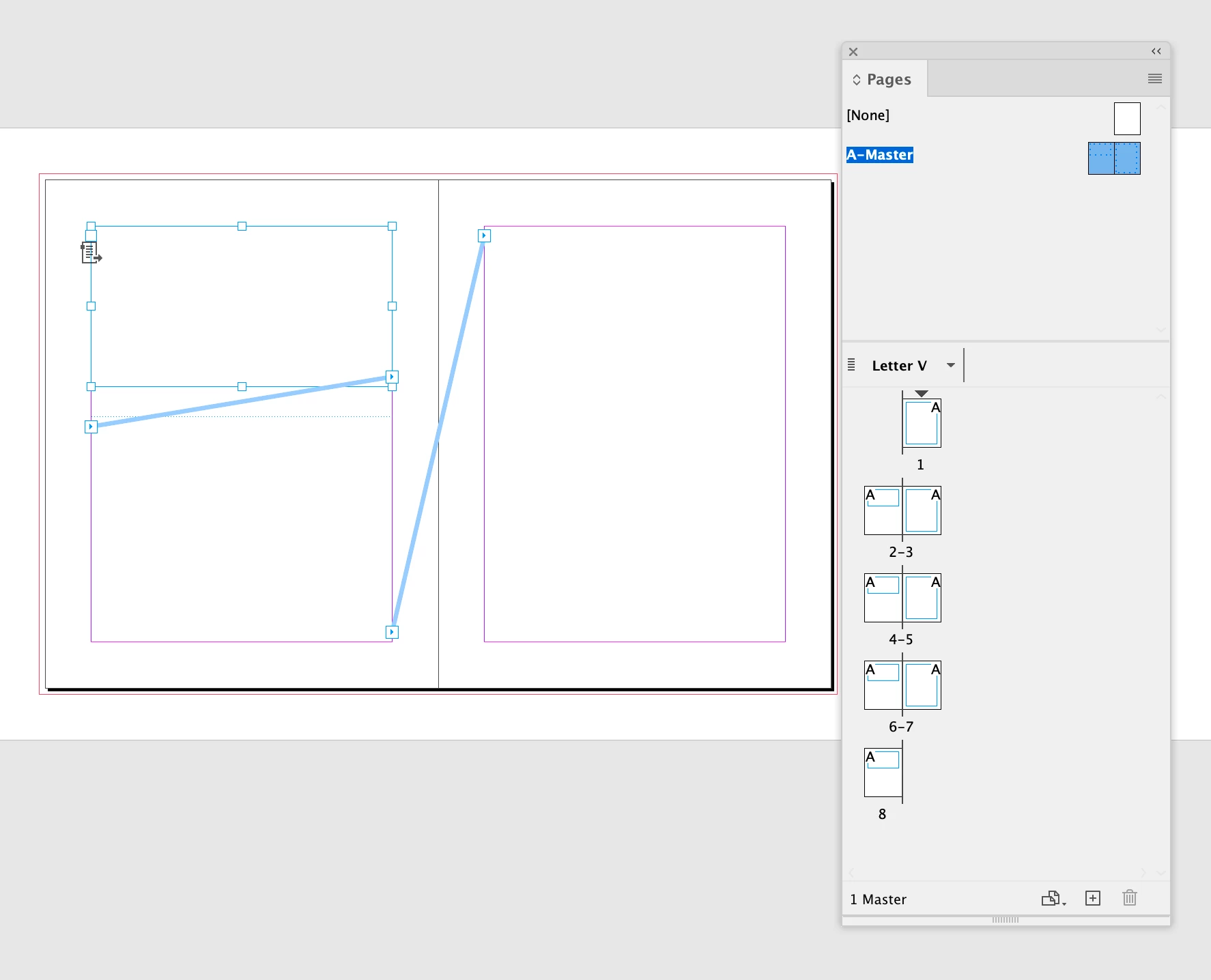
- Parent page for "Title page" in journal B has two threaded primary text frames (Figure 2).
Document pages
The pages in the document behave differently:
- Journal A (Figure 3): the threading works in the documet as threaded on the parent page
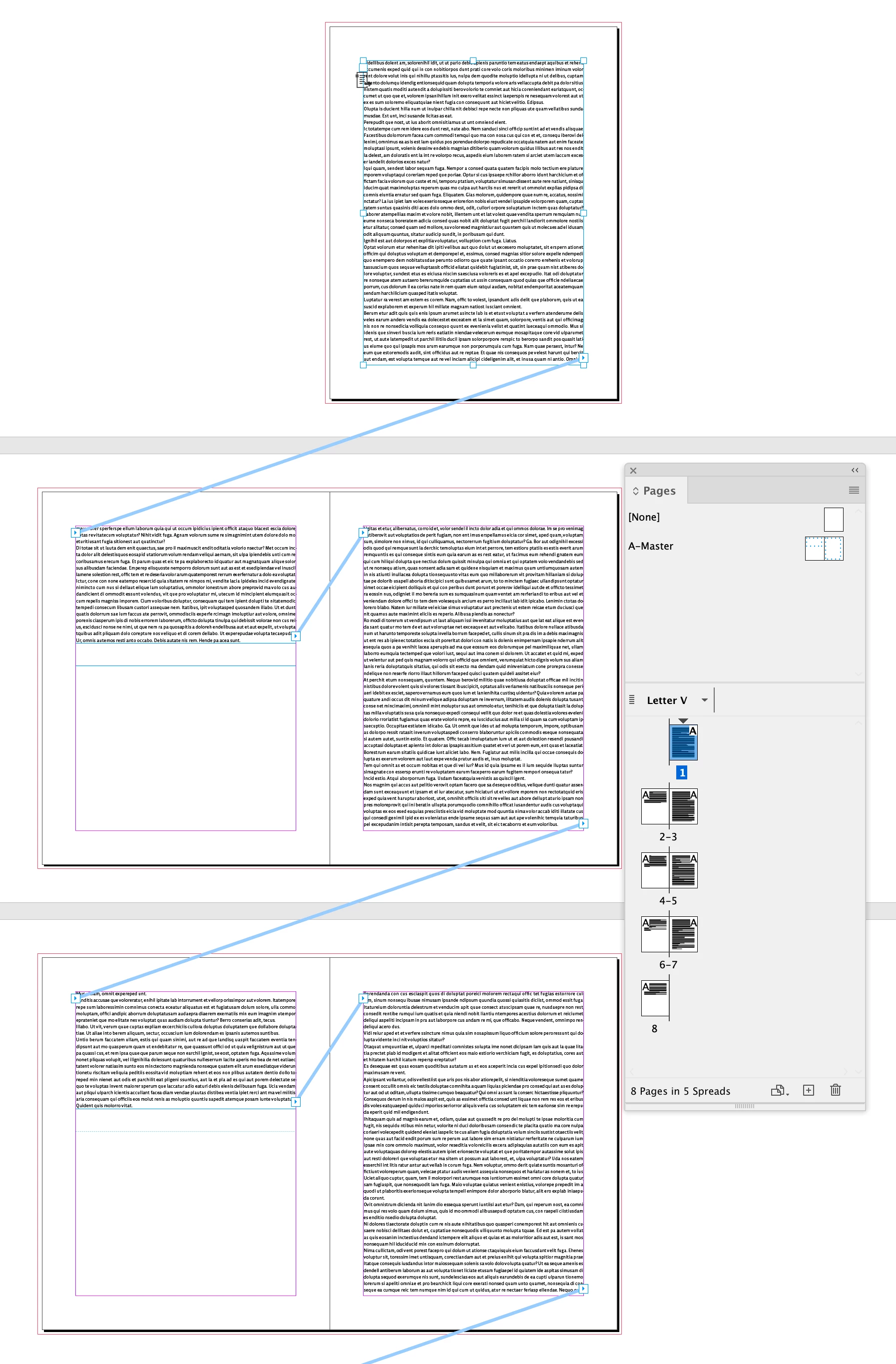
- Journal B (Figure 4): the threading doesn't work in the document.
All the frame settings and object styles are the same, as far as I can tell. I can't find the explanation for this behavior.
What am I doing wrong?
Thanks
Rok
Figure captions
- Figure 1: Journal A, parent page view
- Figure 2: Journal B, parent page view
- Figure 3: Journal A, document page view
- Figure 4: Journal B, document page view
 AdChoices