


Known Participant
March 24, 2023
Answered

Print Page Footers Showing in EPub at End Of Chapter?

  • March 24, 2023
  • 3 replies
  • 912 views

I have a book that will be printed on Ingram (via PDF upload) and available via EPub on Google Play Books.


Using the default EPub export from InDesign, the footers from the print edition are showing up in the EPub at the end of the chapter all stcked up. Here's the print layout:
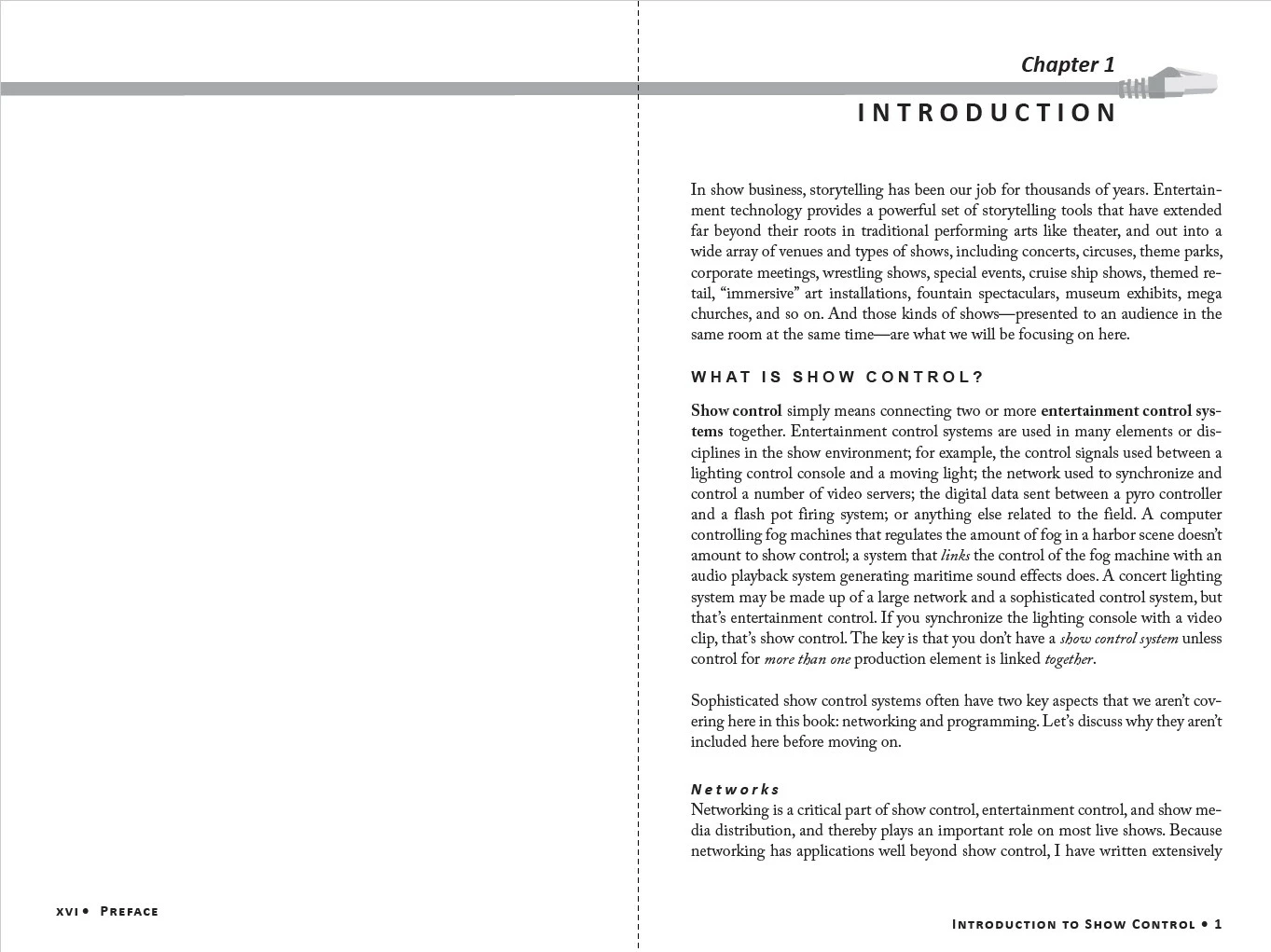


You can see the "Introduction to Show Control" at the bottom of page one.  In the EPub (as uploaded to Google books) all the footers stack up at the end of the chapter:
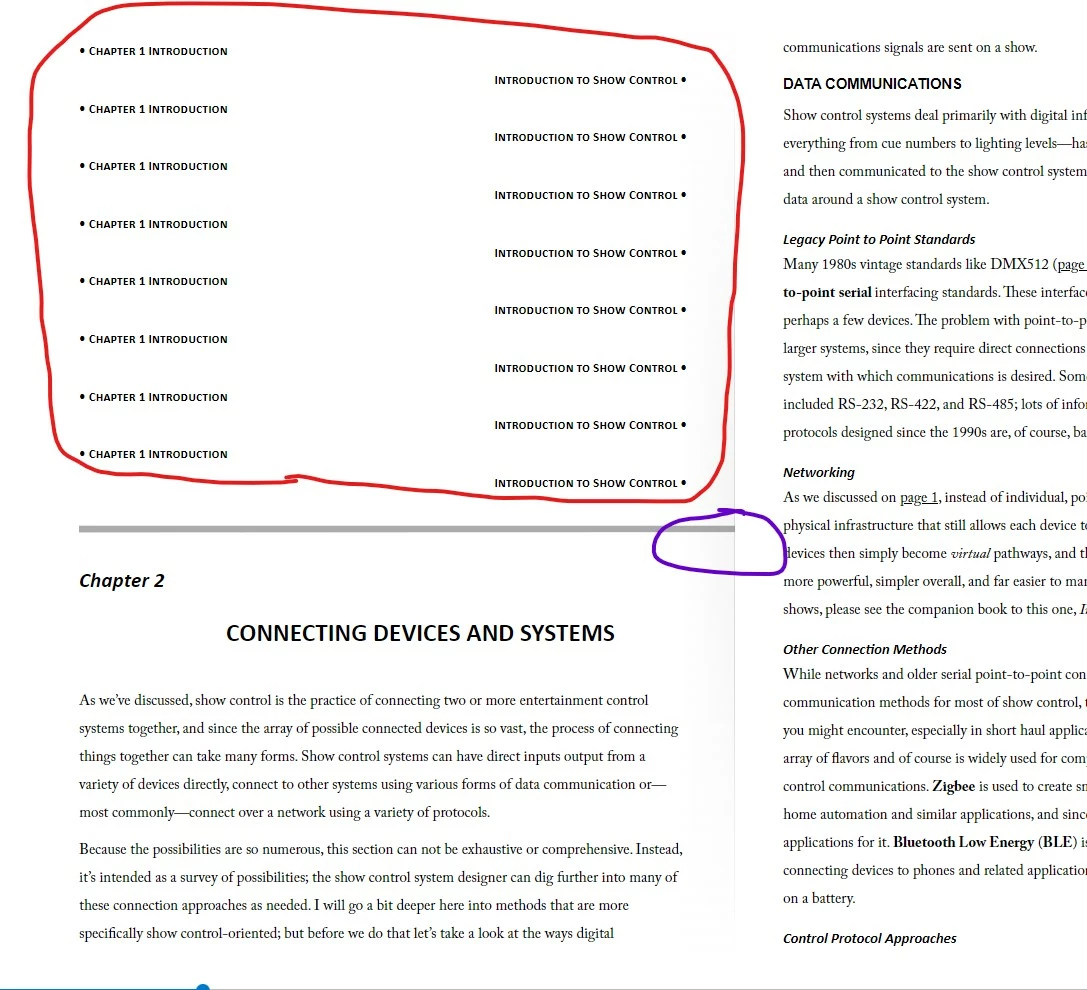


I did this with a previous book (same file format and trim size) back in 2020 and did not have this problem, maybe I had some setting change that I forgot to document?


In addition, you can see the graphic element, which lays across two pages in the print master pages, is getting cropped off (see purple circle above) to the right side of the EPub output (or spreads across into an adjacent page when viewing the file locally). I don't need that graphic element in the Ebook, is there a way to turn it off in the export? 


I'm trying not to fork these into separate InDesign files.


Thanks!!!


John
This topic has been closed for replies.
Correct answer James Gifford—NitroPress


I think at some point you must have copied those elements to doc pages. (It's easy enough to do, and is usually done to allow local modifications to Pareng page elements.) Go to each doc page and drag a marquee across those footers. If you can select them there, delete them.


3 replies

Willi Adelberger
Community Expert
Community Expert
March 24, 2023

Footer and header should always remain on the parent page and never be overridden. Use text variables and markers or parent pages based on other pages, but never override them. This is important for epubs but also for PDF/UA. 

Known Participant
March 24, 2023

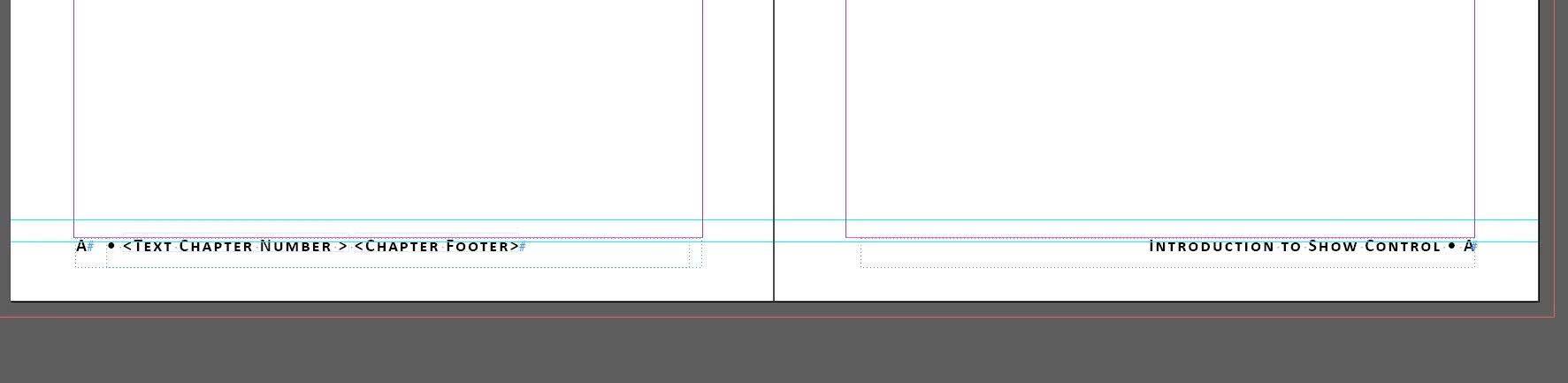
Yes they are on the parent page with text variables, etc.  See above screen shot.

James Gifford—NitroPress
Legend
March 24, 2023

Is this for a FXL (fixed layout) EPUB? If so, Bob's comment is likely spot-on. You want to avoid loose items on the pages.


If it's for reflowable, there are no page elements because there are no pages, and any unanchored elements will do exactly what you see, sort of fall to the end of the book.


Known Participant
March 24, 2023

Reflowable.  So I guess my only option is to make a separate set of Parent pages for the EBook?  That's unfortunate 😞 

John

James Gifford—NitroPress
Legend
March 24, 2023

Reflowable EPUBs have no pages, therefore have no page elements like headers and footers. The contents of Parent pages are typically omitted in a reflowable export, therefore you shouldn't have to do anything special. It can be a tad easier to have separate ID documents for print and EPUB export, but it's perfectly possible to do both from one InDesign master.


But everything in the document has to be in one text flow, with all elements like images anchored to the text. You can't just stick things to the pages as you can for print.


BobLevine
Community Expert
Community Expert
March 24, 2023

Are those footers on the live pages? They should be on the parent.

Known Participant
March 24, 2023

They are on the master pages.  See screen shot: