



print single CMYK colours
brother HL-L8250CDN colour laser printer on OSX.
I want to be able to print simple graphics in pure Cyan or pure Magenta or pure Yellow. (Almost like risographing or screen printing).
This is the first time I've attempted to do my own printing, so I'm not that knowledgable but I'm a quick learner/ deep diver.
In Print, Color Options I can choose my printer 'brother HL-L8250CDN' or I can choose 'Postscript File'.
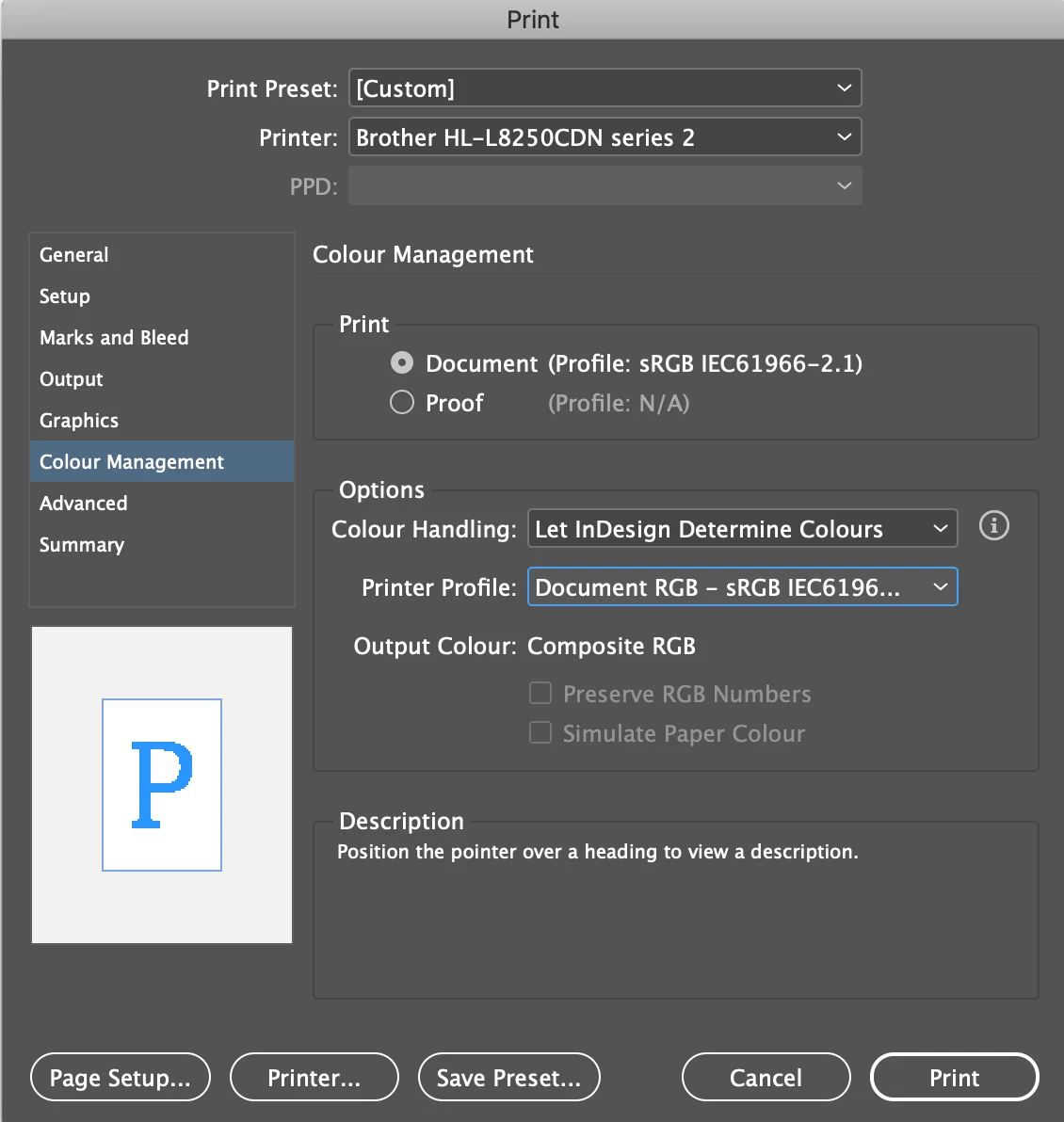
If I choose my printer the only printer profiles I get are RGB, and the only output I get are 'Composit RBG' or 'Composit Grey'. As shown in screenshots:
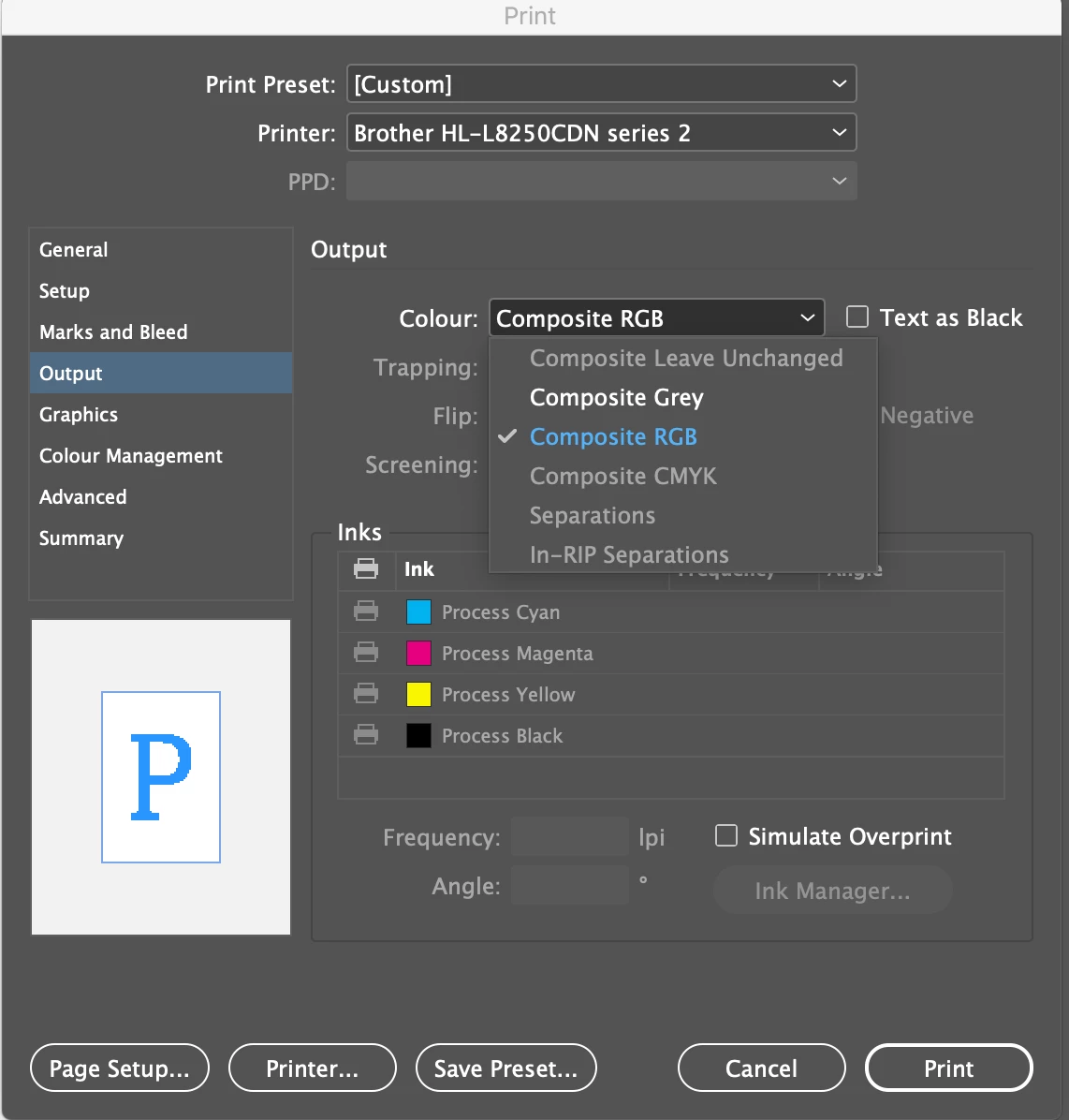
I think that I want to print in is either composite CMYK composit or Seperations (one colour at a time? offset press?). However those options are greyed out.
If I select 'Postscript File' then I can choose any option, but when I print the .PS file it just looks like RGB composit (the yellow is made up of magenta and yellow, the toners are being combined instead of printing pure colours).
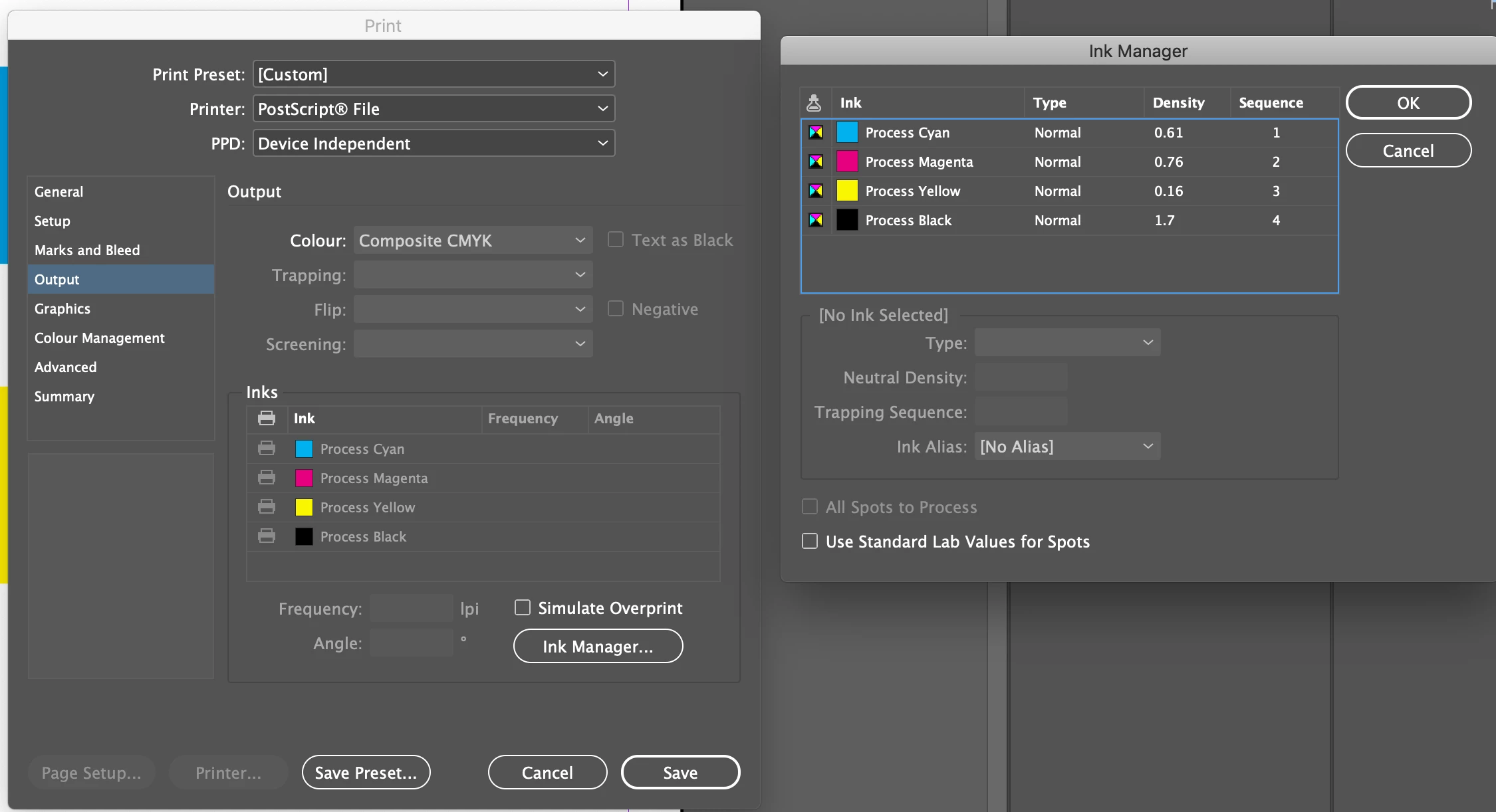
Is there anyway to force my printer to print pure yellow from the yellow toner alone (and the same for any other colour)?
I apprieciate any help in understanding this more!
 AdChoices