Participating Frequently
January 22, 2020
Answered

Printing & Not Printing Spots

  • January 22, 2020
  • 5 replies
  • 978 views

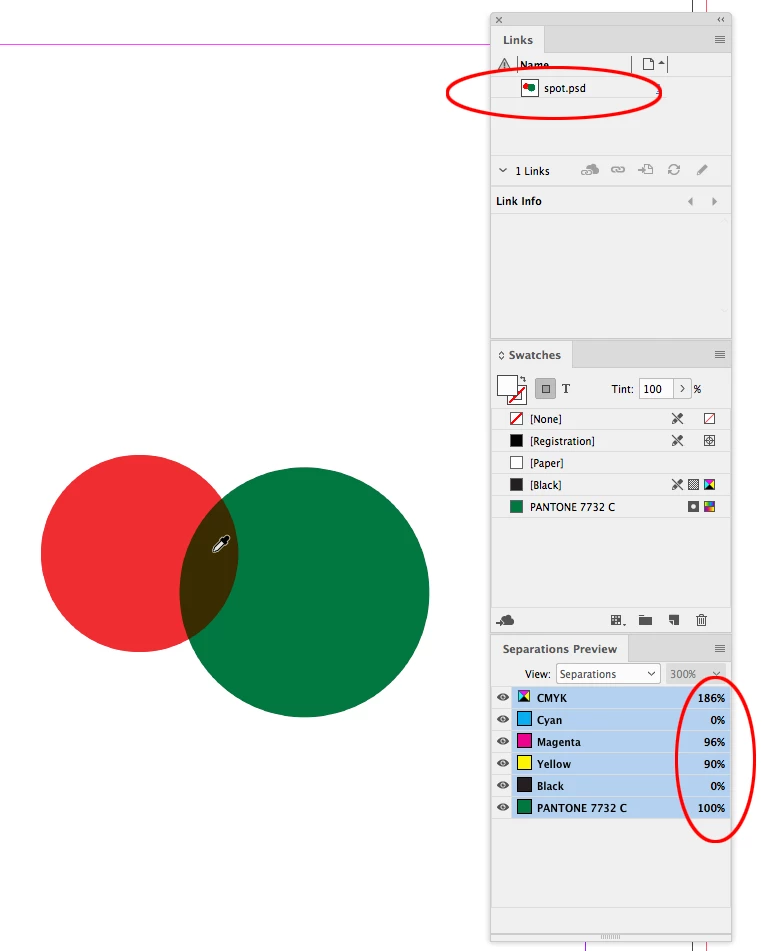
Hey all, using InDesign with linked Photoshop PSD's, which have Spot channels. Can not find any workaround to NOT print the PSD spots when printing from InD.  Can easily print or not print spots from other linked files (AI, EPS etc), or spots directly added in InD colour pallet. 
 

This topic has been closed for replies.
Correct answer rob day

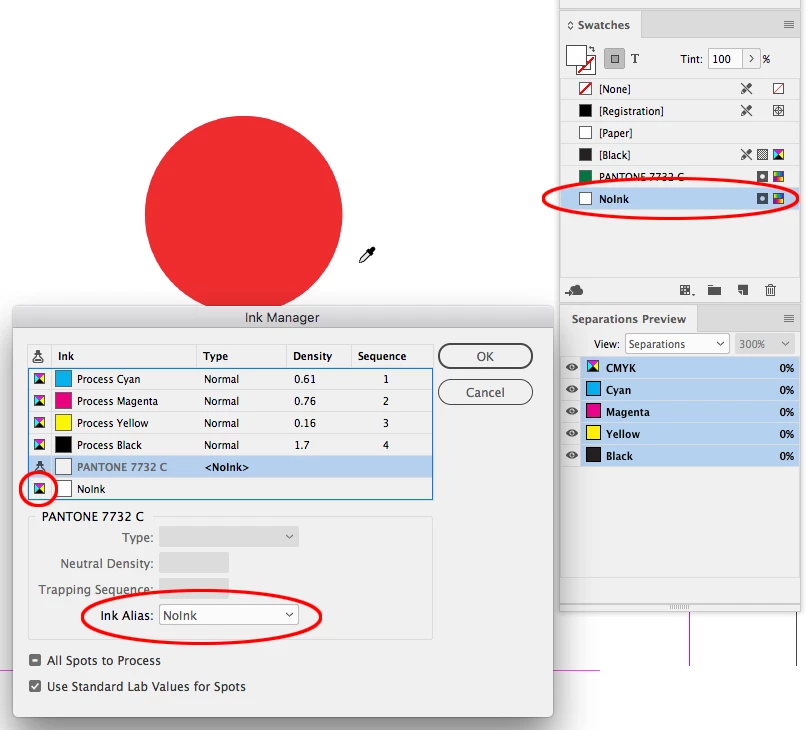
Are you printing the Spot color separations, or is the output to a composite printer? If the print is to separations then you don‘t have to emit the plate, but it sounds like you are printing composite color? In that case I think you would have to alias in Ink Manger as others have suggested, but the alias would have to be to a white spot color. Something like this where I’ve placed a PSD with a Pantone spot channel—the red is process color:


 Adding a white spot color named NoInk, aliasing PANTONE 7732 to NoInk, and toggling NoInk to Process


5 replies

schroef
Inspiring
December 4, 2021

How are you even able to place a PSD with spot channels?

Im getting this "unsupported color space" warning? Its a RGB file with Adobe1998, also tried CMYK with spotv2 and fogra39, nothing works. When i try to save as Photoshop PDF im seeing another warning, issue with missing bleedbo?! Seems totally broken!

Is the only way to go oldskool and separating channels in photoshop?!

rob day
Community Expert
December 4, 2021

Can you share the .PSD file via DropBox or your CC account? Or, show the file’s Spot Channel Options dialog:


rob day
rob dayCorrect answer
Community Expert
January 22, 2020

Are you printing the Spot color separations, or is the output to a composite printer? If the print is to separations then you don‘t have to emit the plate, but it sounds like you are printing composite color? In that case I think you would have to alias in Ink Manger as others have suggested, but the alias would have to be to a white spot color. Something like this where I’ve placed a PSD with a Pantone spot channel—the red is process color:


 Adding a white spot color named NoInk, aliasing PANTONE 7732 to NoInk, and toggling NoInk to Process


Participating Frequently
January 22, 2020

Perfect! Thanks for translating my question.


Community Expert
January 22, 2020

Can easily print or not print spots from other linked files (AI, EPS etc), or spots directly added in InD colour pallet


Hi Samantha,

if that's the case create some spot colors with InDesign and alias the spots that always print to the spots that do not print.

For ink alias see the Ink Manager.


Ink Manager overview

https://helpx.adobe.com/indesign/using/inks-separations-screen-frequency.html


Regards,
Uwe Laubender

( ACP )

John Mensinger
Community Expert
January 22, 2020

Window > Output > Separations Preview [panel menu] > Ink Manager

Eric Dumas
Community Expert
January 22, 2020

Hi

Can you confirm the version of the software and operating system you are using?

Also, can you share screenshot of your print window? there is a section that will show th e'plates' where you spot colours appear. There is also a colour sepeartion panel that can help view 'what's happening' with your spot colours.


Also, if you export the design to pdf, using the correct standards, you will be able to see the colour sepeartions and turn off some of the spot colours.