


Printing, entering user defined values for paper size
Long time photoshop user, first time Ive used Indesign for a job, so not sure if this a bug or not.
Was just trying to do a quick test print of a couple of pages on a 24" roll of paper and couldnt see how to enter the custom paper size I wanted. 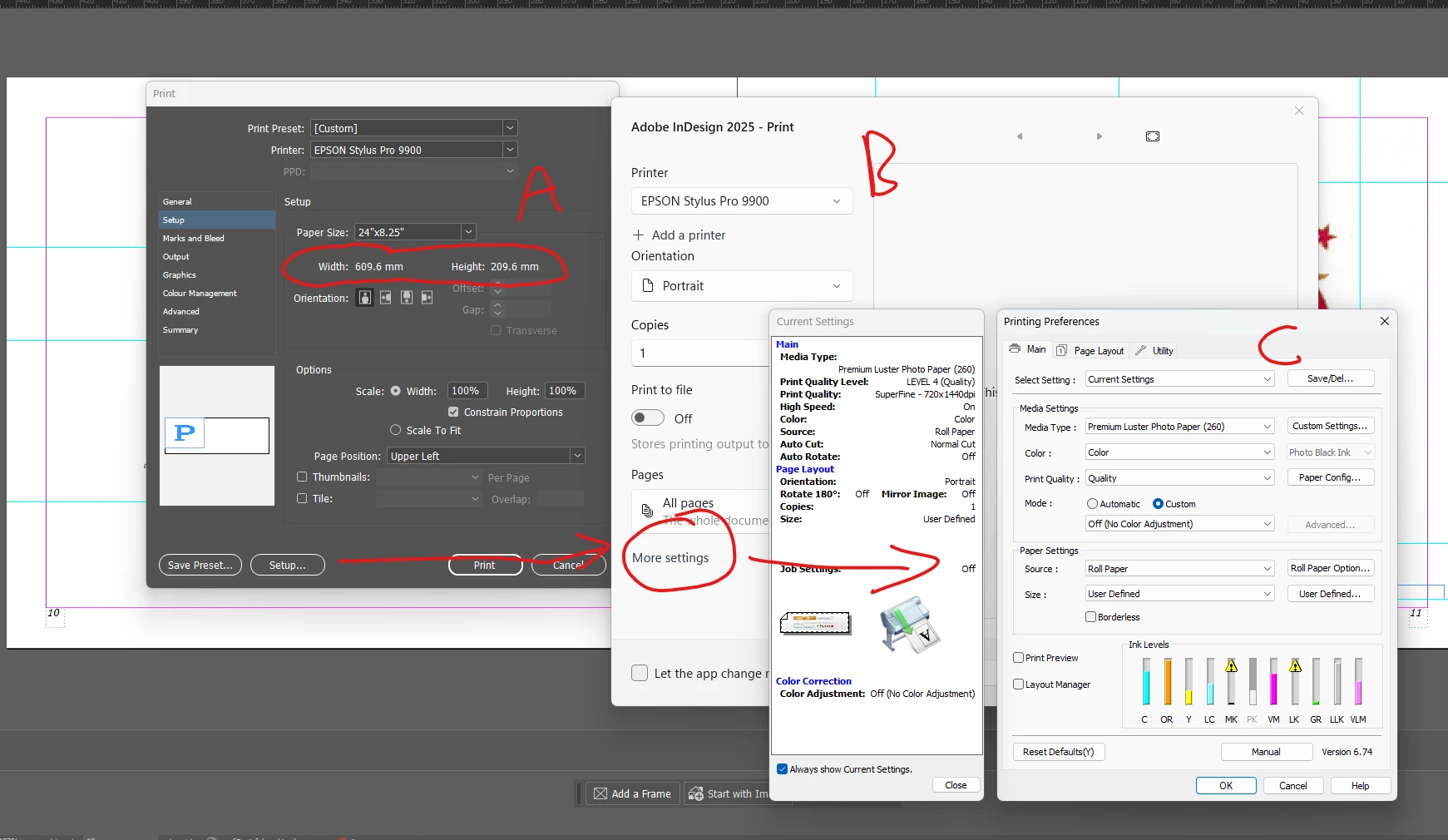
The only way I could get the desired value in window A was to save it as a preset in the print driver window C, then it shows up in the dropdown on window A.
If I just entered the paper size in windows C (as normally would in photoshop) after clicking OK the only option I get on window B is to print (and that just comes up with an error) , I cant seem to get back to the Indesign print dialogue A from window B with the new values for paper size. Is there a way to disable the window B which seems to be some part of Windows 11 ? Or is this a Bug?
 AdChoices