



Shlomit Heymann
Inspiring
July 25, 2024
Question

Problem with flowing text into a text frame with "Type on Path"

  • July 25, 2024
  • 2 replies
  • 8287 views

Hello,

I have reported this issue in prerelease but recieved no answer so I decided to post it here too. (I could not remember if I did or not but couldn't find that I did).


It's been a longe time since I wanted to report this behavior (perhaps someone did), but for some reason I did not. I came to find this problem when I was working on a unique job but I will only describe the problematic part.


I created a text frame and made it's frame into "Type on Path". I then inserted a horizontal stroke with baseline shift so It will always be on the same distance from the top when I change the text frame's height. The text frame was also defined with Text Wrap (Jump to next column). I did it because there is no way to give a stroke to one side of a text box or any other graphic object (like you can do in a table cell).


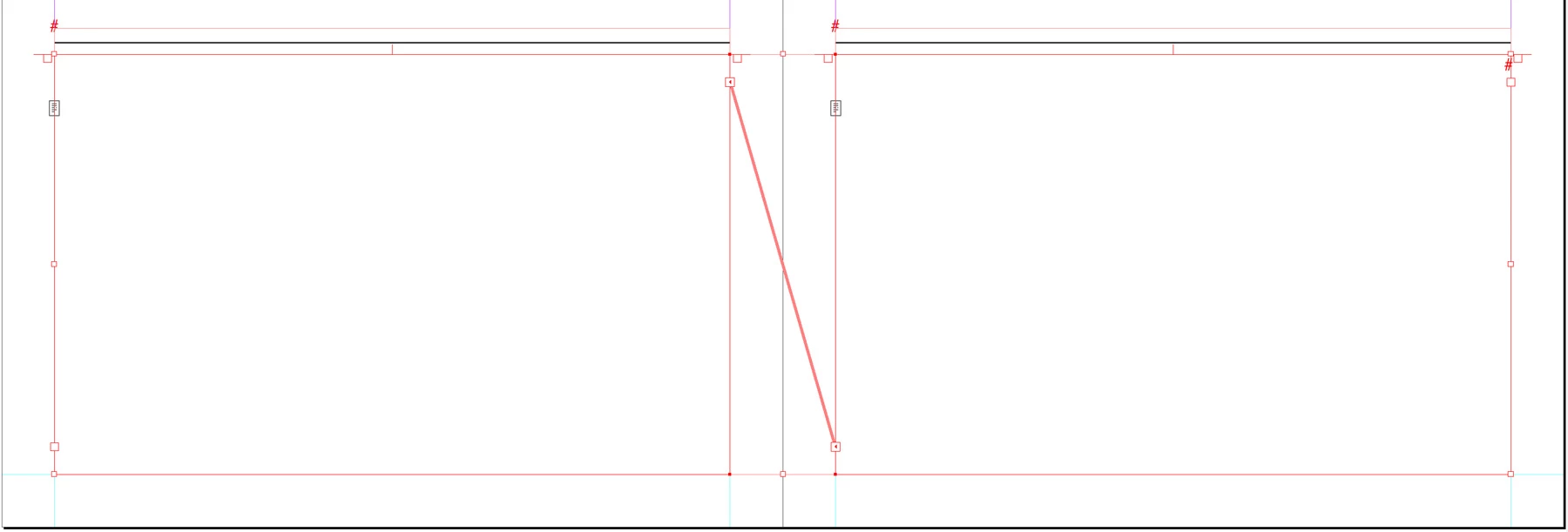
The text frame was placed on a parent page, on both sides of the parent spread and was threaded (In my case from Right to Left) like this:


I then went to page 1 I loaded the text I had in another text frame on the pasteboard and shift+Clicked the frame on the first page to auto flow it into these frame I created in the Paren Spread. InDesign didn't recognize that they are threaded in 2 ways:

1. The text flew into the first frame but then it flew into the type on path area.

2. InDesign flew the text only to the Right side pages and ignored that the text frame was threaded.
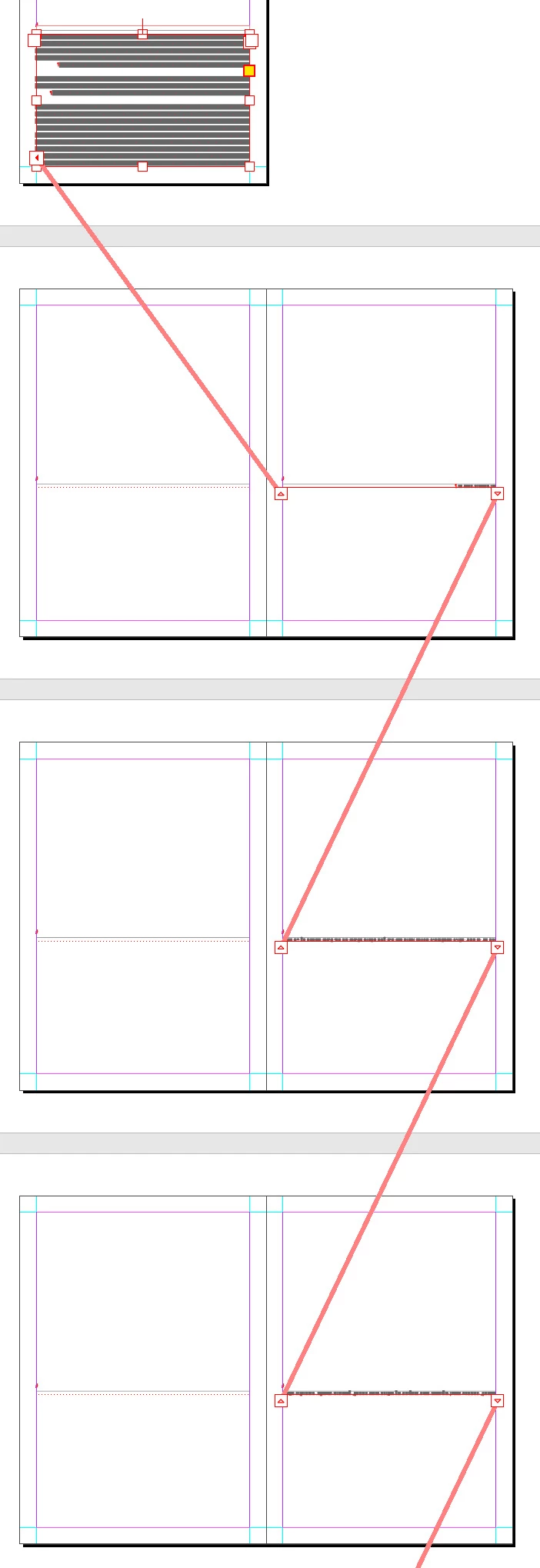


When a text frame is set with "Type on Path" area,  InDesign prefers to flow the loaded text into that area and will ignore the threaded text frame.


I hope I managed to explain it as I find it a bit complicated.


I did a test on a Right to Left document and also on a Left to Right document and found the same behavior but I only tested in on my Middle Eastern version. 


I also created a video that shows what I was doing.


Can you create this behavior too?


Thank you,

Shlomit

This topic has been closed for replies.

2 replies

Rene Andritsch
Community Expert
August 4, 2024

@Shlomit Heymann have you tried to achieve the line above with a bit unconventional settings for a drop shadow and some fill and stroke (to hide the rest of the drop shadow)? My screenshot is in German but you can see the entry fields that are populated to recreate it. In my case I applied the effect to the Fill. You can then apply this as an Object Style to your text frames. Maybe that also solves your issues as you are no longer in need of that horizontal stroke.

Community Expert
August 4, 2024

Nice idea! 

Community Expert
July 26, 2024

When you first click into the text frame you can see your Text Insertion Point blinking in the top on the Path - as it selects the Text Path first.

Click again to access the Text Frame 

It will then show the Text Insertion Point blinking in the Text Area - then Paste the text


Video attached


Shlomit Heymann
Inspiring
July 31, 2024

Thank you @Eugene Tyson but it looks like you didn't follow my description of how to create the problem which is completely difeerent than what you showed me. By now the problem is confirmed to the Middle Eastern Version 2023 & 2024 in Prerelease forums.

all the best,

Shlomit

Rene Andritsch
Community Expert
August 5, 2024

Rene's suggestion for using a drop shadow is very clever but when I tried to replicate it, although it looks right in InDesign, it seems to disappear when exported to PDF.


I think Robert is right and a script is going to be the best solution.


If you created two object styles (Floating Rule and Top-Ruled Text Frame say) a script could:

  • Delete every instance of Floating Rule 
  • Find every instance of Top-Ruled Text Frame
  • For each Top-Ruled Text Frame draw a rule x points above and apply the Floating Rule object style


I think you are working on a Mac. If so I could have a go at writing something in AppleScript to do this.


@Nick Passmore Thanks – i totally forgot to write a PDF and can confirm that the effects are not handled correctly on output. I will log a bug report for this.