

ezpower
Participating Frequently
August 19, 2022
Question

PublicSans-Regular Font not Displaying Correctly

  • August 19, 2022
  • 2 replies
  • 546 views

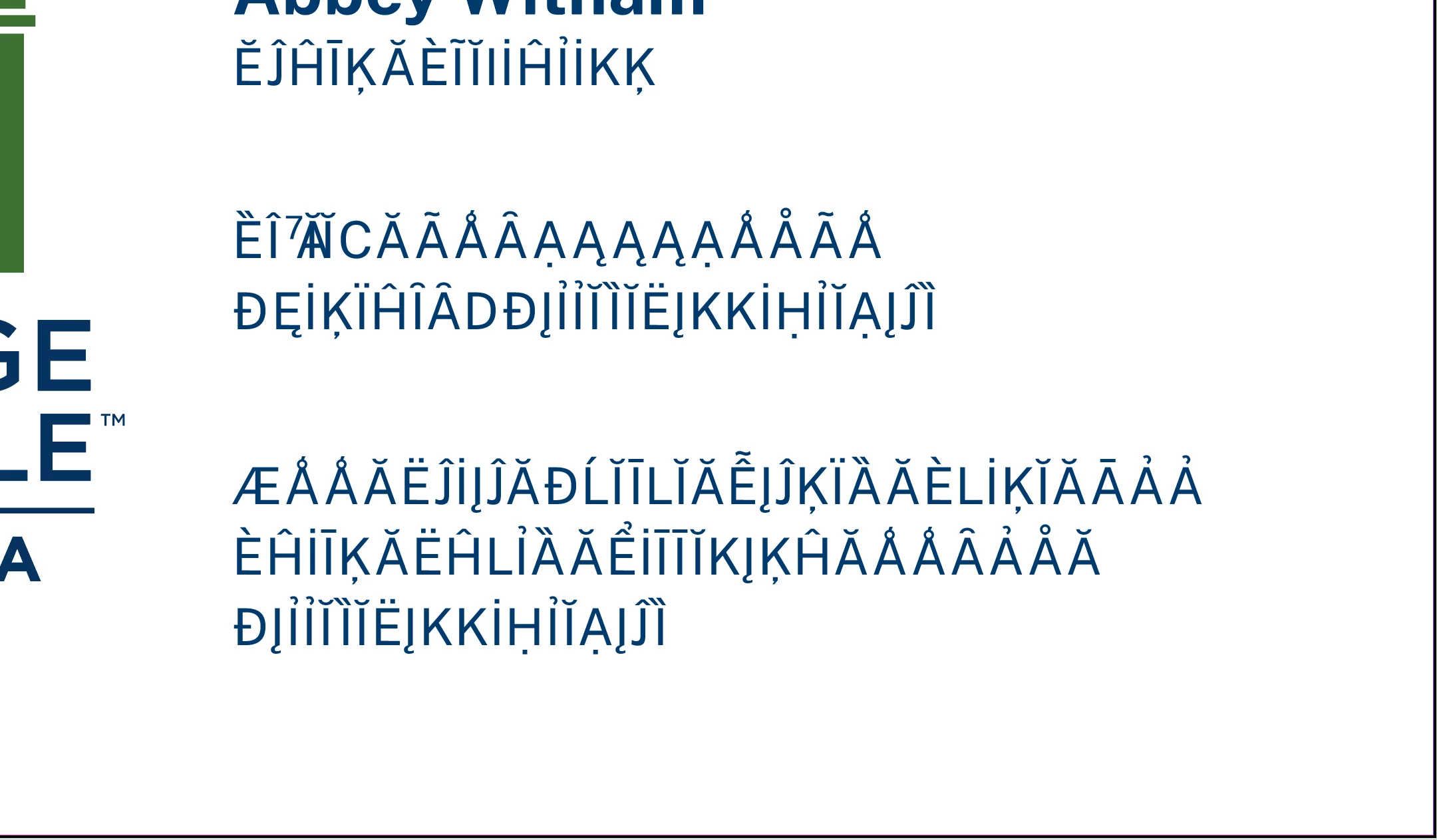
PublicSans-Regular Will display for a bit then it goes to wierd character display. Close the file, re oppen, it will work for a while then goes to crap again.

This topic has been closed for replies.

2 replies

Rishabh_Tiwari
Community Manager
Community Manager
August 19, 2022

Hi @ezpower ,


Sorry to hear about the trouble. In addition to the question asked above, could you also confirm if it's happening only with InDesign only or with other applications as well? 


Regards

Rishabh

ezpower
ezpowerAuthor
Participating Frequently
August 19, 2022

InDesign. Have not seen this in any other application

Willi Adelberger
Adobe Expert
August 19, 2022

Answer this question: What file type?

Willi Adelberger
Adobe Expert
August 19, 2022

What file type?

Does it show wrong in PDF or in InDesign or in both?

Where is the font installed?

What version of InDesign do you use?

ezpower
ezpowerAuthor
Participating Frequently
August 19, 2022

InDesign 17.3. Font is in Document Fonts folder within the folder where InDesign resides. Also tried using Suitcase, or Connect Fonts, now that they changed the name. Same results. Display fine for a while then this. Along with Public Sans Bold, which displays correctly. The wierd part. is that it will work for a while, and then all of a sudden will display the characters. Have not saved to PDF after the wrong isplay. Will have to try.

Willi Adelberger
Adobe Expert
August 19, 2022

What file type?