Hi together,
did some more tests with the available InDesign documents from Tina and usfcadurning.
The issue is clearly the Adjust Layout feature in the individual spread, be it a master spread or a document spread.
My assumption here is that a bug with Adjust Layout that was later fixed with InDesign 14.0.2 or 14.0.3 and that was introduced with 14.0.0 is still visible in the documents opened and saved with version 15.
The bug may be fixed but only in the sense that 14.0.2 or 14.0.3 and above will not create it.
Older documents from 14.0.0 when worked on with later versions still show it.
Fact: Both available test documents were at least one time saved with 14.0.0.130 where two now known and later fixed bugs with Adjust Layout were still there: [1] Turn OFF the Adjust Layout by default in Margins and Columns dialog, [2] Adjust Layout is not triggered when a Master Page which has different margins and/or page size is applied to a document Page breaking existing user workflows.
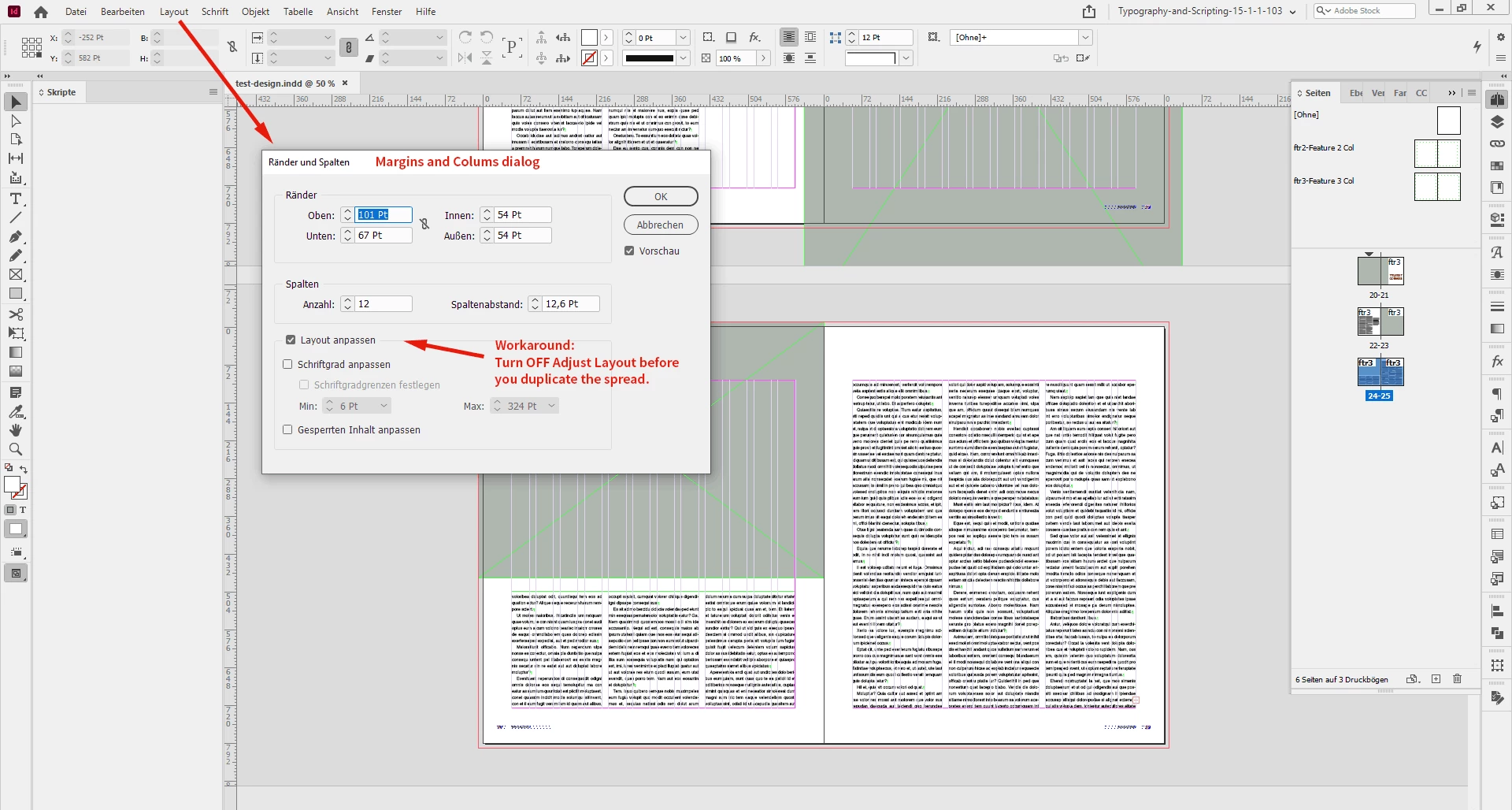
As a workaround, not a fix, just turn off Adjust Layout in the Margins and Columns dialog for spreads before you duplicate master spreads or duplicate document spreads. From my German InDesign 2020:
What I also tested and did not help:
[1] IDML roundtrip: Export to IDML, open IDML file as document in the same version of InDesign
[2] Doing new master spreads from scratch in the original document.
Regards,
Uwe Laubender
( ACP )




 AdChoices