


Inspiring
December 13, 2023
Answered

"New Dialogue" pop-up not appearing for InDesign

  • December 13, 2023
  • 3 replies
  • 771 views

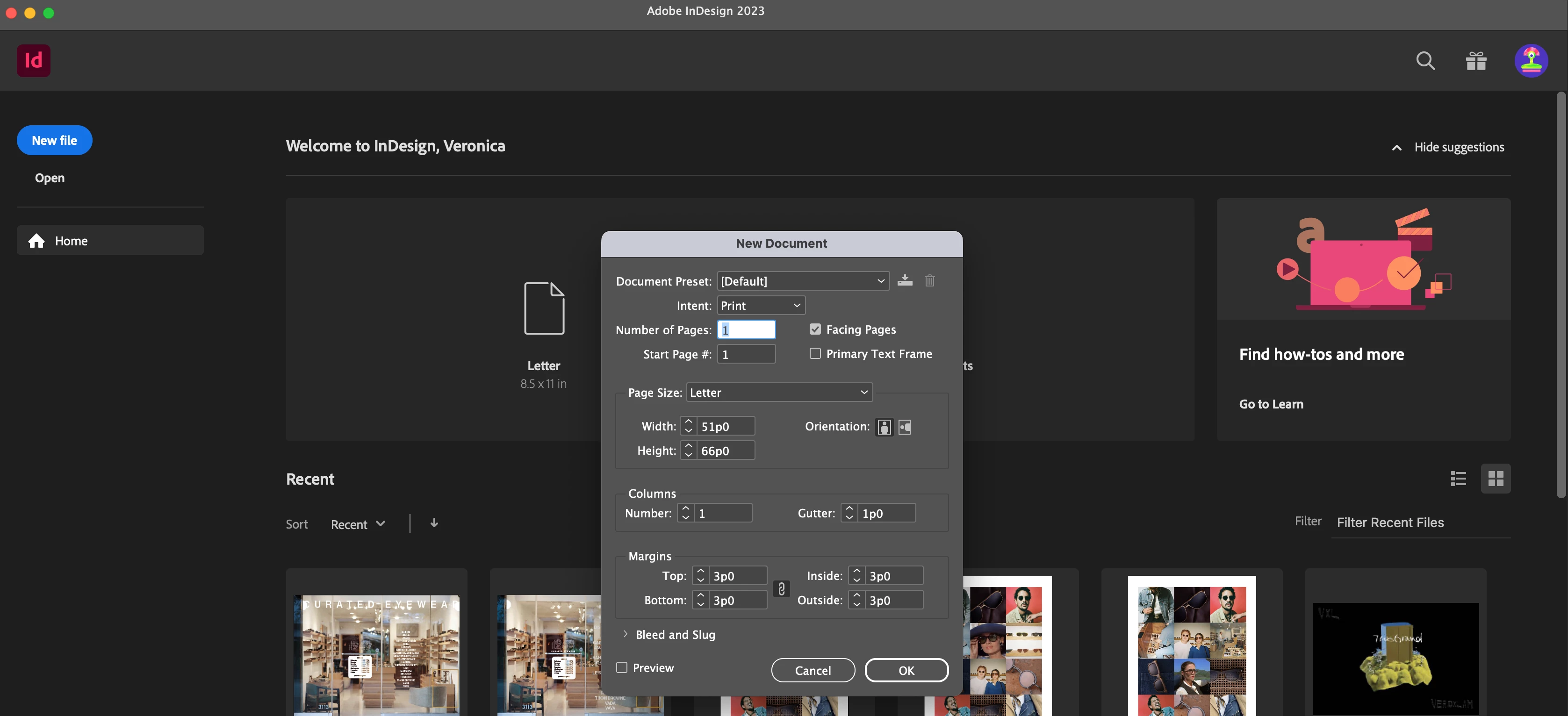
I don't know what happneed to my InDesign but when  I start the app, the home screen looks normal. When I go to make a new document, only this (see picture) appears, not the usual dialogue box with all of the document options. I  change change my measurement units or use an templates. I think theres also some bugs in the actual app itself like some things are missing. This is so frustrating and I need to fix this for work--please help!


This topic has been closed for replies.
Correct answer Veronica3101218117op

I fixed it! On mac: indesign --> preferences --> general ---> uncheck Use legacy "new design" dialogue

3 replies

Veronica3101218117opAuthorCorrect answer
Inspiring
December 13, 2023

I fixed it! On mac: indesign --> preferences --> general ---> uncheck Use legacy "new design" dialogue

Inspiring
December 13, 2023

I don't know what happneed to my InDesign but when  I start the app, the home screen looks normal. When I go to make a new document, only this (see picture) appears, not the usual dialogue box with all of the document options. I  change change my measurement units or use an templates. I think theres also some bugs in the actual app itself like some things are missing. This is so frustrating and I need to fix this for work--please help!


kglad
Community Expert
Community Expert
December 13, 2023

in the future, to find the best place to post your message, use the list here, https://community.adobe.com/

p.s. i don't think the adobe website, and forums in particular, are easy to navigate, so don't spend a lot of time searching that forum list. do your best and we'll move the post (like this one has already been moved) if it helps you get responses.


<"moved from using the community bugs">
Inspiring
December 13, 2023

I meant "New Document" Dialogue box


kglad
Community Expert
Community Expert
December 13, 2023

in the future, to find the best place to post your message, use the list here, https://community.adobe.com/

p.s. i don't think the adobe website, and forums in particular, are easy to navigate, so don't spend a lot of time searching that forum list. do your best and we'll move the post (like this one has already been moved) if it helps you get responses.


<"moved from using the community bugs">
Inspiring
December 13, 2023

Hi thank you. Im going to repost because i named this one incorrectly