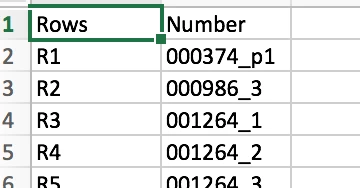
It made me think of different ways of doing this, now I am reading straight from an excel document with just one column filled with the file names, a lot simpler.
My new script is below if anyone would like to use it.
// Copying Finder files from one folder to another from reading Excel document
var mySource = Folder.selectDialog ("Choose the Source folder")
var myTarget = Folder.selectDialog ("Choose the Target folder")
var excelFile = File.openDialog("Choose Data File (Excel or csv)")
app.documents.add(); // Create New Document
var textFrame = app.activeDocument.pages[0].textFrames.add({geometricBounds: [0, 0, 50, 100]}); // y, x, y2, x2
textFrame.place(excelFile); // Place Excel contents in InDesign
var txt = textFrame.texts[0];
var lines = txt.lines;
// Delete any lone returns on document
app.findGrepPreferences = null
app.findGrepPreferences.findWhat = "^\\r"
app.changeGrepPreferences.changeTo = ""
app.changeGrep()
// Work through each line of text
for (var i = 0; i < lines.length; i++)
{ fileName = lines.contents.replace( RegExp("\\r") , "" ) // Removes the return at the end of the file name read
try { File (mySource+"/"+fileName).copy(myTarget+"/"+fileName) // Copy to target folder
lines.remove(), i-- } catch (er) {} // removes lines from document
}
app.documents[0].close(SaveOptions.no); // Close without saving
alert ("Finished")




 AdChoices