


Answered
Regular view of document breaking/bugging when zooming/scrolling. Overprint preview is a workaround
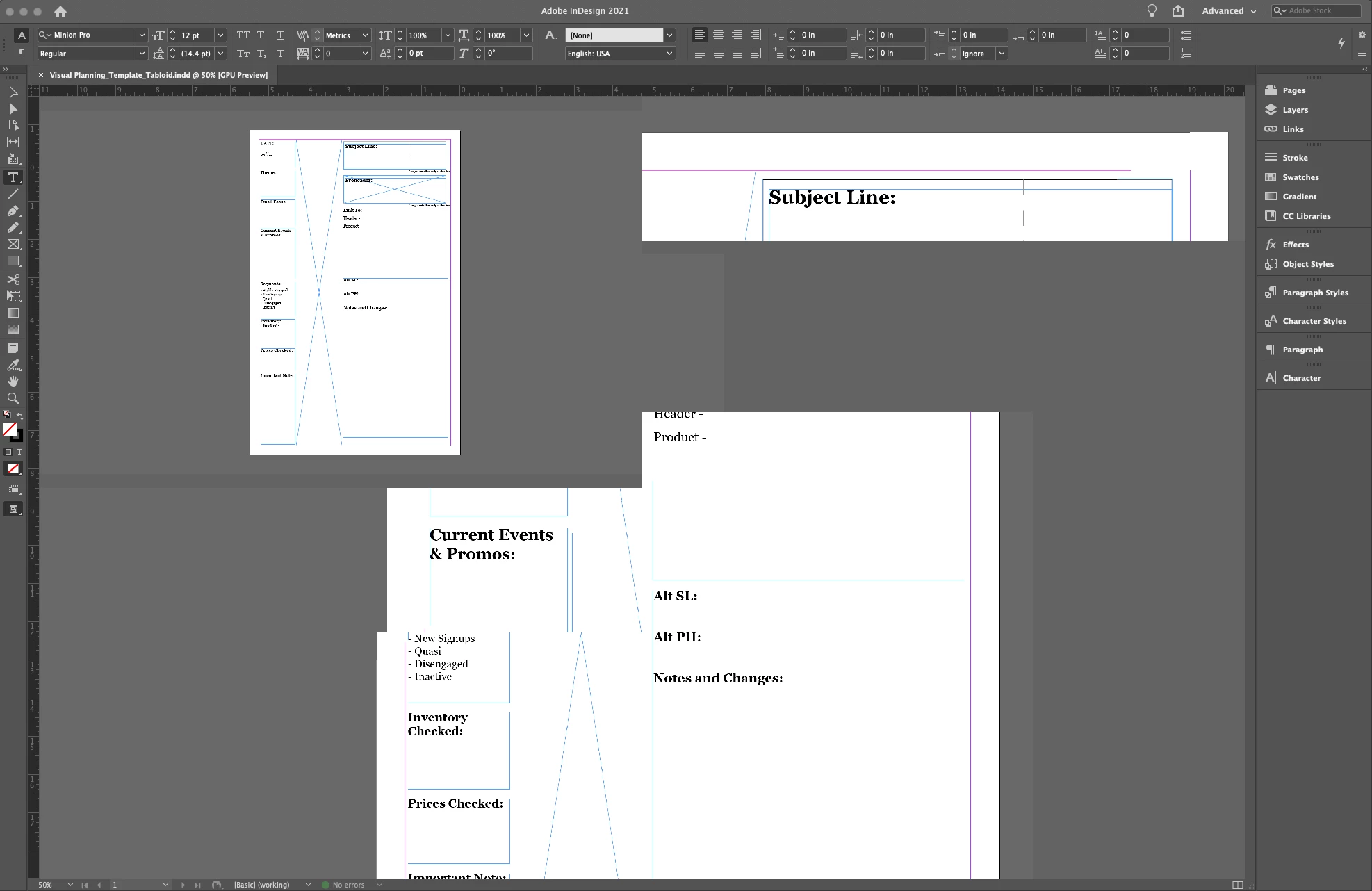
I just got a new MacBook Pro (16-inch, 2019) and got the newest version of InDesign installed (16.2.1). On my old Macbook, I was able to use the default view for my document and use mouse wheel, option+mouse wheel, and command+mousewheel to zoom and scroll my document with no problems.
With my new one I get this very strange segmented buggy view as I try to move around my document. The only functioning piece is the small box in the top left of the view window. Other than that, all elements are frozen. The only way I've been able to workaround this right now is by using overprint preview mode. I have already quit the program and opened it fresh. I still see the same issue. Can anyone help me?
 AdChoices