Inspiring
December 26, 2023
Answered

Resize TextFrame Not Performing Correctly

  • December 26, 2023
  • 4 replies
  • 1386 views

Hello, 


I have been resizing textframes of tables using the following code in UXP scripting: 

textFrame.fit(inDesign.FitOptions.FRAME_TO_CONTENT);


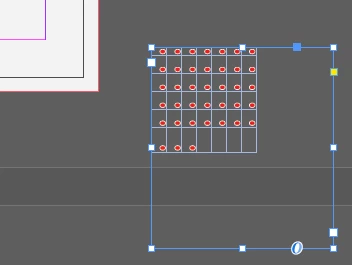
However, in the case that the table is outisde of the page bounds, like somewhere below the page for example, this code no longer works as expected. What is a good solution for resizing the textframe to fit its corresponding table bounds in these instances? 
This topic has been closed for replies.
Correct answer Peter Kahrel

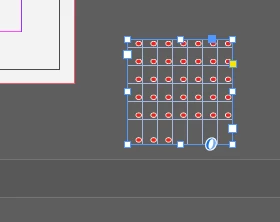
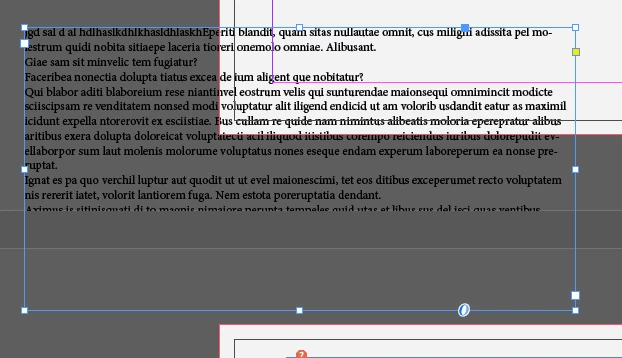
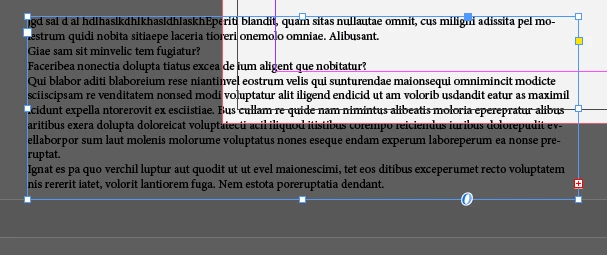
Unfortunately not:

will fit correctly:


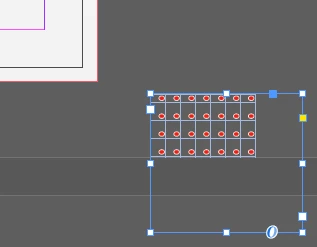
But when not all rows of the Table are visible:

will extend horizontally:


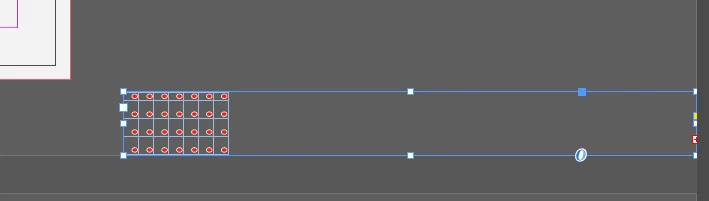
In this case - won't budge at all - all rows won't be visible anyway:


BUT, as long...

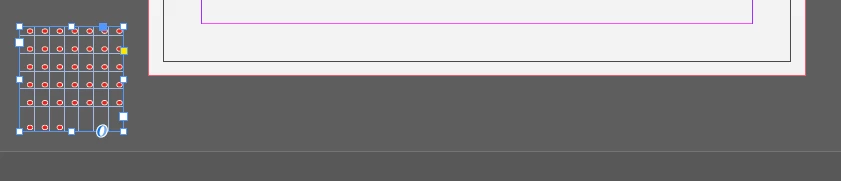
... as after 1st fit whole Table can fit:

2nd fit will do the job:


BUT - not a problem at all with Text only:


Aha. Good sleuthing. Well, the workaround stands: move the table's frame to the top left and resize it there.

4 replies

Braniac
December 27, 2023

I receive an error saying FitOptions is not defined.


You need to declare/define FitOptions:


const {app, FitOptions} = require("indesign");
app.selection[0].fit (FitOptions.FRAME_TO_CONTENT);
Braniac
December 27, 2023

Didn't read your post correctly.

The behaviour you see happens only when the bottom of the text frame extends below the bottom of the pasteboard. Clearly a bug. The workaround is to move the table up so that the whole frame is on the pasteboard (not necessarily the page).


Robert at ID-Tasker
Braniac
December 27, 2023

Not exactly - doesn't matter if TF is extending to the next Spread's Pasteboard or fits in the current Spread's Pasteboard or is on the side and not below of the Page or if part of the TF is on the page - it still won't fit propery.


Braniac
December 27, 2023

If the text frame is entirely on the pasteboerd it doesn't matter where it is relative to the page, it's always resized correctly. Only if the bottom of the frame extends beyond the bottom of the pasteboard does the fit() función not work correctly.

Braniac
December 27, 2023

It's

textFrame.fit(FitOptions.FRAME_TO_CONTENT);
Inspiring
December 27, 2023

I receive an error saying FitOptions is not defined. For context, one line before this I was using this: 

const inDesign = require("indesign")

which would provide me the option to use inDesign.FitOptions

Robert at ID-Tasker
Braniac
December 27, 2023

What exactly is wrong? 


Can you post a screenshot? 


Inspiring
December 27, 2023

So when I try and use the .fit function for a textframe on a table below the inDesign page, it does not fit around the table, and it just extends to infinite bounds.

Robert at ID-Tasker
Braniac
December 27, 2023

Can you share your document?