

Legend
May 24, 2021
Answered

Retrieve number of the column of searched text

  • May 24, 2021
  • 2 replies
  • 1465 views

Hi,

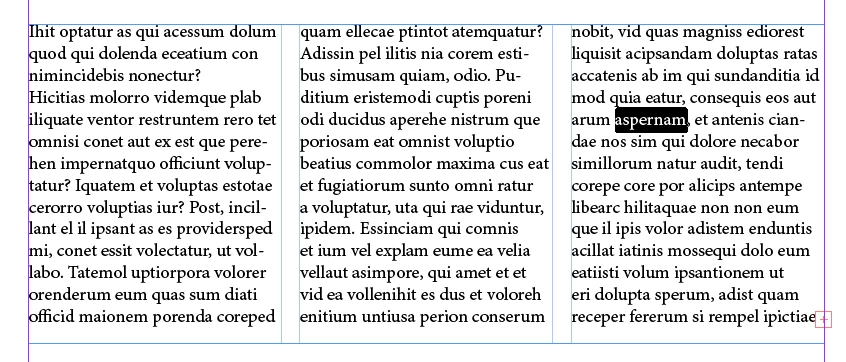
I am looking for how, with a GREP search, to retrieve the number of the column of the searched text, when this one is in a multi-column text frame.
Thanks for your help. 

Ronald

This topic has been closed for replies.
Correct answer rob day

You could try this:


var s = app.documents.item(0).selection[0];
var ho = s.horizontalOffset;
var cc = s.parentTextFrames[0].textFramePreferences.textColumnCount;
var cw = s.parentTextFrames[0].textFramePreferences.textColumnFixedWidth;
var g = s.parentTextFrames[0].textFramePreferences.textColumnGutter;
var x = s.parentTextFrames[0].geometricBounds[1]


for (var i = 0; i < cc; i++){
    var cx = i*(cw+g) + x;
    if (ho >= cx && ho < cx + cw) {
        alert("Selected text starts in column " + (i+1))
    } 
};   


2 replies

FRIdNGE
Inspiring
May 26, 2021
FRIdNGE
Inspiring
May 26, 2021

But not really convinced by the answers given!


It seems to me the matter is more about a geographic localization!

That remembers me about a script of mine written in 2011 and this function "InsertCoordinateMultiPageRefs()" that added "tl" for "top-left", "tr" for "top-right", "bl" for "bottom-left", "br" for "bottom-right" after each "index entry page number", basing on the index entry marker insertion point "horizontalOffset/baseline" values!


Funny!


(^/)  The Jedi

rob day
Community Expert
Community Expert
May 26, 2021

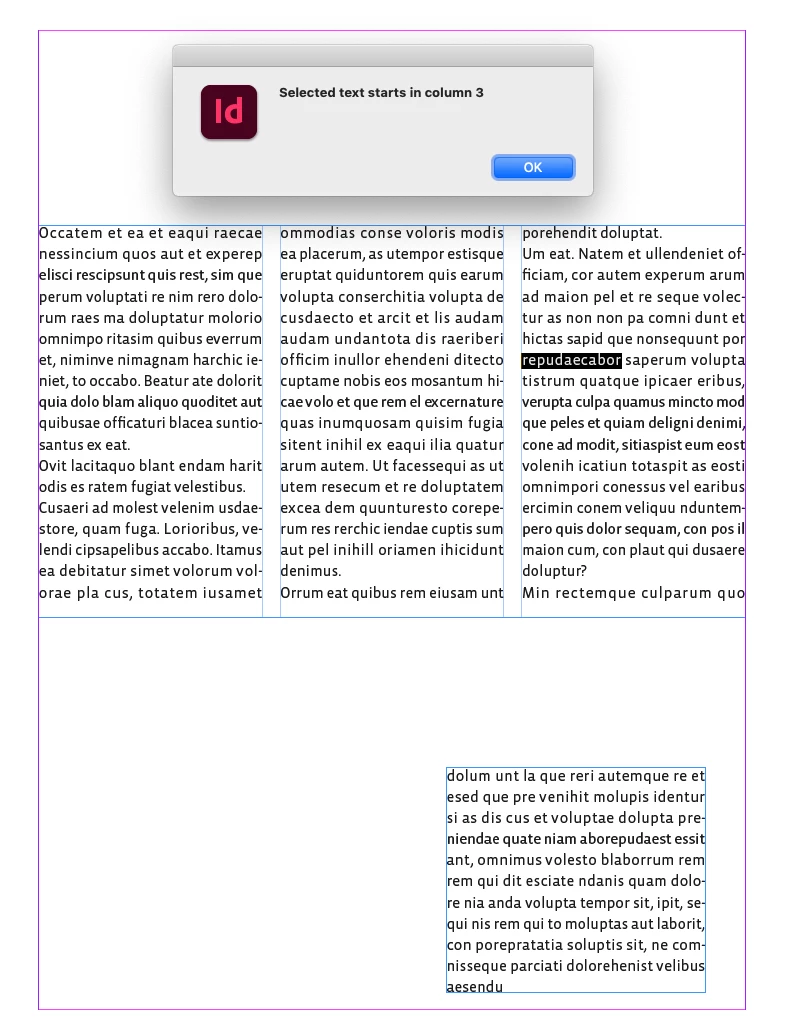
Peter’s one liner is working with my selected text example:


var insPoint = app.documents.item(0).selection[0].insertionPoints[0];
var columnIndex = insPoint.parentStory.insertionPoints.itemByRange (insPoint.parentTextFrames[0].insertionPoints[0].index, insPoint.index).textColumns.length;
alert("Selected text starts in column " + columnIndex);


Also works with a split column:


TᴀW
Legend
May 24, 2021

It's not possible with GREP to know anything about columns, unfortunately.

It is possible (but not easy) with scripting. (Not easy when span and split column is being used.)

Ronald63Author
Legend
May 24, 2021

Hi,

That's what I thought, but maybe someone had the quick fix 🙂

When you say "It is possible (but not easy) with scripting", can you tell me more? I looked at the properties of textframe, story and insersionpoint and couldn't find anything.

Regards

rob day
Community Expert
rob dayCommunity ExpertCorrect answer
Community Expert
May 24, 2021

You could try this:


var s = app.documents.item(0).selection[0];
var ho = s.horizontalOffset;
var cc = s.parentTextFrames[0].textFramePreferences.textColumnCount;
var cw = s.parentTextFrames[0].textFramePreferences.textColumnFixedWidth;
var g = s.parentTextFrames[0].textFramePreferences.textColumnGutter;
var x = s.parentTextFrames[0].geometricBounds[1]


for (var i = 0; i < cc; i++){
    var cx = i*(cw+g) + x;
    if (ho >= cx && ho < cx + cw) {
        alert("Selected text starts in column " + (i+1))
    } 
};