Copy link to clipboard
Copied
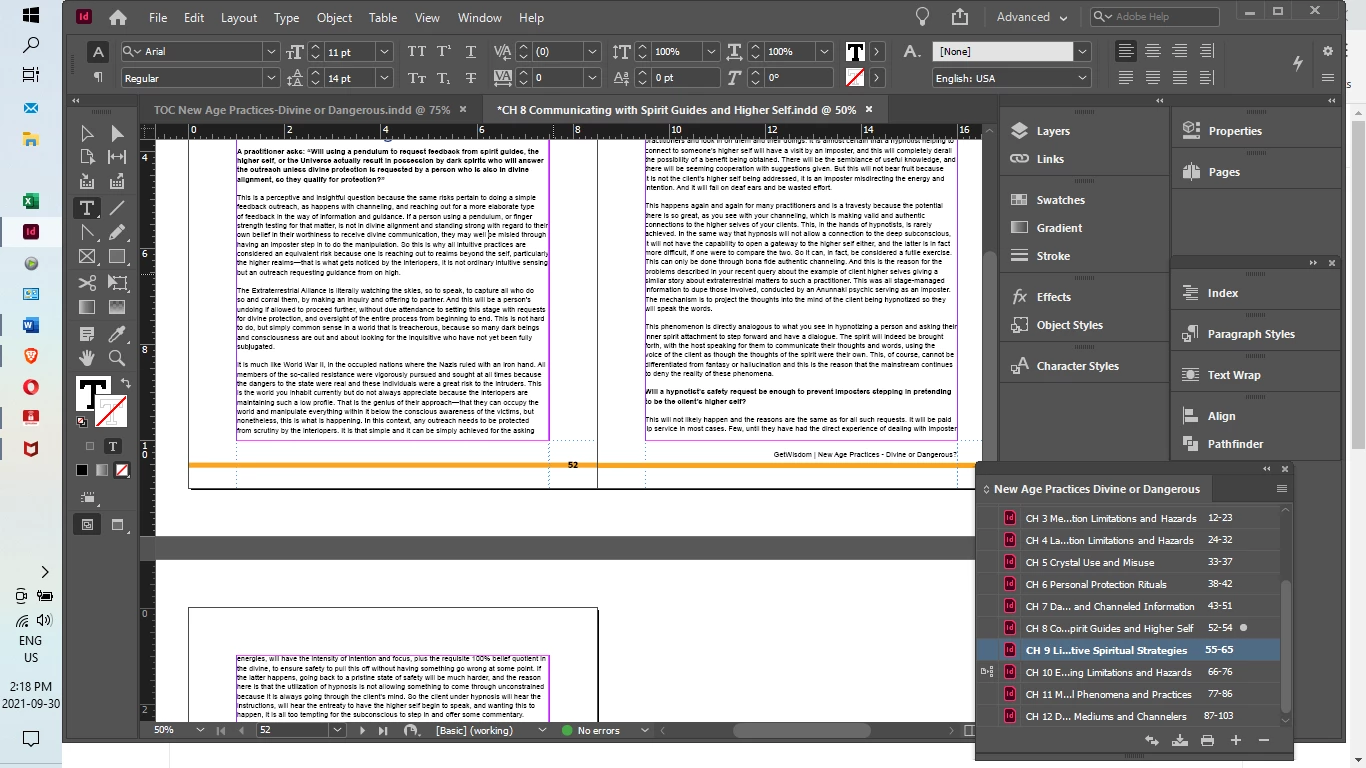
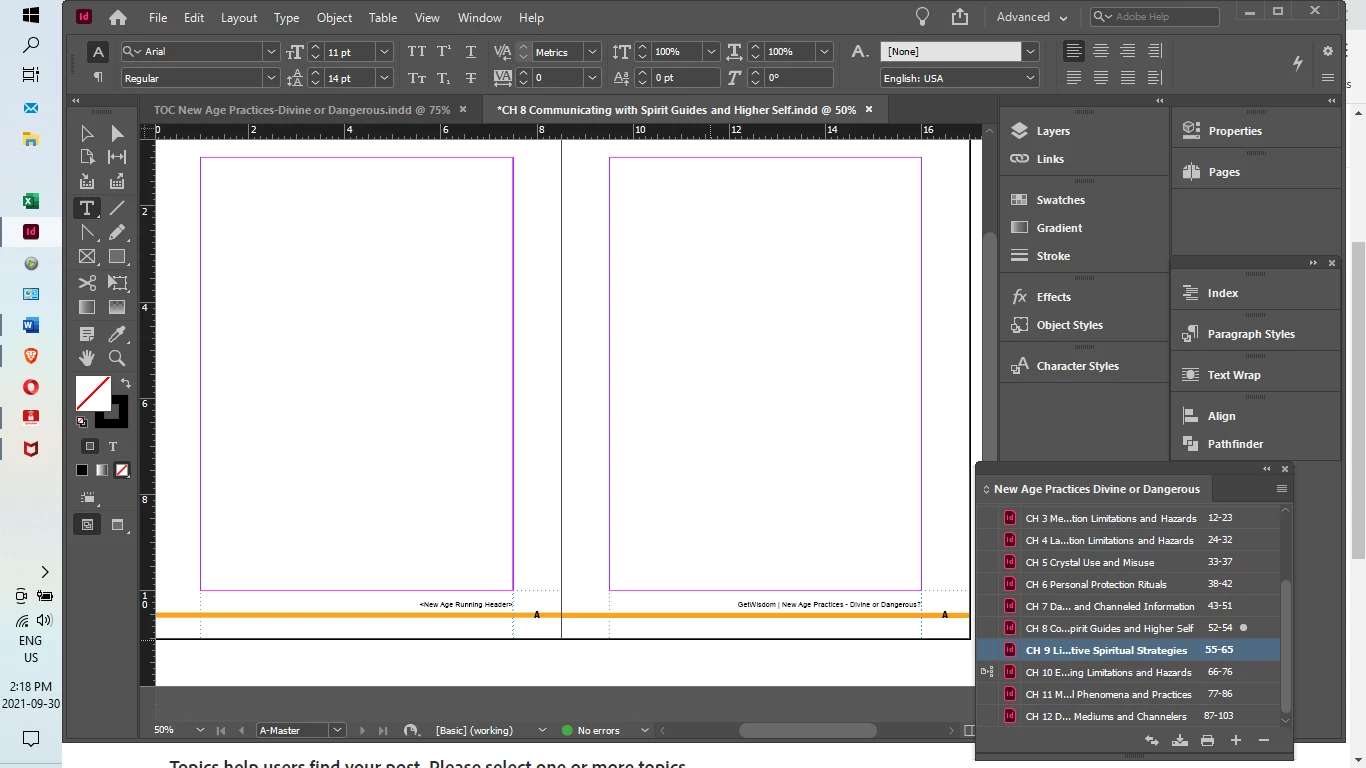
I have used a previous book template for a new book. So I have updated the text variables to the new book title. I have gone through each A-Master in each chapter and inserted the new title. If there's an easy way to do this for all chapters at once, please let me know. Three of my twelve chapters will not display a running header even though it is in the A-Master. What has gone wrong and what should I do? Thank you.
Copy link to clipboard
Copied
If you reapply the A-master to page 52, does the running head appear? I once discovered that I was accidentally control-shift-clicking items off the master page and on to the document page (which is not what I imagine is happening to you, unless you are also running Autohotkey and forgetting about your fancy shortcuts) and, to fix it, I simply had to reapply the master pages to get 'em back.
I also see that you're using Chapter 10 as your sync source, so I'd suggest that you look at both your Chapter 10 to make sure that its master page has your running heads, and likewise you should check your Synchronization Options to make sure that your master pages are being synced. (Or, alternately, you could make sure that they're not being syncedd, so you can then go through and manually insert your running heads, or manualy import your master pages that have the right running heads.)
Copy link to clipboard
Copied
Thank you Joel,
I will have to play with this a bit to understand and respond more fully. My sync source was intended to be Chapter 1 and I have no idea how it made it to Chapter 10 but I had noticed and moved it back to where it was intended. I don't have any fancy shortcuts intentionally.
I did try to reapply the master pages and had no luck with that. You've given me lots of options to investigate and I will go through them and let you know if successful.
Copy link to clipboard
Copied
Hi Joel,
I found that I was unable to do as you suggest. Strangely the A-master that was applied did contain the running header. What I observed was that in each of the three chapters that the running header would not display the chapter title was in two lines. I added this manually to each. Can you tell me how the double-line title impacts the running header? Is there some way to overcome this?
Copy link to clipboard
Copied
Well, if you were to look at the master page when the header wasn't showing, did you have View -> Extras -> Show Frame Edges turned on? If not, did you click in roughly the place where the header should have appeared? Because running heads (and other uses of Text Variables) cannot display in a multi-line format; they have to display all on a single line. If you've not given enough space in your text frame on your master page that is supposed to display your running heads, they won't wrap to two lines. They have to be on a single line. InDesign's inability to display multi-line text variables is a bit of a limitation in text variables, broadly speaking.
All of the meaningful workarounds I can think of are rather heavy on manual clicking, if I'm working on the final version of a document. It's much faster, I've found, to just do the running heads manually on a few chapters, when the automation option requires me to e.g. split the chapter title into two paragraphs with two separate styles, and then make two separate variables to capture both lines.
Copy link to clipboard
Copied
I don't think I ever came out and said "Did you see if your long headers were actually showing up on your masters, but were hidden because they'd overflowed the text frame?" Sorry if that wasn't immediately obvious.
Copy link to clipboard
Copied
Hi Joel,
My Text Frame is large enough for the longer running headers, as the frames run from margin to margin. I realized that I had two separate styles for Chapter Titles, one called "Chapter Titles 2 lines". So I thought the answer would be to make a new Text Variable for the Chapter Titles 2 lines, then create a new Master that uses the new varible, to be applied to the three specific chapters. But I can't figure out how to change the Text Variable to the new one. Are Master Pages carved in stone?
Copy link to clipboard
Copied
Hi @kareng6591
I've skimmed this, so I may have missed something. In your first post you said you used text variables and later you said the long ones (two lines) don't work. A text variable in InDesign is treated a one character, so if the text frame isn't large enough, it will squish the text instead of wrapping it. Is that what is happening?
If so:
~ Jane
Copy link to clipboard
Copied
Hi Jane,
If you can see my response above, you will see that I made a second text variable to accomodate the longer title and intended to make another master page. But I'm not able to modify the new master page. What should I do?
Copy link to clipboard
Copied
You made the new B-master, right? In the Pages panel, you grab the B-master page and drop it on the little page icons in the Pages panel. Or, you can click the little menu icon in the upper right hand corner of the Pages panel and choose Apply Master Pages.
Copy link to clipboard
Copied
Thanks Joel,
I have made the new B-master with the hopes of altering the running header text. It is based on the A-Master to retain style, etc. I know how to apply Master Pages, I just can't make the changes I need to the running header of B-Master.
Karen
Copy link to clipboard
Copied
@kareng6591 wrote:
Hi Jane,
But I'm not able to modify the new master page. What should I do?
Hi Karen,
Your Master B is based on your Master A. You have two ways to edit it:
Hint: do the second method, not the first.
Jane
Copy link to clipboard
Copied
Hi Jane,
I finally "got" the point about Master B being based on Master A and the changes to A would show up in B. So I thought I had a solution by creating a new master based on "None." Then I added the details on the new master D that would be common to both D & E, created master E based on D, then added different different running headers to each. However, this only worked in one of three chapters that needed master E. The other two do not display a running header variable at all.
What else am I missing?
Get ready! An upgraded Adobe Community experience is coming in January.
Learn more