



running section header DESIGN
This is not a technical question about how to create or format running headers. I've got that down (finally) and have posted on it elsewhere on this forum.
This is a question about using InDesign's running header/footer capability to best effect on the page.
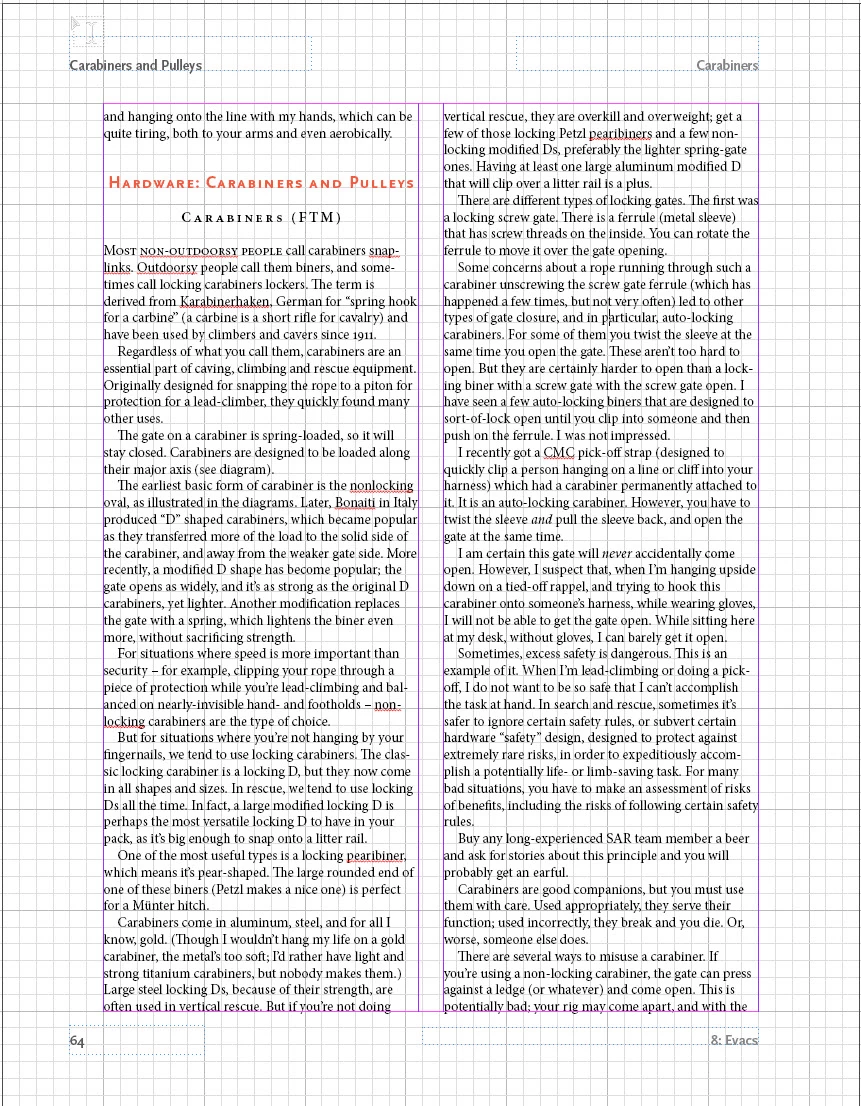
I am writing a textbook that I am self-publishing online, and have to choose a design for the running headers. I would like to have page numbers, a notation of which chapter it is, a section header, and a subsection header.
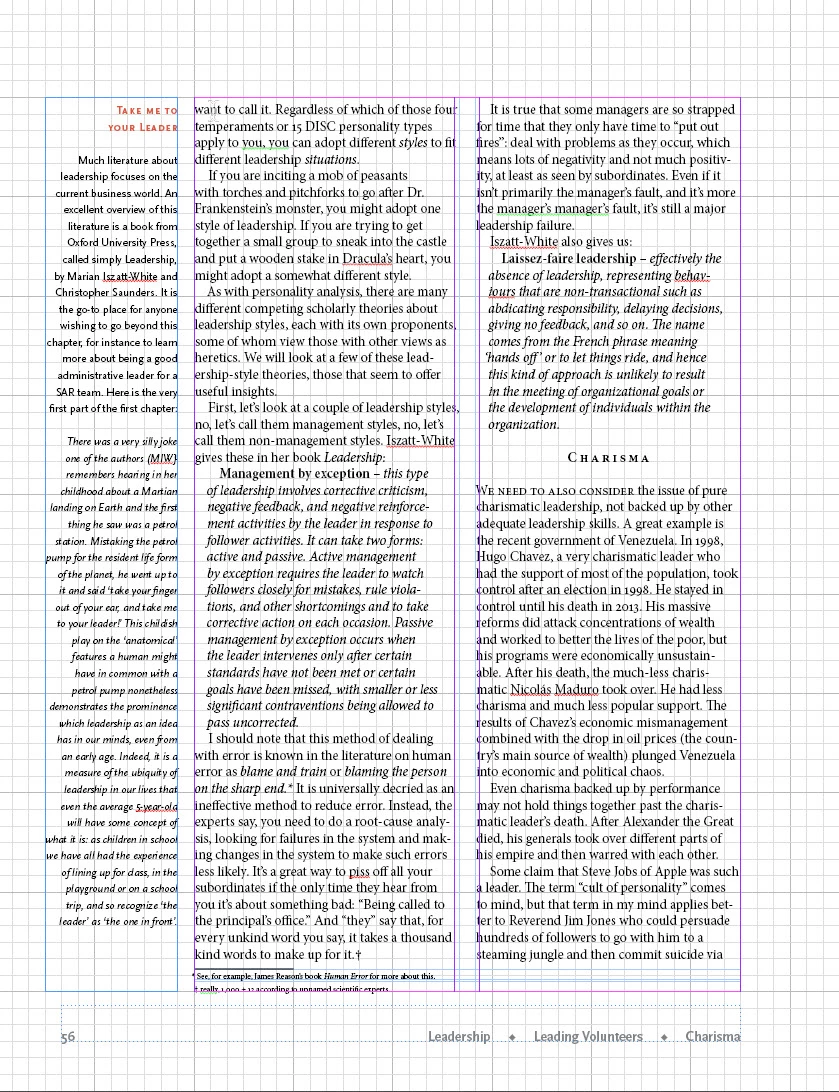
I have developed two completely different styles of running headers/footers and can't decide between them. I would like your help, and I think the discussion might be of wider benefit, which is why I am posting this here.
The first uses traditional positions: top and bottom, both towards away from the spine and towards the spine. This gives you four places to put headers, though one of them you should use for a page number. I think most would agree that the top away from the spine is the most prominent place, the bottom away from the spine the next most important place, and then towards the spine on the top and then towards the spine on the bottom. So, you can place your headers and page number based on position, and this provides some sort of hierarchy.
You can also differentiate your section headers by using typeface weight or tinting. In general, I like tinting (fading) more.
But on websites, people are getting used to what we call breadcrumb trails to provide a sense of where you are in the website, something that for a printed book is provided by physical clues as well as section headers.
For example, at the top of a webpage, it might say Main Page > Subpage > subsubpage to give you an idea of where you are in the hierarchy.
So, here are two pages with two different ways to manage chapter title and section and subsection headers using InDesign. Please help me choose between them.
Thank you for your thoughts.
 AdChoices