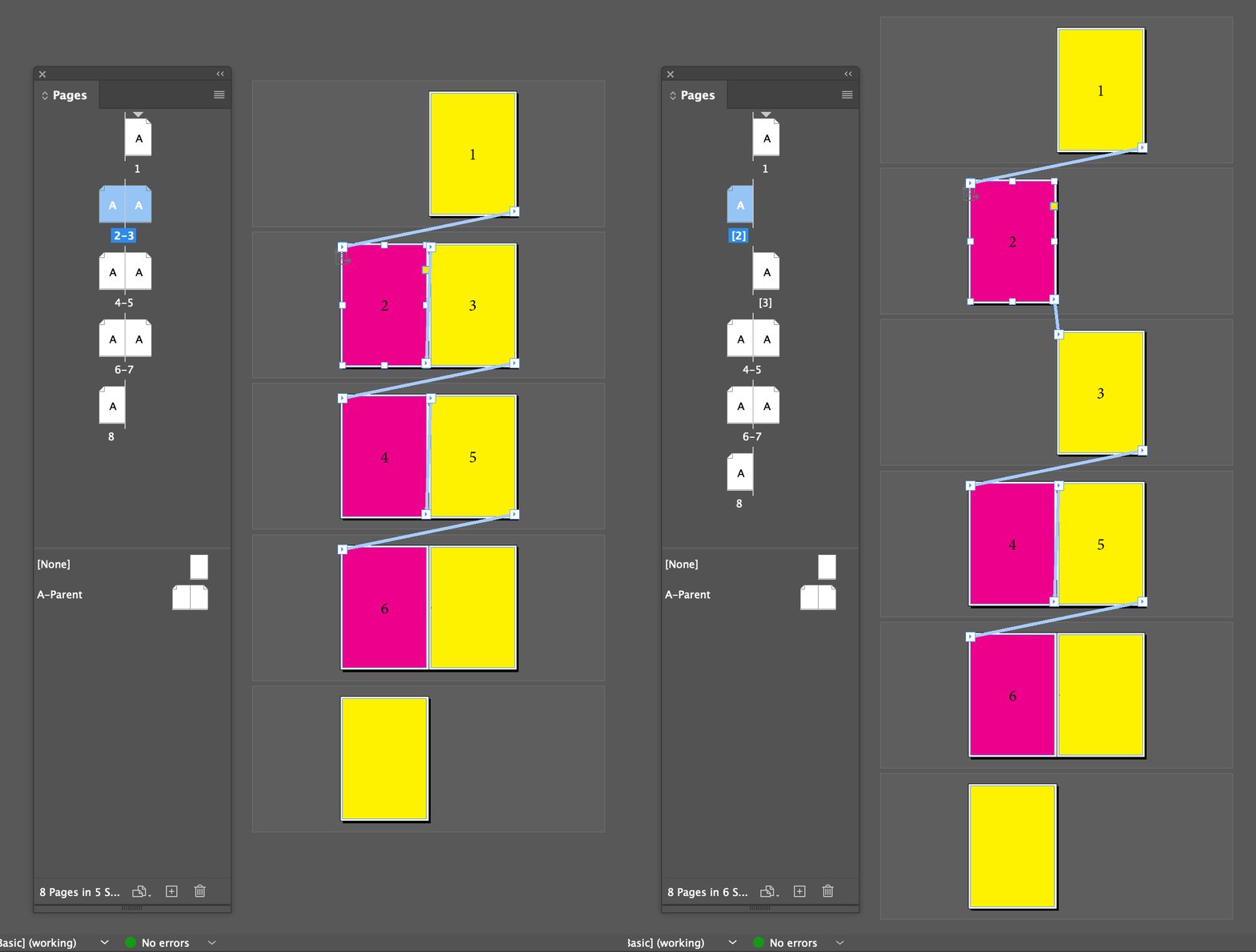
Hi @lfcorullon13651490, yes it could definitely be easier. But here is some code that works, at least in the basic case. Let me know if it is what you were thinking.
- Mark
/**
 * @file Split Spread.js
 * Split a double facing-page spread into two spreads, preserving sided-ness.
 *
 * CAUTION: not tested beyond the basic case!
 *
 * @author m1b
 * @discussion https://community.adobe.com/t5/indesign-discussions/script-split-spread-of-2-pages-into-2-spreads-of-1-page/m-p/14729224
 */
function main() {

    splitDoublePageSpread(app.activeDocument.layoutWindows[0].activeSpread);

};
app.doScript(main, ScriptLanguage.JAVASCRIPT, undefined, UndoModes.ENTIRE_SCRIPT, 'Split Spread');

/**
 * Split a double facing-page spread
 * into two spreads, preserving sided-ness.
 * @author m1b
 * @version 2024-07-10
 * @param {Spread} spread - an Indesign Spread.
 */
function splitDoublePageSpread(spread) {

    if (
        'Spread' !== spread.constructor.name
        || !spread.isValid
    )
        throw Error('splitDoublePageSpread: bad `spread` supplied.');

    if (2 !== spread.pages.length)
        throw Error('splitDoublePageSpread: expected 2 pages per spread.');

    // the right-hand page
    var page = spread.pages.lastItem();

    spread.allowPageShuffle = false;

    // add the new spread (note: it will also add two unwanted pages)
    var newSpread = spread.parent.spreads.add(LocationOptions.AFTER, spread, { allowPageShuffle: false });

    // slot the page in between the two unwanted pages
    page.move(LocationOptions.AFTER, newSpread.pages.firstItem());

    // remove the unwanted pages
    newSpread.pages.lastItem().remove();
    newSpread.pages.firstItem().remove();

};




 AdChoices