

Answered
script to arrange table
I have 5 tables in single page arranged vertically, is there any script to arrange them with equal vertical space between them...

I have 5 tables in single page arranged vertically, is there any script to arrange them with equal vertical space between them...
abhijeett89122812 wrote:
… they are three different tables... any other solution for this.
Hi together,
If I understand abhijeett right:
Three different text frames with three tables positioned on top of a graphic frame?
Then abhijeett already had the solution.
Unfortunately only sort of.
( One cannot trust the helpx pages these days… )
The helpx page is not showing the optional controls of the Align Panel abhijeett is needing.
Align and distribute objects in InDesign
First make the options visible:
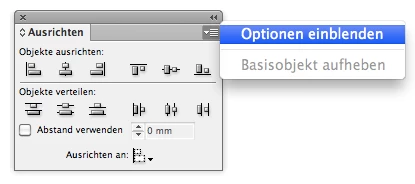
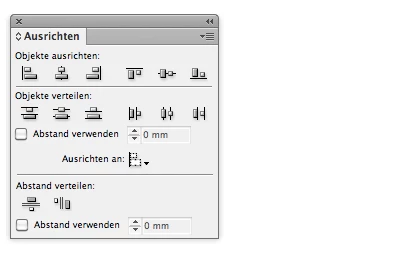
But before doing the vertical alignment with the Align Panel:
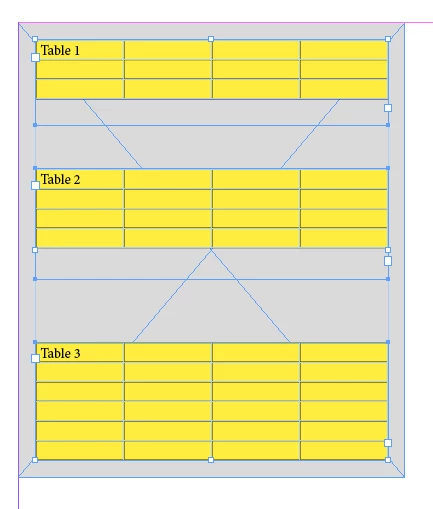
1. Select all three text frames
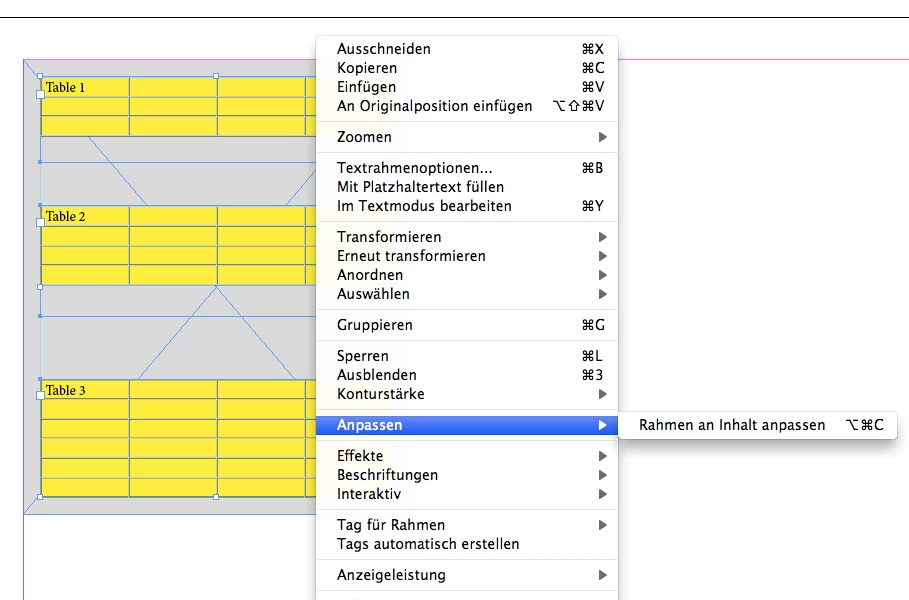
2. and fit frames to contents.
Then distribute vertically.
Select the text frames:
Fit frame to contents:
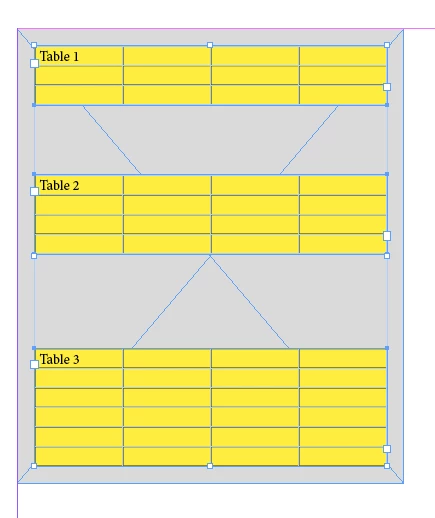
Distribute vertically:
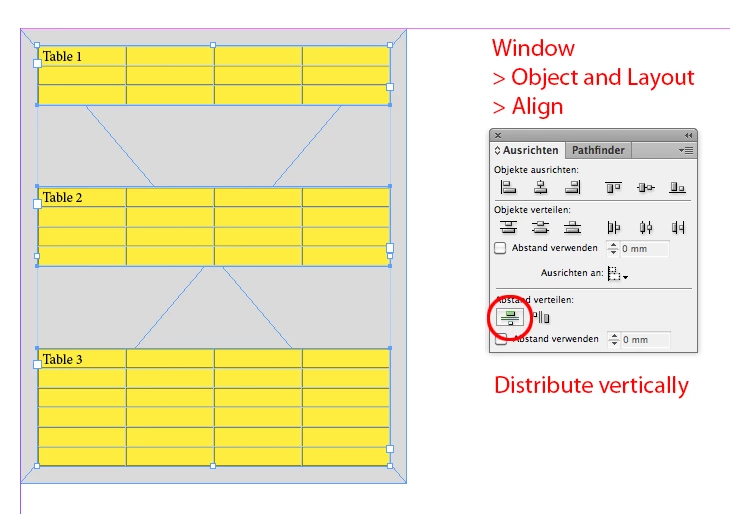
Regards,
Uwe
Already have an account? Login
Enter your E-mail address. We'll send you an e-mail with instructions to reset your password.
 AdChoices