irenel59038959
Participating Frequently
August 19, 2019
Answered

Separate content from a single layer to multiple layers

  • August 19, 2019
  • 2 replies
  • 5218 views

I have an InDesign page that has many elements that are all on one layer. Is there an easy way or script I can use to move each individual element to its own layer?

Here is a bit more of an explanation of why I need this:

1. I understand this is not what InDesign is intended for, however I am in this situation and looking for an easy fix.

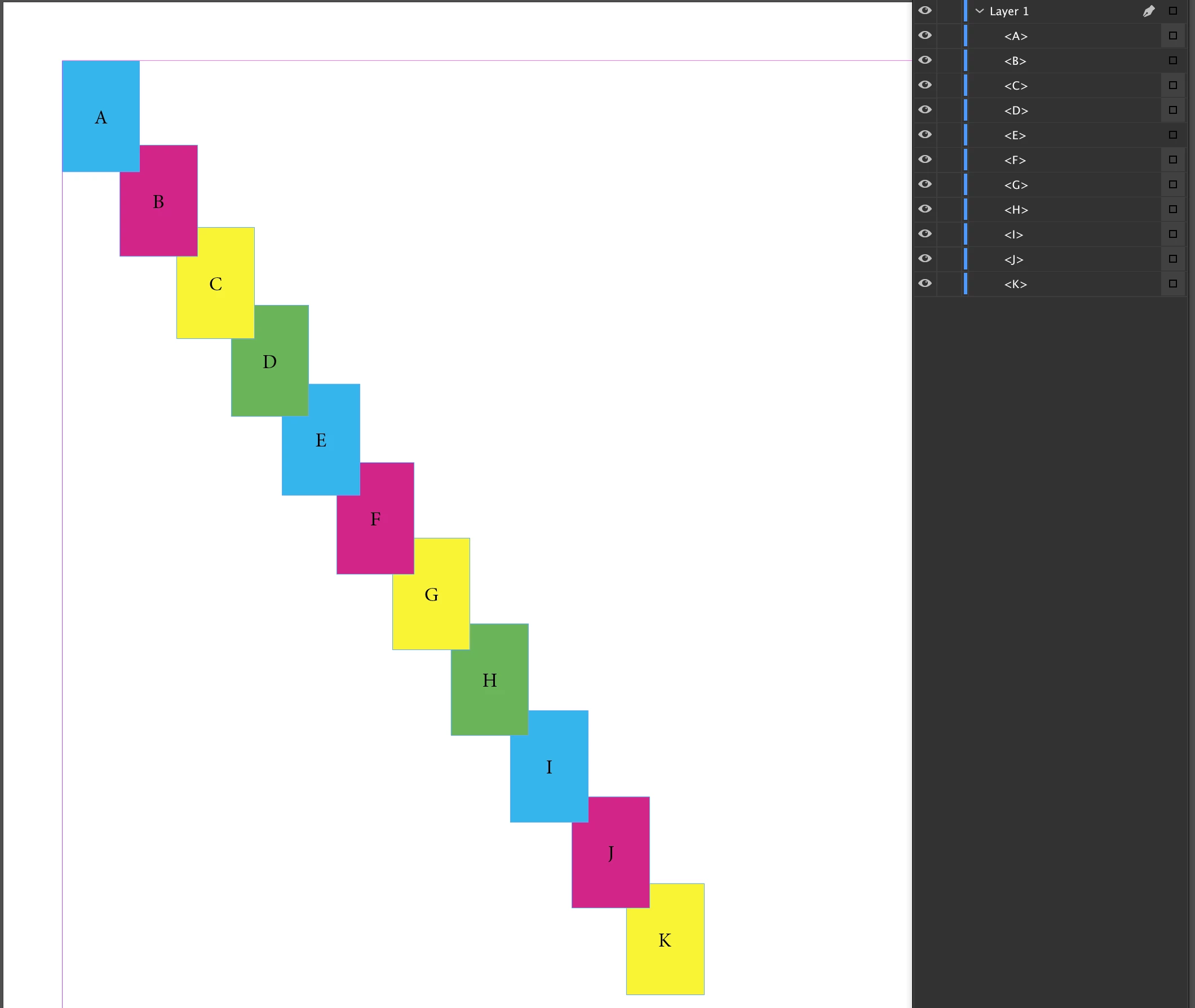
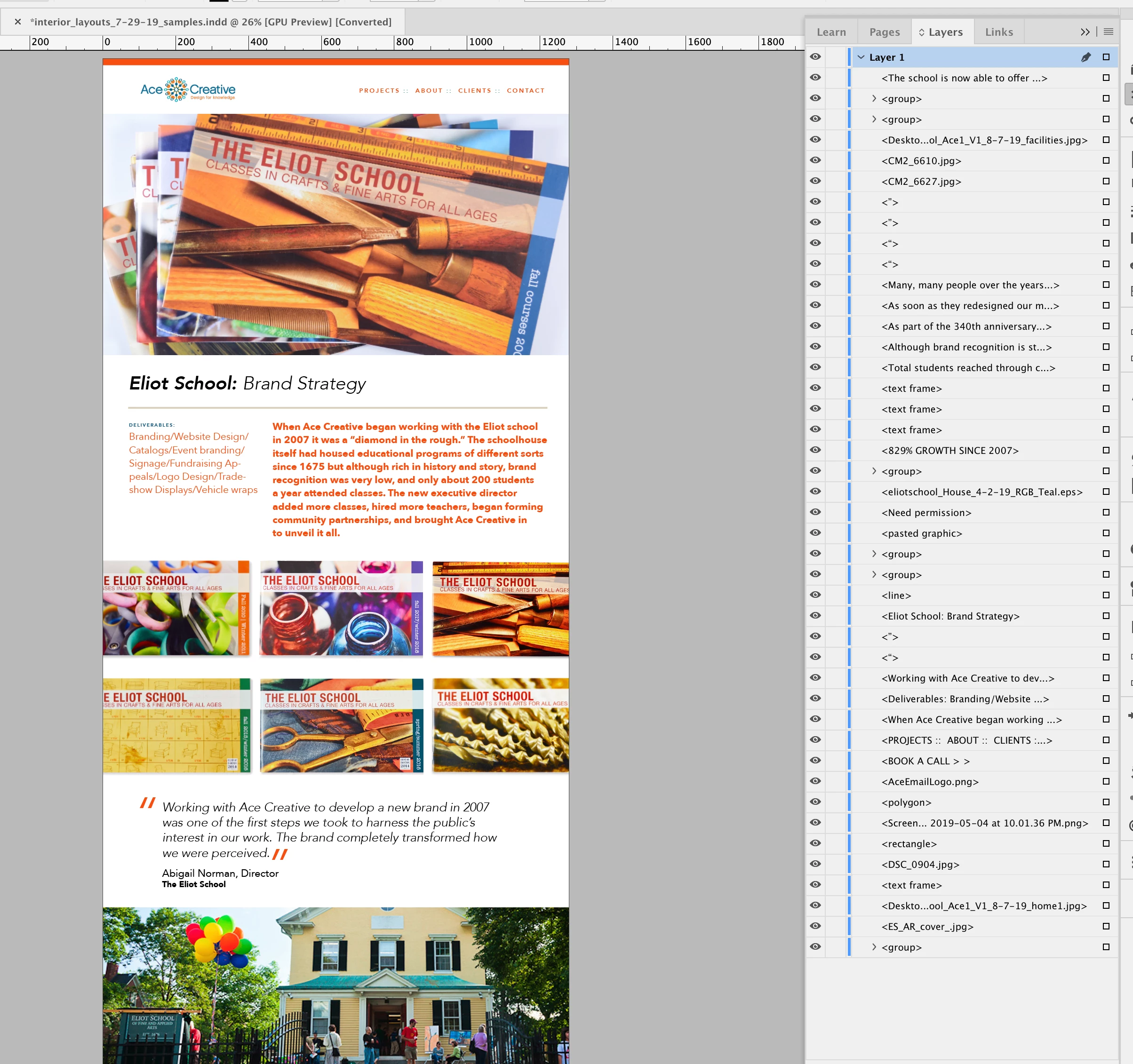
2. The screen shot below is of a website page design that was created in InDesign. I am showing the 1 and only layer in the file with its contents exposed in the layer panel. What I would like to do is have each one of these elements on a separate layer.

3. The reason I want to do this is because I am then going to use a scrip that will export the page as a layered PSD file based on the layers in InDesign. I have multiple pages I have to do this for and it is time consuming moving each element to an individual layer one by one.

I'm wondering if there is a script available that will take the contents of the layer and move each item out to a separate layer. Or if I have to just keep doing it manually.

Correct answer platm72

Thank you!!!

That worked, howeverand I might be pressing my luck here—is there any way to have it create the layers in the same order as the were originally stacked?

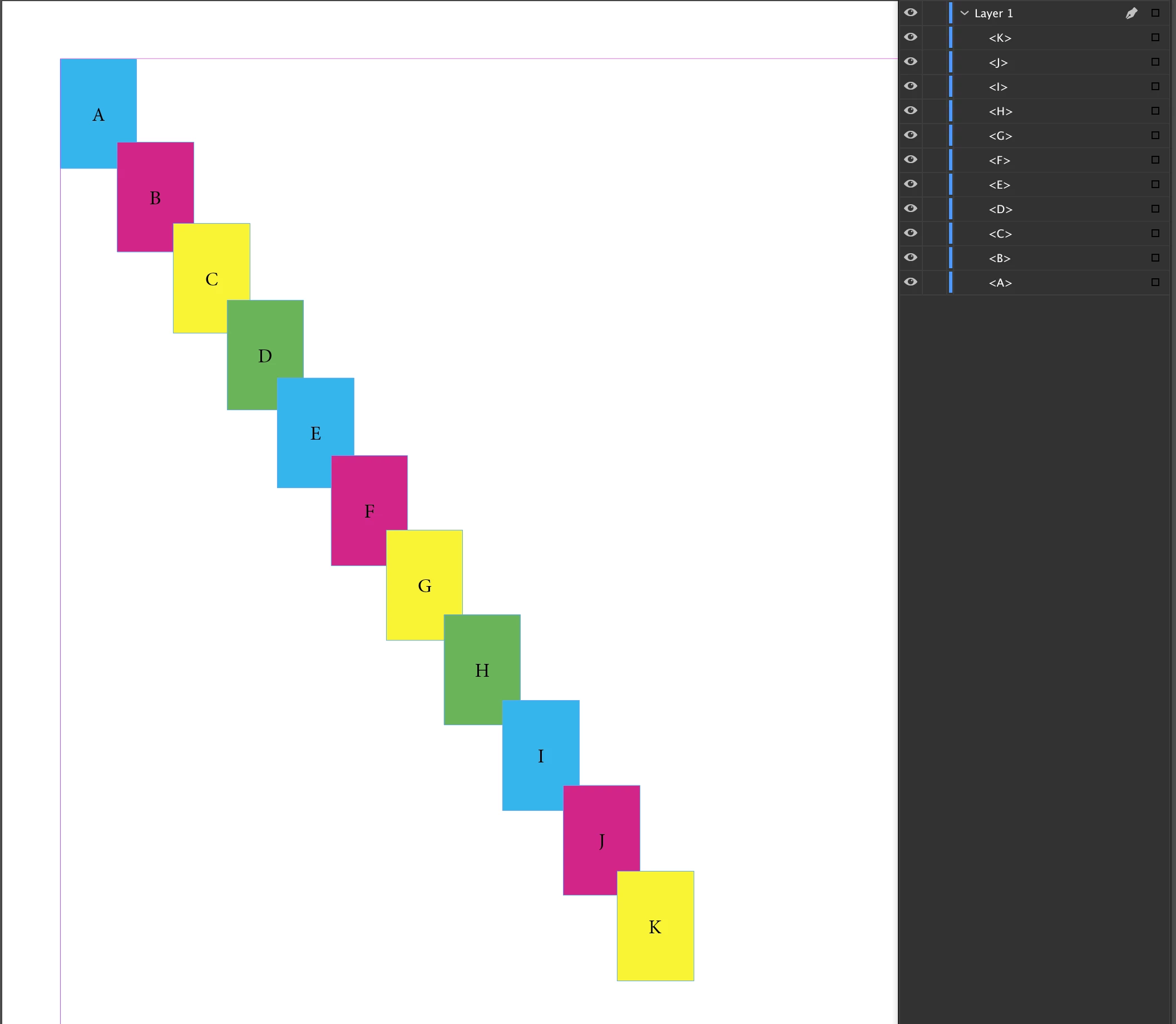
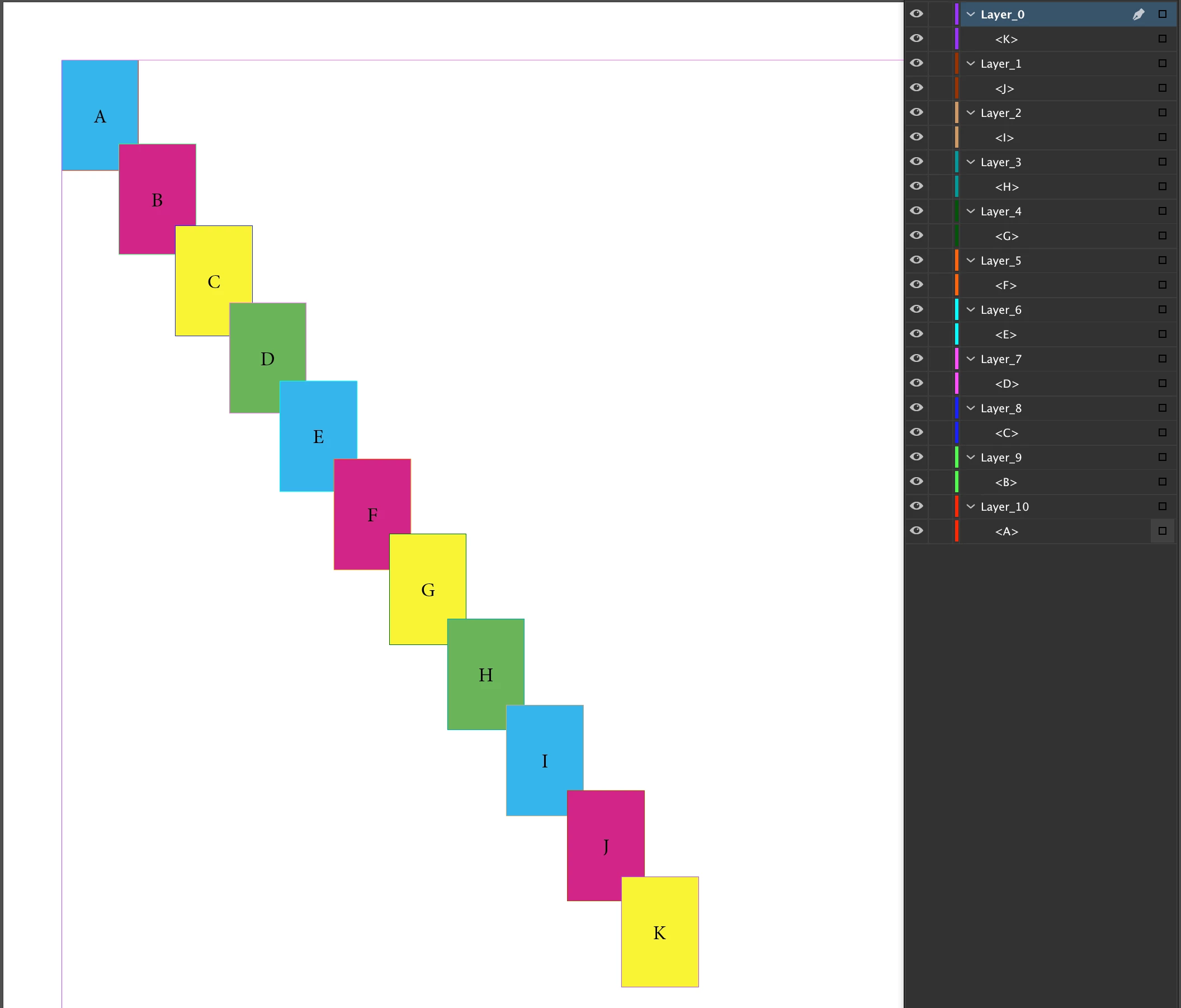
Below is

1. Screen shot of the page before running the script

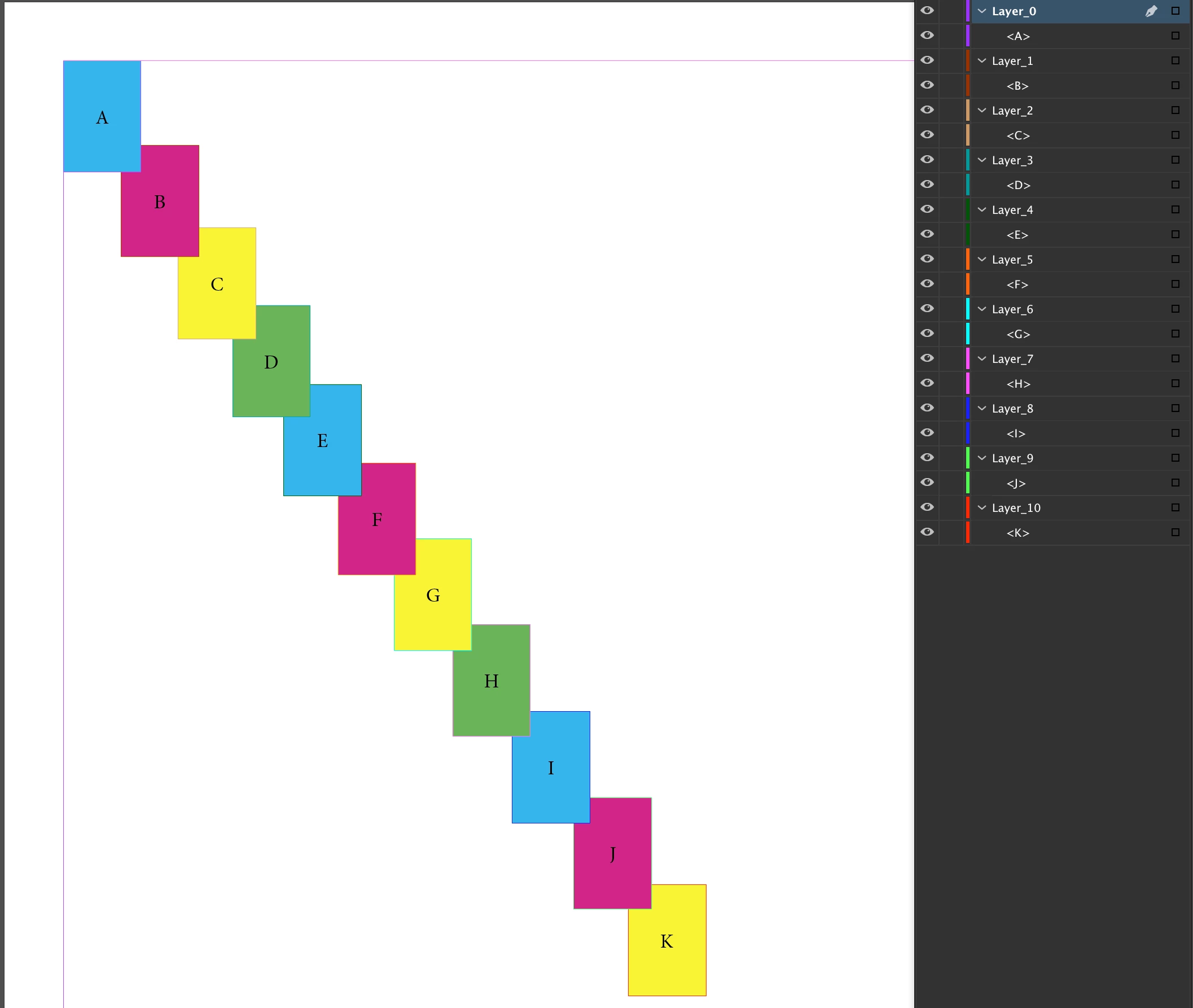
2. Screen shot after running the script. It successfully created the layers, however out of order so items are burried

3. In case it is helpful, a screen shot of what the layers list looks like after running the script.

Thanks!


I've tried the script on only 3 empty TextFrames regardles of stacking order :-(

It was too quick !!

Ofcourse stacking order is very important !!!

In my environment there is ONE page only and ONE source Layer only.

In such conditions script written below works.

var fl = app.activeDocument.layers.firstItem();

var items = fl.pageItems.everyItem().getElements();

var i = items.length;

while ( i-- ) {

    app.activeDocument.layers.add( { name : 'Layer_'+i } )

    items.itemLayer = app.activeDocument.layers.itemByName( 'Layer_'+i );

    }

fl.remove();

Now you don't need to select enything. Just open document witch ONE page and ONE layer and run the script. Stacking order should be saved.

regards

a.

2 replies

Community Expert
September 12, 2019

Hi @platm72,

I hope this reply goes through in the new forum.


The stacking order of elements has to be seen spread by spread ( InDesign CS5 version 7 and above! ).

And the array that maps this stacking order is spread.allPageItems.

( At least when no multistate objects with two or more states or buttons with two or three states are involved, then it would be more complicated. )


So you could build a reliable stacking order looping the allPageItems array of a spread.

But note the following: If you want to move page items where the parent is the spread and not the ones that are anchored or part of a nested structure like groups or within a table's graphic cells or inserted otherwise in graphic frames you have to test for parent.constructor.name == "Spread". All anchored or nested items will move along with the one where the parent is the spread.


If you want to free items from their nested status in the right stacking order you have to either unanchor them ( all page items with parent.constructor.name == "Character" or first anchor them to temp text frames on the spread and then release them on the spread ( with all otherwise nested items test for: parent constructor.name != "Spread" && parent constructor.name != "Character" ).


Regards,
Uwe


FWIW: This my first attempt for a reply on the new forum after its gone "live".


Regards,

Uwe

New Participant
December 8, 2024

Hi Guys, 

using Indesign 2025 and have my design done on 1 layer, I now need to separate the 1 layer into individual layers on the file. Is there an easy way to do this?

Abhishek Rao
Community Manager
Community Manager
December 9, 2024

Hi @Nilesh1234567890,


Thanks for reaching out! If you're using InDesign 2025 and want to separate all elements from a single layer into individual layers, please try below: 


Separate Elements into Individual Layers:

1. Open the Layers Panel

 - Go to Window > Layers to open the Layers panel.

2. Select All Elements on the Layer

 - Click the small circle next to the layer name in the Layers panel to select all objects on that layer.

3. Create New Layers

 - In the Layers panel, click the "New Layer" icon (at the bottom of the panel) to create as many layers as the number of elements you want to separate.

4. Move Elements to New Layers

 - Select an object on the page.
 - In the Layers panel, click and drag the small colored square (to the right of the layer name) to the desired new layer.
 - Repeat this step for each element, moving them to individual layers.

5. Name Your Layers (Optional)

 - Double-click the layer name in the Layers panel to rename each layer for better organization.


Note: If you have many elements and need to speed up the process, you can:

  • Group elements that belong together before moving them to a new layer.
  • Use shortcuts (Ctrl/Cmd + Alt + Shift + [ ]) to quickly cycle through selections and move items.

While this method is more manual, it works well if you want control over where each element goes. Let me know if you have further questions or need additional guidance! 


Best,
Abhishek

platm72
Inspiring
August 19, 2019

Hello,

try to select all the items on Layer 1

then run this:

var sel = app.selection

var i = sel.length;

while ( i-- ) {

    app.activeDocument.layers.add( { name : 'Layer_'+i } )

    sel.itemLayer = app.activeDocument.layers.itemByName( 'Layer_'+i );

    }

regards

a.

irenel59038959
Participating Frequently
August 19, 2019

Hi platm72,

Thanks so much for your response. I am a novice when it comes to scripts. I know where to save script files on my system to then run them but I don't know where to put this code? Can you please tell me where I copy and paste the code to make the script work?

Thank you

Kamil.Ch
Inspiring
October 14, 2021

I've tried the script on only 3 empty TextFrames regardles of stacking order :-(

It was too quick !!

Ofcourse stacking order is very important !!!

In my environment there is ONE page only and ONE source Layer only.

In such conditions script written below works.

var fl = app.activeDocument.layers.firstItem();

var items = fl.pageItems.everyItem().getElements();

var i = items.length;

while ( i-- ) {

    app.activeDocument.layers.add( { name : 'Layer_'+i } )

    items.itemLayer = app.activeDocument.layers.itemByName( 'Layer_'+i );

    }

fl.remove();

Now you don't need to select enything. Just open document witch ONE page and ONE layer and run the script. Stacking order should be saved.

regards

a.


Hi.
Does the script work in the latest versions of inDesign 2020 and 2021? I tested both. All new layers are empty. This script would help me a lot. I need help.