Participating Frequently
July 27, 2023
Answered

Set label on a paragraphstyle

  • July 27, 2023
  • 3 replies
  • 1550 views

Hello Great people
Hope everyone doing good,
I want to create a script for selcting a pragraph style in Indesign and I wanto give a script lable that particular paragaraph style. Can any help on this? Please find the code which is I am using now

app.selection[0].paragraphStyles.item = "heading1";

Please guide me with the correct code.

Thanks in advance
Sandeep.
This topic has been closed for replies.
Correct answer rob day

so Sorry I have tried multiple time, but I not fimiler with code I think it happing due to that.

please accept my apologies


Hi @Sandeep27041541kg7t , If you check the Script Label panel, you will find that you can’t apply a label to a selected paragraph, which is why you get an error in your script when it selects a paragraph and tries to set a label.


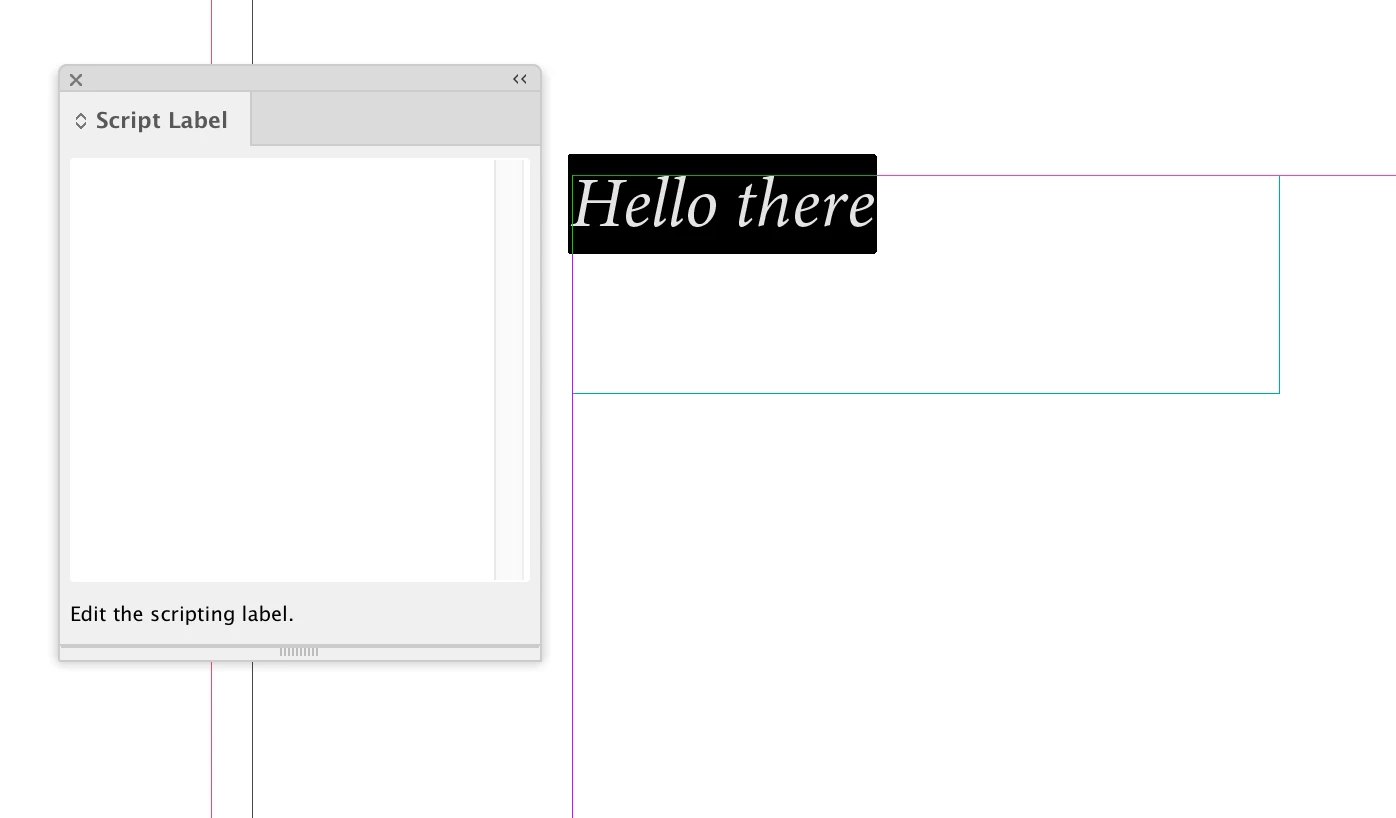
If I select some text, I can’t edit the Script Label field:


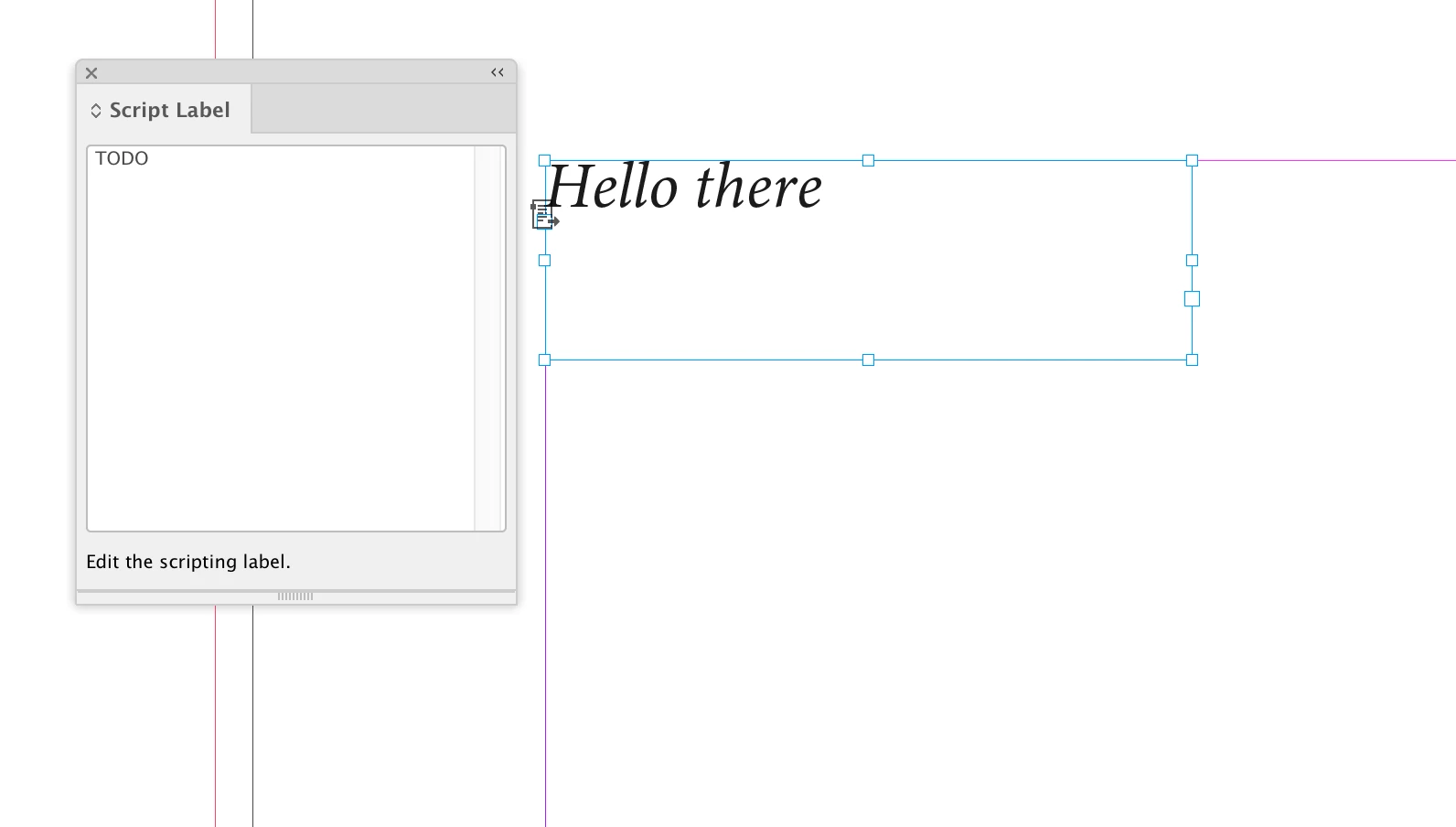
But if I select a page item or a text frame, the Script Label field is editable. A paragraph’s parent text frame could have a label set—myParas[i].parentTextFrames[0].label = "TODO"—but not the paragraph itself:

3 replies

Participating Frequently
July 27, 2023

Now I am getting this error please find the code which I have used


function applyLabelToStyle1() {
var myDoc = app.documents[0];
var myParas = myDoc.stories.everyItem().paragraphs.everyItem().getElements();
var myPage = myDoc.pages;

for(var i=0; i<myParas.length; i++) {
app.select(myParas[i]);
var paraStyleName = myDoc.selection[0].appliedParagraphStyle.name;

if (paraStyleName == "MM_NL_Preis") {
app.selection[0].label = "TODO";
}
}
}

applyLabelToStyle1();

Community Expert
July 27, 2023

@Sandeep27041541kg7t are you even reading our posts? The reason for your error was already explained by @Laubender. You are not even trying what we are suggesting, then how can we help you?

-Manan

-Manan
Participating Frequently
July 27, 2023

so Sorry I have tried multiple time, but I not fimiler with code I think it happing due to that.

please accept my apologies

Community Expert
July 27, 2023

If you want to start out from the applied paragraph style of a text selection, you could do:

app.selection[0].appliedParagraphStyle.insertLabel( "key" , "value" );


But that would not help much if you want to "label" paragraphs, formatted text, where a certain paragraph style is applied.

There is no "label" for text.


Instead:

You could use the property previewColor of a paragraph style that is not available from the GUI.

Marc Autret once built a full script around this feature, StyLighter:


https://indiscripts.com/post/2012/05/the-hidden-way-to-highlight-styles


StyLighter is still working with InDesign 2023.

You could highlight paragraphs in your text where a distinct paragraph style is applied to.


Regards,
Uwe Laubender
( Adobe Community Expert )

Community Expert
July 27, 2023

If you want to set label on paragraphstyle then you can use the following code


var ps = app.documents[0].paragraphStyles.itemByName("Name of your style")
ps.insertLabel("key", "value")

P.S.:- This will not work with styles inside groups.


-Manan

-Manan
Participating Frequently
July 27, 2023

Thanks Manan your quick response but it is not working for me
Paragrah Style Name is : Heading and Lable name is : Sandeep

Please guide me on this.

Participating Frequently
July 27, 2023

ar myDoc = app.documents[0];
var myParas = myDoc.stories.everyItem().paragraphs.everyItem().getElements();
var myPage = myDoc.pages;
for(i=0; i<myParas.length; i++)
{
app.select(myParas[i]);
var paraStyleName=myDoc.selection[0].appliedParagraphStyle.name;
if (paraStyleName=="Style1")
{
app.selection[0].label = "TODO";
}


Hello Great people
Hope everyone doing good,
I want to create a script for selcting a pragraph style in Indesign and I wanto give a script lable that particular paragaraph style. Can any help on this? Please find the code which is I am using now

app.selection[0].paragraphStyles.item = "heading1";

Please guide me with the correct code.

Thanks in advance
Sandeep.