Participating Frequently
January 27, 2021
Answered

Shadow to a single word into a texbox

  • January 27, 2021
  • 3 replies
  • 3125 views

Hello to all,
I am strugling in adding a shadow just to a single word into a texbox. I just need a shadow for some random words, not the entire objetc. I can not find "shadow" at character style tab
Thanks to all
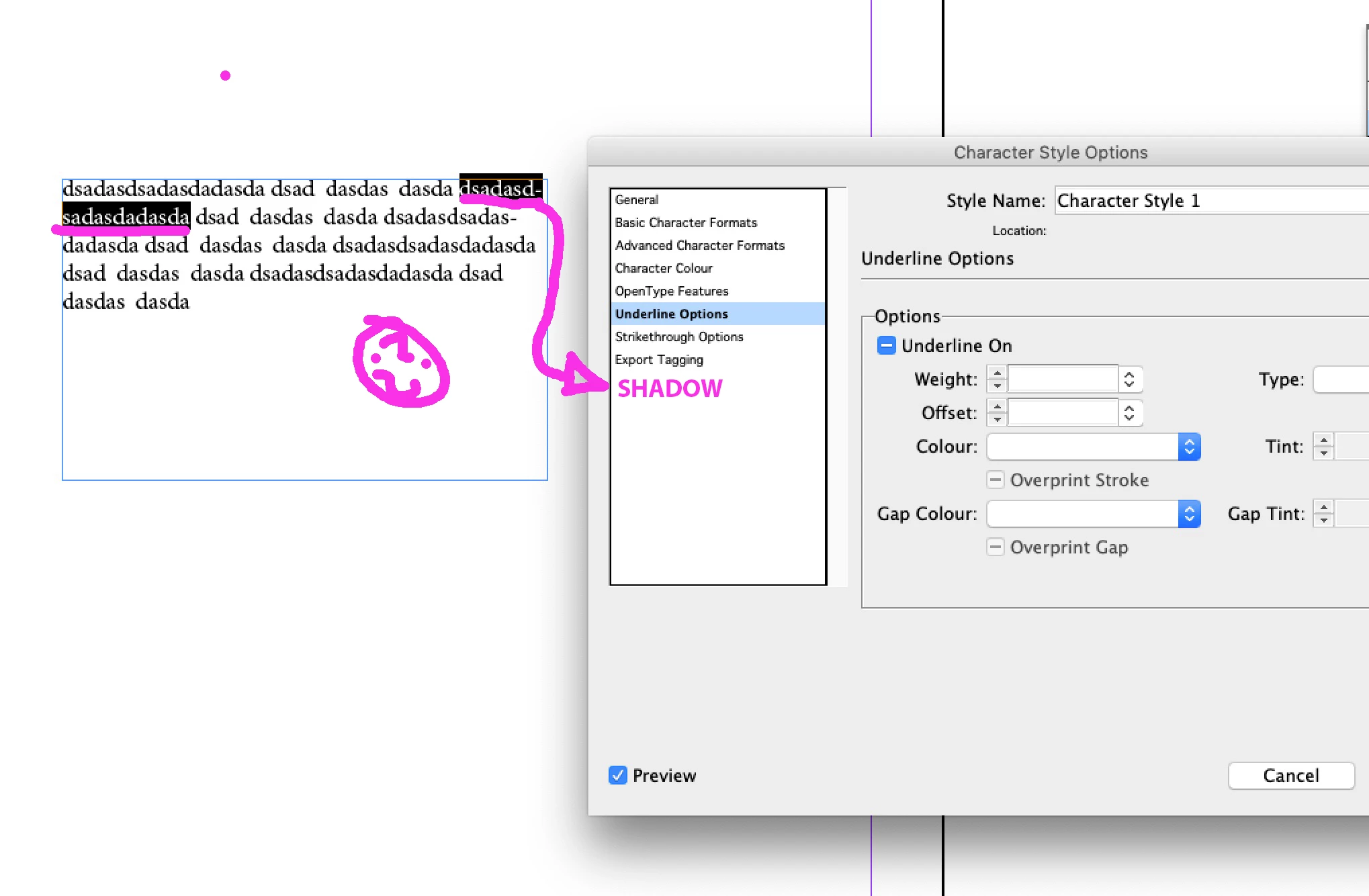


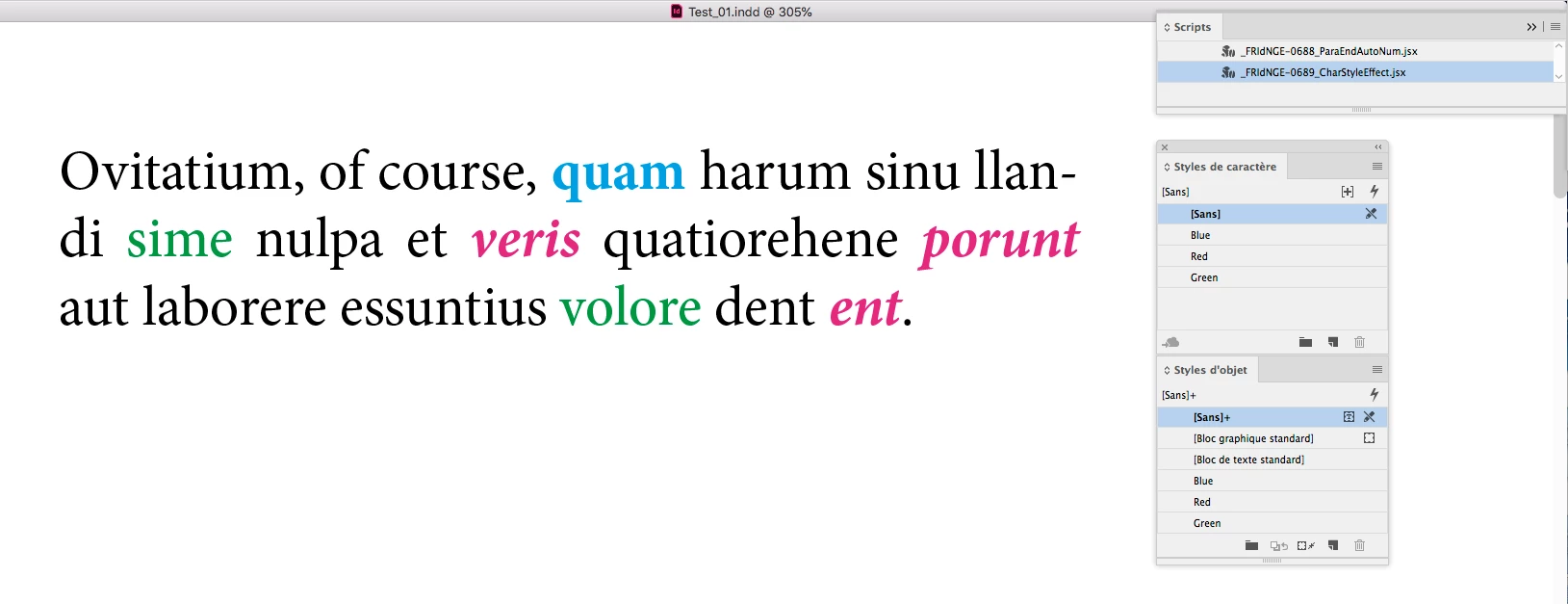
[ attachment inserted as inline image by moderator ]
This topic has been closed for replies.
Correct answer FRIdNGE

Hmm! …


Just For Comment:


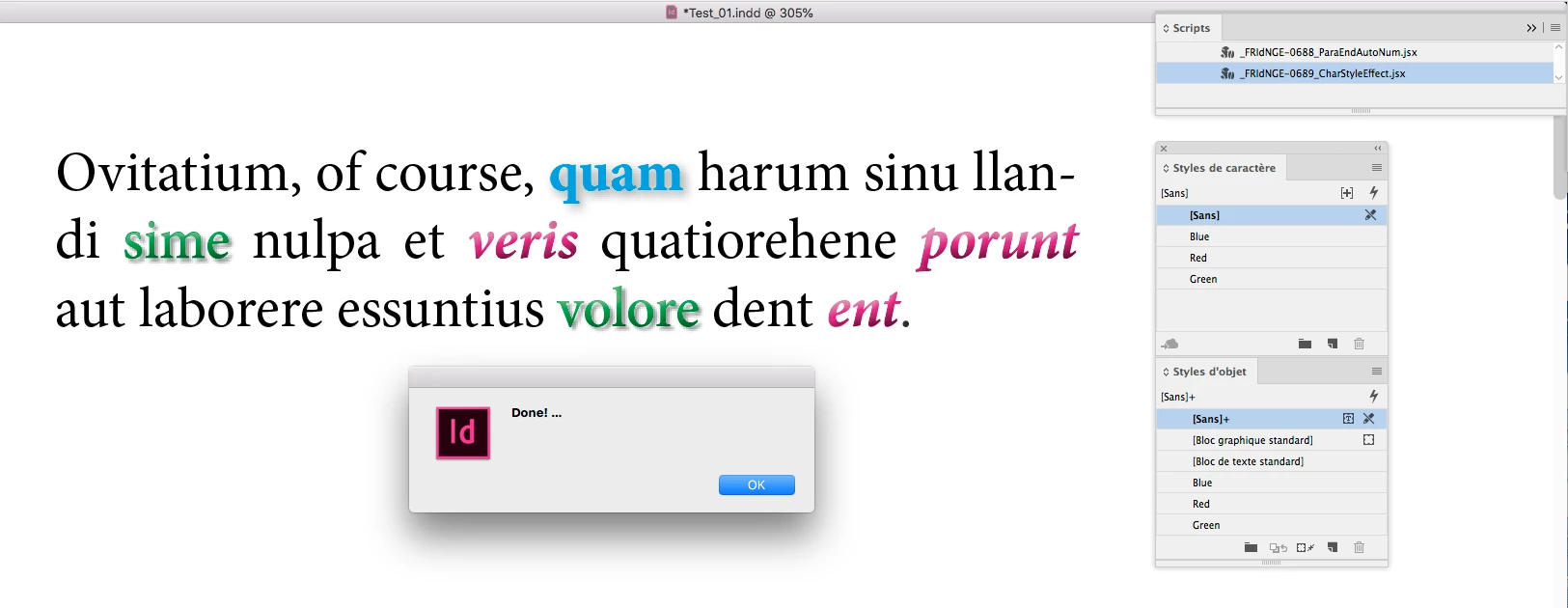
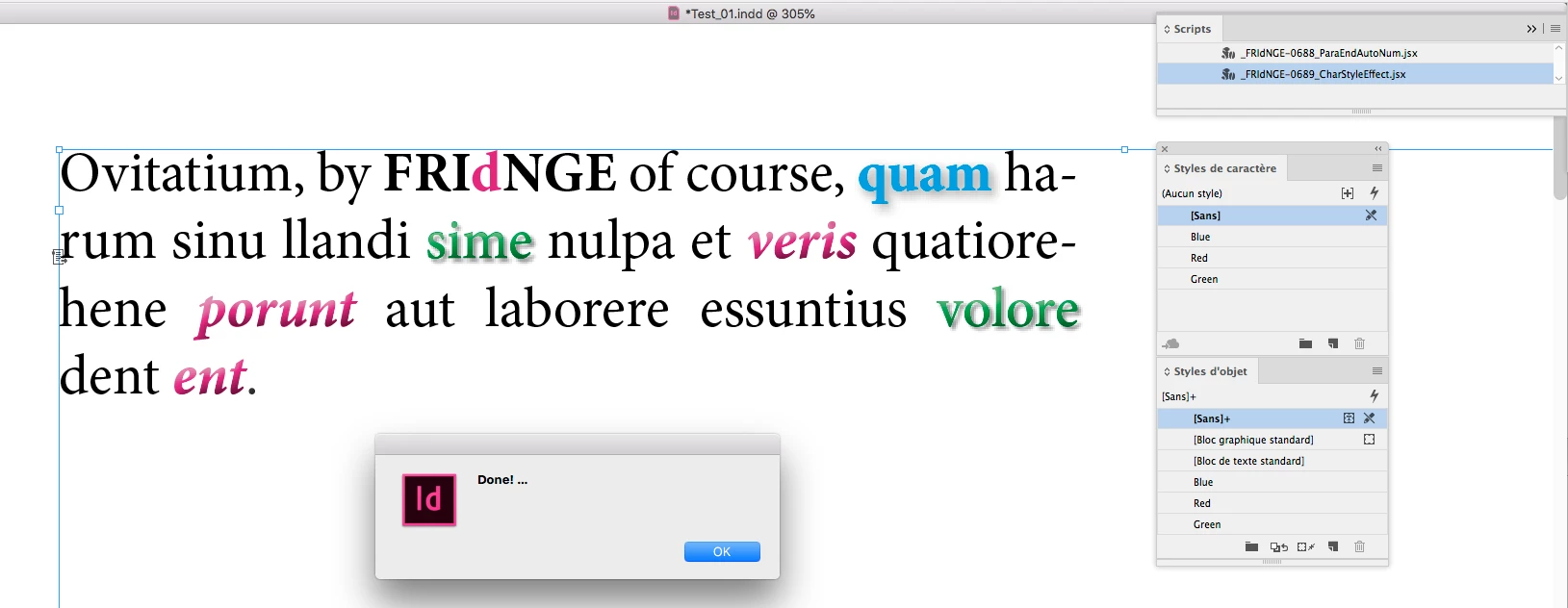
Imagine you take time to create char styles [in my sample: "Blue", "Red" and "Green"] and object styles using a same name but with different effects (you defined)!


… You will just need 1 click!


If the layout moves, play the script again!


Sure it's simplistic! … but the text remains totally editable!


(^/)  The Jedi

3 replies

FRIdNGE
FRIdNGECorrect answer
Inspiring
January 27, 2021

Hmm! …


Just For Comment:


Imagine you take time to create char styles [in my sample: "Blue", "Red" and "Green"] and object styles using a same name but with different effects (you defined)!


… You will just need 1 click!


If the layout moves, play the script again!


Sure it's simplistic! … but the text remains totally editable!


(^/)  The Jedi

jlterresAuthor
Participating Frequently
January 28, 2021

OH wow that is awesome!

Could you please be so kind to gimme more info about how to do that? I have created the character and object style but I don´t understand how to run it

THANKS a lot!

jlterresAuthor
Participating Frequently
January 28, 2021

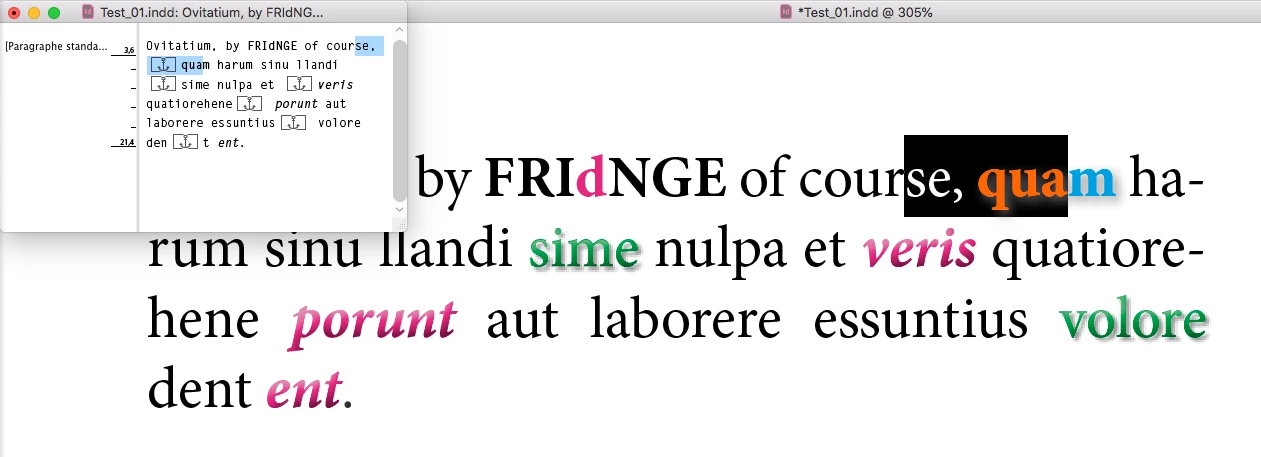
As already said, the text “remains” readable in ID and Acrobat! The script just adds the effect to the text!  😉

Anchoring the effect item inside the text, if you add, e.g., a new para above, the layout moves ... but the “effects” too!  Simple and cool!


(^/)


okok I see.

allright thanks Ill PM to you 🙂

Thanks a lot

Geоrge
Brainiac
January 27, 2021
Remember, never say you can't do something in InDesign, it's always just a question of finding the right workaround to get the job done. © David Blatner
jlterresAuthor
Participating Frequently
January 27, 2021

I cannot do that because its a text book. I cannot put objets as if they were words, the normal and logical way would be to be able to aply a shadow to a single word.

I have even thought about using a font editor to add a shadow by myself and then change the type at ID...

Thanks for your help.


Community Expert
January 27, 2021

Hi sdad5C95,

it's either all text in one text frame or none.

The possible workarounds:

[1] Move the words you want to assign the drop shadow to their own own text frames and anchor the frames to the text.

[2] Convert the words to outline paths and assign the drop shadow to the outline paths.

[3] Have two text frames with the exact same contents stacked.

Apply the drop shadow to the text in one frame. All texts that should be without drop shadow should be filled with color [None]. Do the opposite in the other frame without the drop shadow. Fill all words where drop shadows are visible in the other text frame with color [None].


Regards,
Uwe Laubender

( ACP )

jlterresAuthor
Participating Frequently
January 27, 2021

Thanks Uwe for your tip. For a grapic design profile it´s okay, but this is a text book I am working on, and there are several places all over a huge text where I need to apply this shadow.  Indeedd I have explore the options you give me, but its not operative. I just cannot understand why there is not a shadow effect onto the character style tab? ´:´)