



easygoing_Charm5FC8
Inspiring
July 22, 2020
Answered

Share for Review - Notifications

  • July 22, 2020
  • 3 replies
  • 3809 views

If anyone from Adobe is online....


Is there a checkbox I'm missing for receiving notifications when someone edits or comments once I have Shared for Review?  Also, when I "update link" my invitees are also not receivng another notification.  Only notifications are when they are first invited.


I tend to send things to proof and then jump to another project.  It would be nice if I was notified when someone made an edit or comment. 
This topic has been closed for replies.
Correct answer JonathanArias

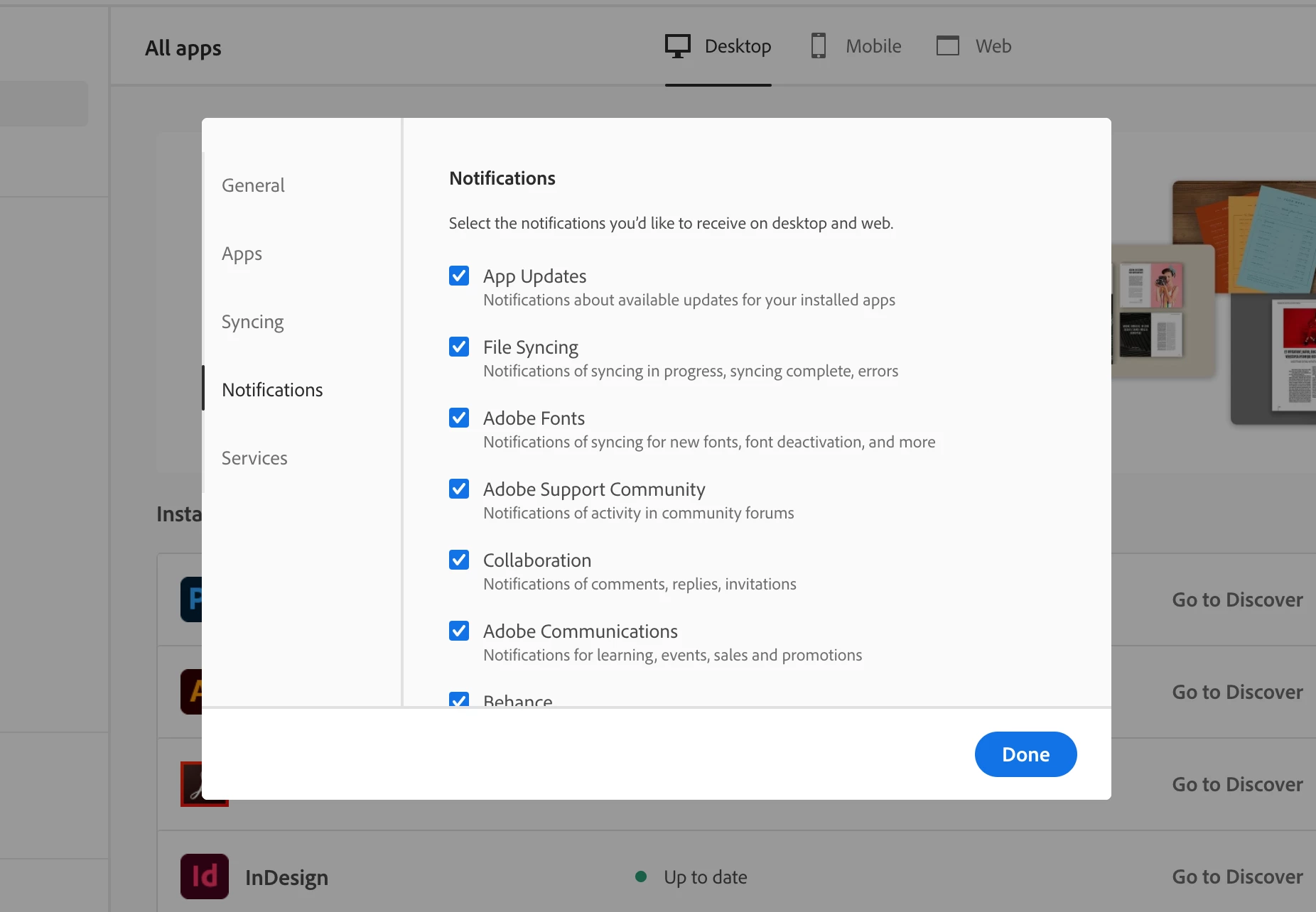
the check box is in your notifications section, under collaboration:

3 replies

Federico_pr
New Participant
August 26, 2022

I had the same problem recently and kind of resolved after the last updates for CC and Indesign.  I am still a confused as I tried to do a test by adding a comment and using the @symbol to mention my own name.  I havent seen emails or notifications for that.  Is this only meant to work for the reviewers and not for the person that created the file?  I thought it would also work regardless.  Does anyone know?

Chris Tammar
Participating Frequently
April 8, 2021

It's a bit silly, you have to turn them on in your Adobe Cloud settings, not your InDesign settings. It should totally be the other way around lol.

JonathanArias
Brainiac
April 8, 2021

sounds like you have a feature request, here you go:

https://www.adobe.com/products/wishform.html


JonathanArias
JonathanAriasCorrect answer
Brainiac
July 22, 2020

the check box is in your notifications section, under collaboration:

easygoing_Charm5FC8
Inspiring
July 22, 2020

Thanks for the reply Jonathan.

Is this in InDesign?  My screendoes not look like this.  Where do I find these settings?

New Participant
August 20, 2020

this below is your download manager. this is where you access everything. 

you can post on how to get better notifications from your windows machine. i am sure others have tips and tricks


Good stuff - just seen email notifications