


New Participant
April 26, 2022
Answered

Show Import Options on Place Command Not working?

  • April 26, 2022
  • 1 reply
  • 892 views

Hi adobe brain trust, 

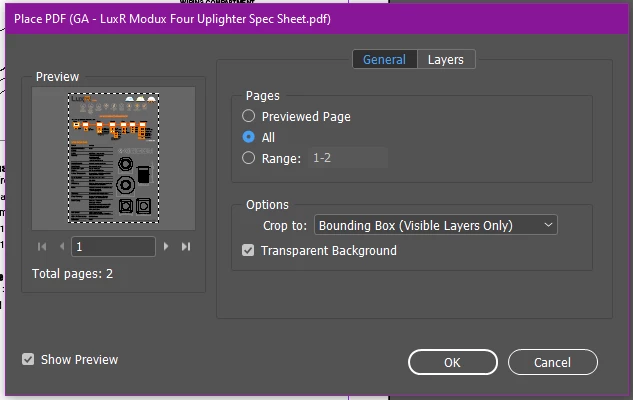
For years I've been using the "show import options" check box on the 'Place' command to insert all pages of a PDF, or just a few select pages into empty frames. When I select either "All" or "Range" the dialog accepts that option - and in the past I've been able to place all the pages in rapid succession, in frames that have already been set up.


Recently I am only able to place the first page in that range and then the command aborts. 

The command DOES still work, if I click anyone outside a frame. 


I'm wondering if anyone else has this issue, or it's just me? Either way, does anyone have insight?  


Thanks! 


Correct answer Steve Werner

You didn't mention what version of InDesign you're using but I'd bet it's InDesign 17.2.


That version has a bug which produces that result you're seeing. It will be fixed this week when version 17.2.1 arrives. If you need that feature before it arrives, you need to back down to 17.1 (which can be installed from the Creative Cloud desktop app):


https://helpx.adobe.com/indesign/kb/fixed-issues.html


1 reply

Steve Werner
Steve WernerCorrect answer
Community Expert
April 26, 2022

You didn't mention what version of InDesign you're using but I'd bet it's InDesign 17.2.


That version has a bug which produces that result you're seeing. It will be fixed this week when version 17.2.1 arrives. If you need that feature before it arrives, you need to back down to 17.1 (which can be installed from the Creative Cloud desktop app):


https://helpx.adobe.com/indesign/kb/fixed-issues.html


New Participant
April 27, 2022

Thank you Steve. I am indeed using 17.2. 

It would make my life easier to have, but I'm almost done with the task at hand, and can wait for the update. I'm glad to hear that it will be fixed, and that I haven't suddenly forgotten how to do InDesign correctly. 

New Participant
April 29, 2022

I'm having the exact same problem and just tried the updated version and it's still not working.