Participant
March 23, 2023
Answered

Simple rollover to reveal button (content)

  • March 23, 2023
  • 3 replies
  • 655 views

I'm using the 'Show/Hide buttons and forms' feature but it's not working for me, i'm trying to have a button reveal a text panel (button), and i'm not seeing the effect when i export.
And troubleshooting steps to follow would be appreicated.
This topic has been closed for replies.
Correct answer Rene Andritsch

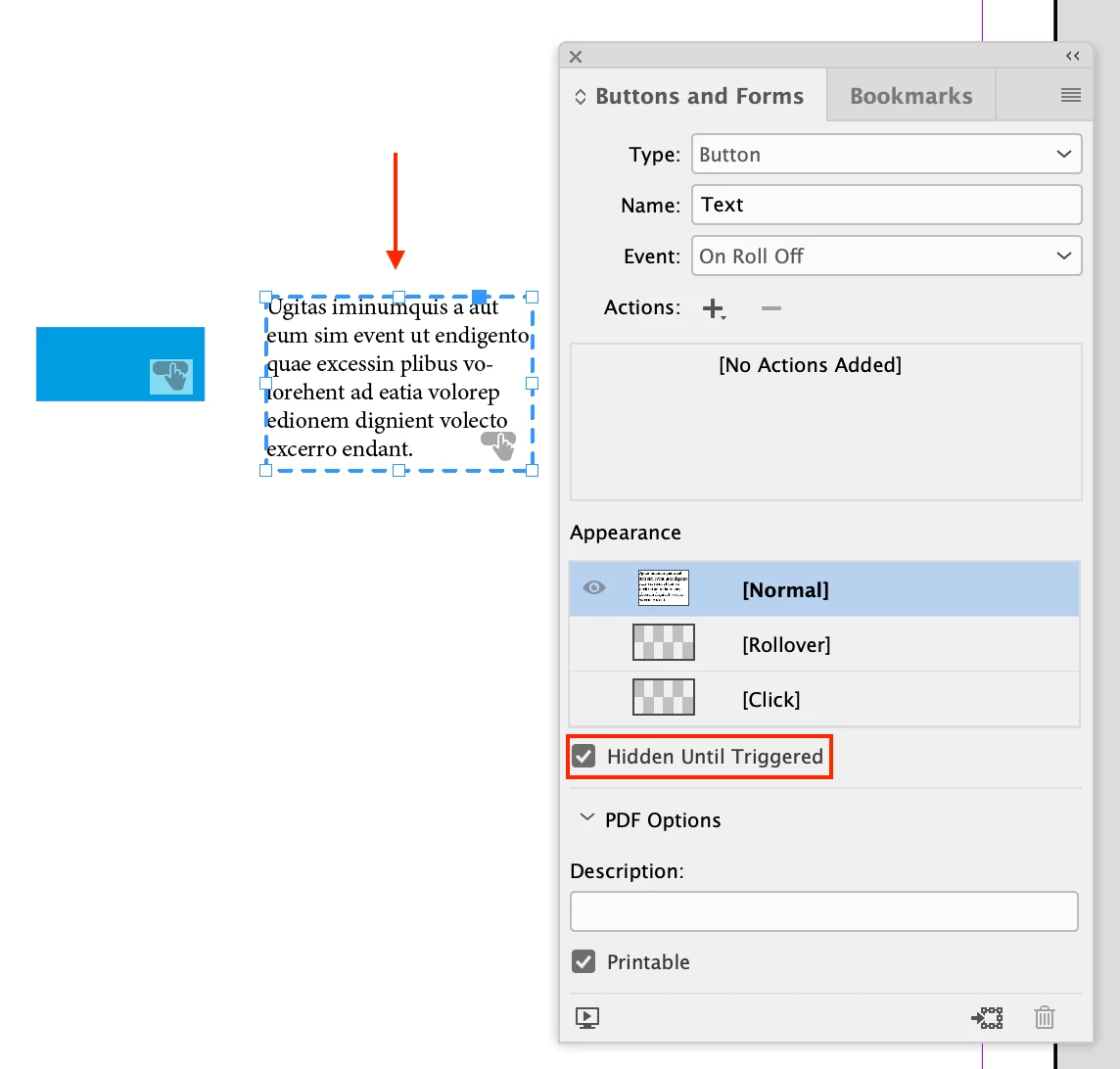
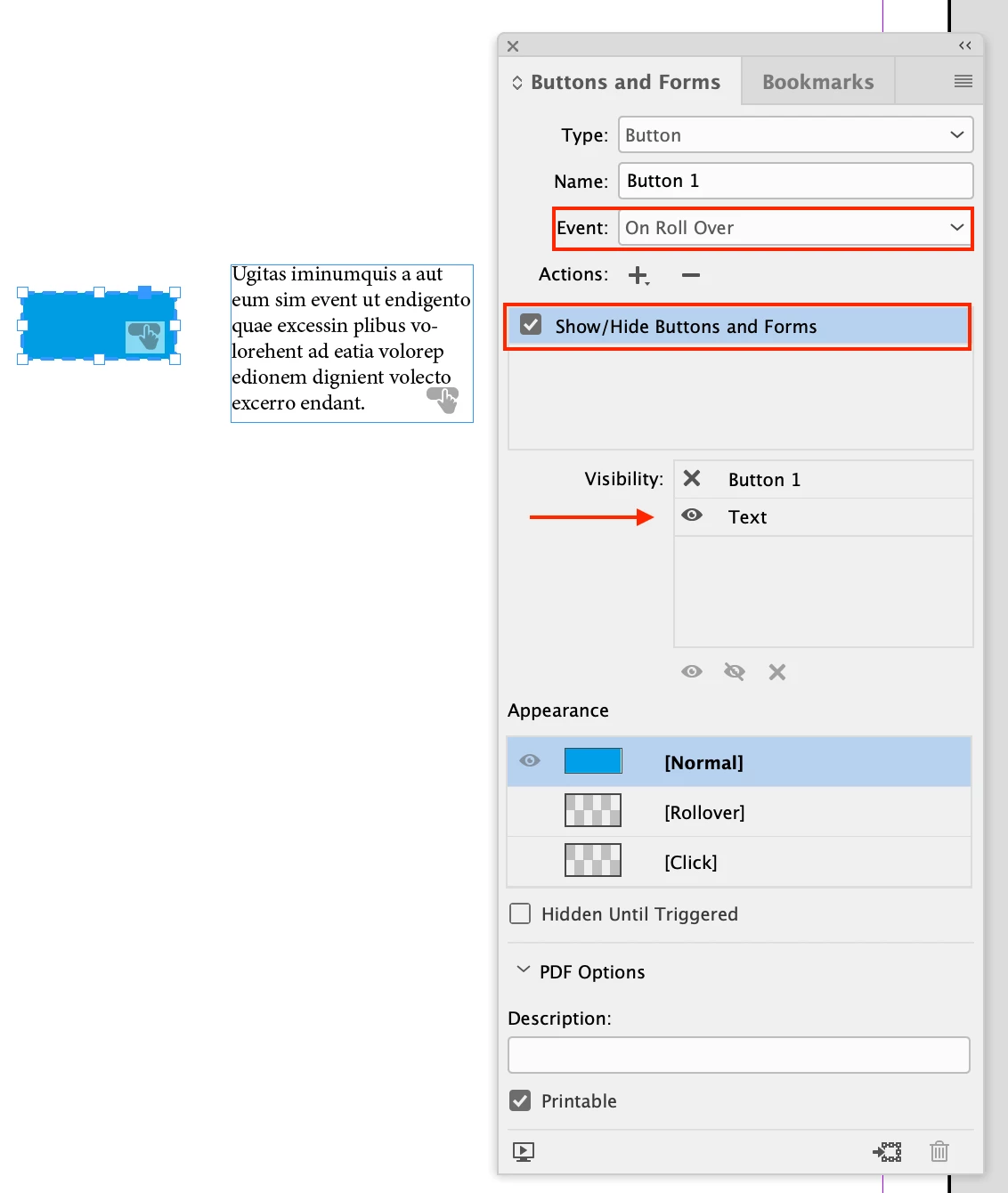
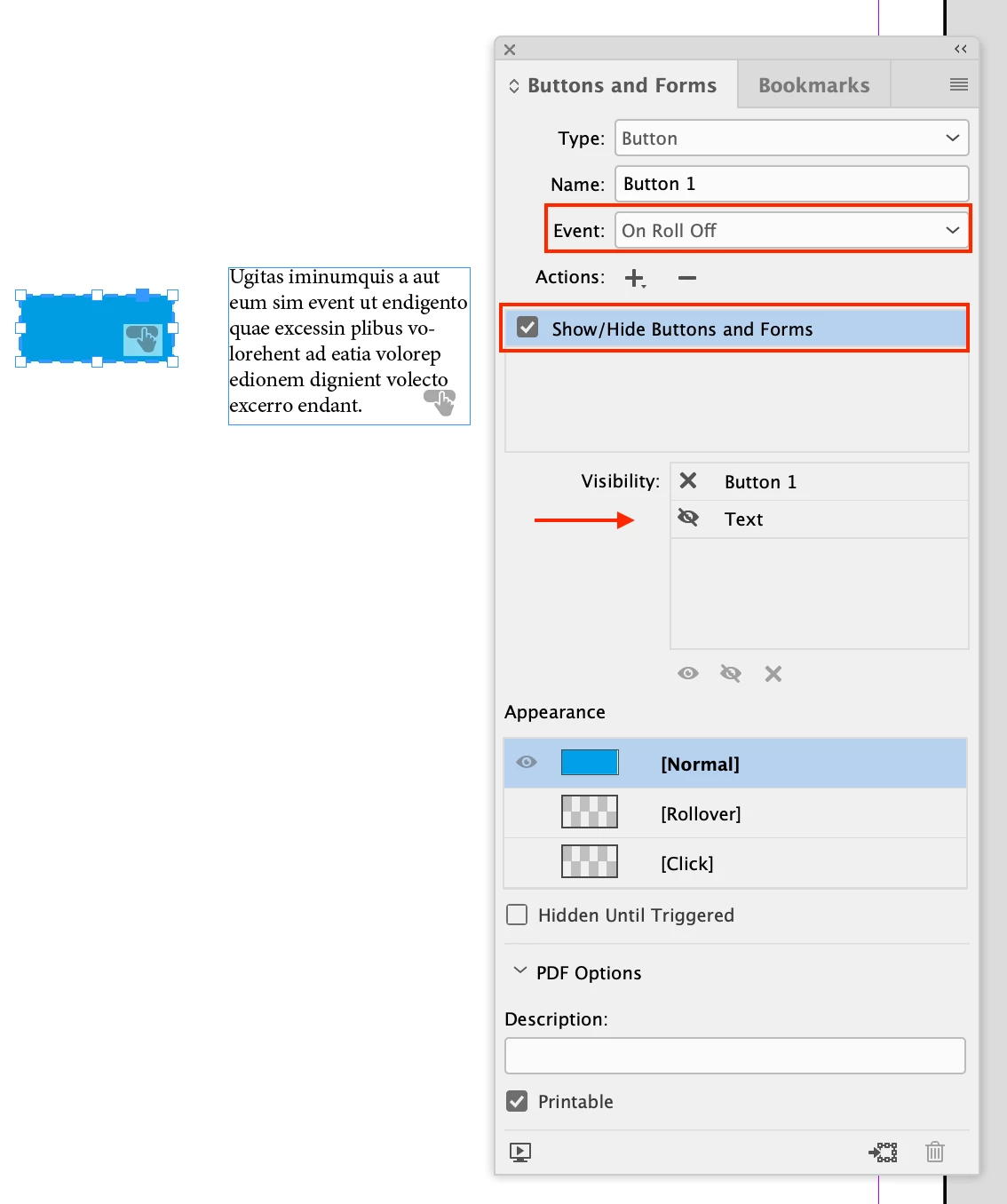
You have to make sure to have the following settings for your buttons. See my screenshots

3 replies

BobLevine
Community Expert
Community Expert
March 23, 2023

One more thing...how do you expect this to work for mobile devices? That tutorial you linked to shows all of this working in the EPUB preview panel, not in a PDF.

Participant
March 23, 2023

Noted Bob, This for an internal presentation so there is a bit of control. But i might rethink the design a bit as it looks like there are a few hurdles to overcome.

BobLevine
Community Expert
Community Expert
March 23, 2023

Unless you're using Acrobat or Reader, the chances of getting this to work are not good and even there, this can prove to be rather troublesome. If this is an important project, I'd start re-thinking it.

Rene Andritsch
Community Expert
Community Expert
March 23, 2023

How do you export exactly? Which settings?

Participant
March 23, 2023

Hey Rene, I'm exporting to interactive pdf. With 'forms and Media' include all checked.
I have other basic buttons that navigate my doc that are working. It's just the reveal on rollover following this tutorial that is not working:
https://www.youtube.com/watch?v=YODPFCOuts8

Rene Andritsch
Community Expert
Rene AndritschCommunity ExpertCorrect answer
Community Expert
March 23, 2023

You have to make sure to have the following settings for your buttons. See my screenshots