


Participating Frequently
November 29, 2023
Answered

Soft return in table of content automatically change in tab?

  • November 29, 2023
  • 2 replies
  • 669 views

[Pardon my English, I'm Dutch]


We have a bookdocument with like +70 InDesign-documents. Each document (chapter) has to get a Table of Contents (TOC) at the beginning of that chapter. 

In the innerwork we use paragraphstyles (P-style) with a soft return (Subkop_Bold_Combi, Subkop_Regurlar_Combi and Subkop_Cursief_Combi): 
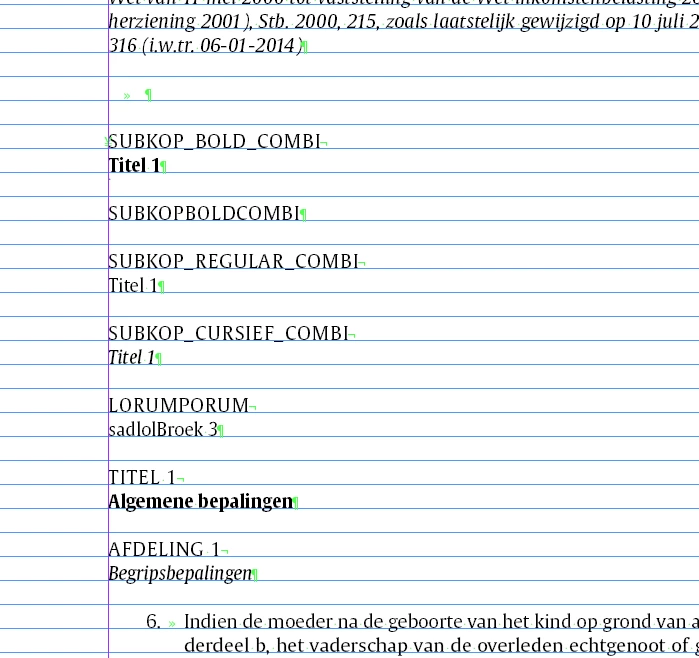
 

These P-styles come back in the toc, so the soft return will show as well (P-styles used in TOC are 03_ToC_Hoofdstuk and 03_ToC_Afdeling):
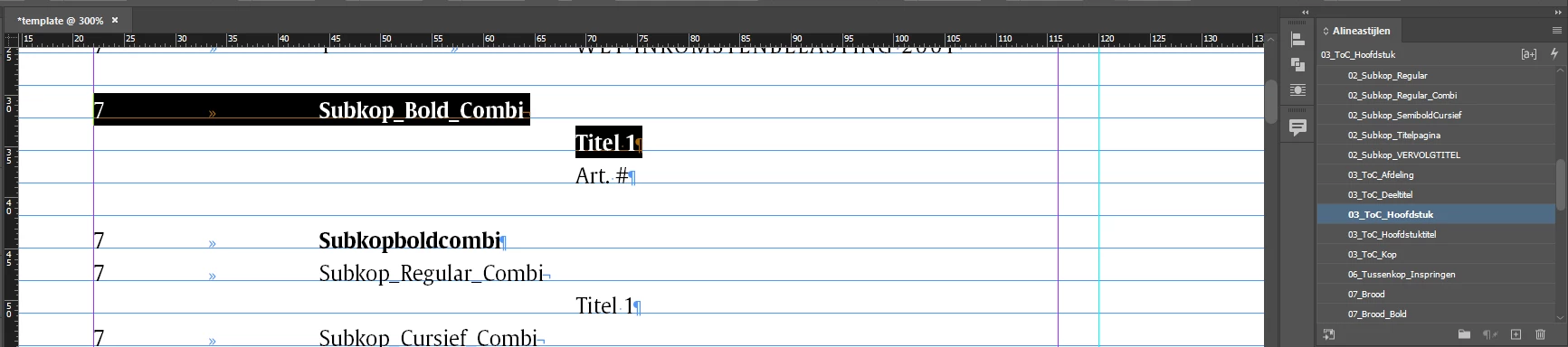
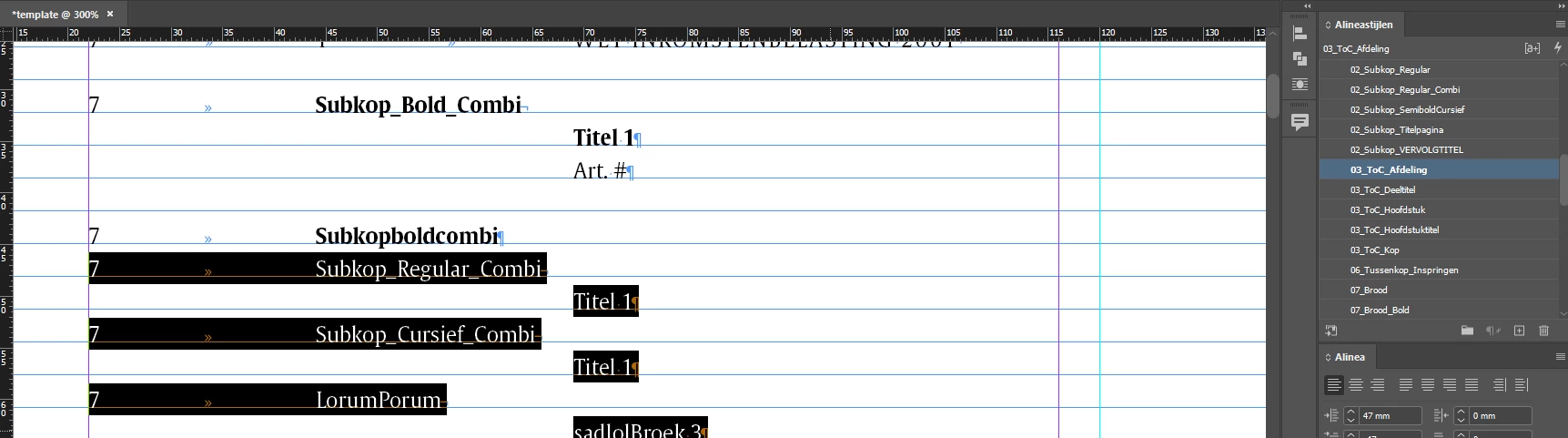
But in the TOC we have to change the soft return in a tab. This is manual labor. And for +70 documents is this A LOT of work. It has to look like this in the end: 
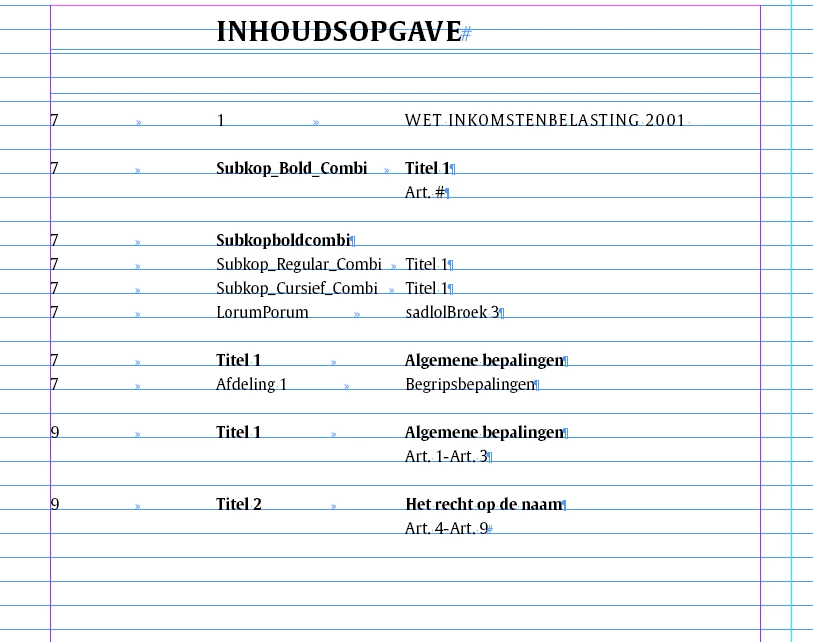
 

My question is: Is it possible that the P-styles 03_ToC_Hoofdstuk and 03_ToC_Afdeling automatically get a tab in stead of a soft return after updating the TOC, without having to do a search and replace? 

Attached the idml-templatefile. 


It would help us SO much! 

This topic has been closed for replies.
Correct answer Brito Haroldo

Olá @Paulien_Addata Here's how I would do it without using scripts:

.
1º) Mark "Remove Forced Line Break" no style of table of contents;
2º) In the body text, immediately at the beginning of the text "Titel x" add a "Tab" set to "0,1" with "Left-Justified Tab" positioning. This way it doesn't appear in the text but is taken to the table of contents and works as you need it to.
.
The "cost" of this is adding the "Tab" to the line, but you've already added the "soft return" of all sorts.
.

[Desculpe my English, I'm Brazilian] 😃

2 replies

Brito Haroldo
Brito HaroldoCorrect answer
Inspiring
November 29, 2023

Olá @Paulien_Addata Here's how I would do it without using scripts:

.
1º) Mark "Remove Forced Line Break" no style of table of contents;
2º) In the body text, immediately at the beginning of the text "Titel x" add a "Tab" set to "0,1" with "Left-Justified Tab" positioning. This way it doesn't appear in the text but is taken to the table of contents and works as you need it to.
.
The "cost" of this is adding the "Tab" to the line, but you've already added the "soft return" of all sorts.
.

[Desculpe my English, I'm Brazilian] 😃

Participating Frequently
November 29, 2023

Hi Brito, 

Oh wow, thank you so much! You are genius! Thank you for your help!! 

Robert at ID-Tasker
Brainiac
November 29, 2023

There is a "Remove Forced Line Break" option when generating TOC - if you need more then you need custom script. 


Participating Frequently
November 29, 2023

Hi Robert,

Thanks for the feedback. This is not what I'm looking for.