


Participating Frequently
July 2, 2018
Question

“Some parameters in the colour settings file could not be used. Default values will be used instead.

  • July 2, 2018
  • 5 replies
  • 4623 views

Hey there,

I'd like to work with syncronised colour settings in CC2018 – I'm using Bridge to sync it and PS and IA are working fine with my settings. Sadly InDesign is not able to use them and I'm starting to go nuts, as support is not able or willing to help with this issue ...

I am working on Win10, used CS5 before upgrading to CC last Dec and had no problems with colour management. But since my switch when setting up a new .csf for CC Indesign will not use it and instead show this error:
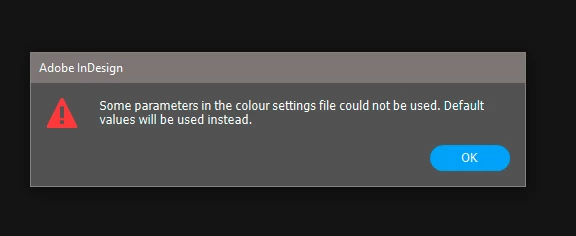
I already removed the CS5 Suite incl. all files, removed the whole CC incl. regedit-entries and all I could find from Adobe to reinstall everything fresh ... After all of this I've tried to set up a new csf. and I still have the same issue. Any ideas on this? Thx for your support.

This topic has been closed for replies.

5 replies

Participant
October 17, 2018

I have the same problem....Trying to load new ICC profile and I get the same "some parameters in the color setting file could not be used...." -message....I have new computer with CC2018, with old computer and CC2017 it worked....frustrating

Participant
September 27, 2021

Hey, everybody.
Move your ICC profile to c:\Program Files (x86)\Common Files\Adobe\Color\Settings\Recommended\.
Usually located here: c:\Users\ ?????? \AppData\Roaming\Adobe\Color\Settings\
Good luck!

Participant
August 27, 2018

Hello Typorträt

Did you find the solution or the cause of the error message?

I have the same color error problem in Indesign CS6 - Win 7. after reinstall.

Thank you 

Gergő

Participant
September 3, 2018

Hi

I had the same problem and I have to say: it was hard to solve.

You have to find the "Recommended" directory where the default color settings are, and you have to paste your file there.

First you make your setting in Indesign, you save it and you copy it into the Recommended color settings folder.

Under windows 7 the folder is here:

C: \ Program Files (x86) \ Common Files \ Adobe \ Color \ Settings \ Recommended

After you pasted you file there (no matter what is the name) you can select it under the Adobe Bridge.

Et voila, Indesign also accepts it and does not want to set the default color values setting and finally forget his stupid error message

"Some parameters in the colour settings file could not be used. Default values will be used instead."


Easy? I dont think so. There was a lot of time to fix it

Participating Frequently
September 17, 2018

Hey arttitude-gergo, in first sight your solution was really helpful and also solved my problem!

Sadly it worked exactly for one InDesign-Start and after that the same problem keeps occouring Thank you anyways for your help and I'm happy for you, that it helped in your case with CS6 and Win7!

For CC and Win10 it is not working ...

Participating Frequently
July 4, 2018

Hey Rob, sadly the cache clearing didn't help or solve the problem, but made it even worse Starting ID after the clearing I've opened up the colour settings and same pop up appeared with same custum settings posted above. When I then tried to load another setting Indesign crashed imediately ... this happened twice

rob day
Community Expert
Community Expert
July 4, 2018

Did you trash your preferences?

Participating Frequently
July 4, 2018

That's what I did before reinstalling everything ... I trashed every Adobe folder, registry entry, etc. and also tried the CC Cleaner after I trashed everything

rob day
Community Expert
Community Expert
July 2, 2018

and all I could find from Adobe to reinstall everything fresh ... After all of this I've tried to set up a new csf. and I still have the same issue. Any ideas on this?

Have you tried clearing your preferences and caches? Try clearing your caches first. Reinstalling the applications wouldn't necessarily reset either.

Troubleshooting 101: Replace, or "trash" your InDesign preferences [2009 Outdated & Locked]

Participating Frequently
July 2, 2018

Nope, havn't done that yet, but I'll give it a try tomorrow and let you know, if it worked out.

rob day
Community Expert
Community Expert
July 2, 2018

Can you show the Color Setting you are trying to load in Photoshop?

Participating Frequently
July 2, 2018

Sure, here we go:

rob day
Community Expert
Community Expert
July 2, 2018

While you can do it, using your monitor profile as an RGB editing space and then leaving all of your RGB images and colors with no profile is not a great practice—it would make it impossible to accurately share RGB images. Also using a narrow RGB space like a monitor profile or sRGB makes it impossible to convert into parts of the CMYK space. Some CMYK color like 100% cyan blues would be out-of-gamut to a narrow RGB space so they will get clipped when you convert to CMYK.

What happens if you use one of the standard RGB editing spaces (AdobeRGB, sRGB, ProPhoto RGB) for your RGB Working Space?